
A tenant access maintenance job stalls the moment the tenant stops replying, and the fix is rarely to chase harder. It is to make a small number of clear, recorded attempts, then hand a dated access request back to the person who controls the tenancy. As the operator, meaning the contractor business that manages the client, the job and the people doing the work, you do not decide how a landlord gets access to their own property. The property manager or landlord does. Your job is to make the attempts easy to see, easy to evidence and impossible to lose.
This guide walks through that process in the order you would actually do it, and shows where Plan@Job helps and where a person needs to make the call.
Why tenant access jobs stall
Most stalled access jobs share the same causes. The brief has the wrong phone number. The tenant was never told a contractor would be in touch. Messages are spread across a personal mobile, an office inbox and a voicemail nobody logged. Nobody agreed when to stop chasing, so the job sits in a pending pile until the client asks why nothing has happened.
None of that is fixed by sending a fifth text. It is fixed by tightening the brief, recording each attempt against the job and escalating at an agreed point.
Step 1: Get the access details right before you book
The cheapest no-access visit is the one you never send anyone to.
- Open the job from Jobs and read the brief before anything is scheduled.
- Check who the access contact is. It might be the tenant, the letting agent, a neighbour holding keys or a block manager.
- Confirm you have a working phone number and email for that contact, plus anything that affects the visit: preferred times, pets, parking, shared entrances or a concierge.
- Check whether the tenant knows the repair has been reported and that a contractor will contact them. If you cannot tell, ask the client.
If you use AI staff, Sophie Bennett, the AI Enquiries Coordinator, checks existing job briefs for missing information and asks for clarification. She makes two attempts, then hands the gap back to your team. She does not guess an answer, and she does not decide whether a job goes ahead. A person on your team reviews what came back and decides the next move.
The best way to avoid thin briefs is to have the client raise repairs properly in the first place. Property managers using the Client portal can raise a repair against the right property, with photos and access notes attached, rather than forwarding a tenant email with half the details missing.
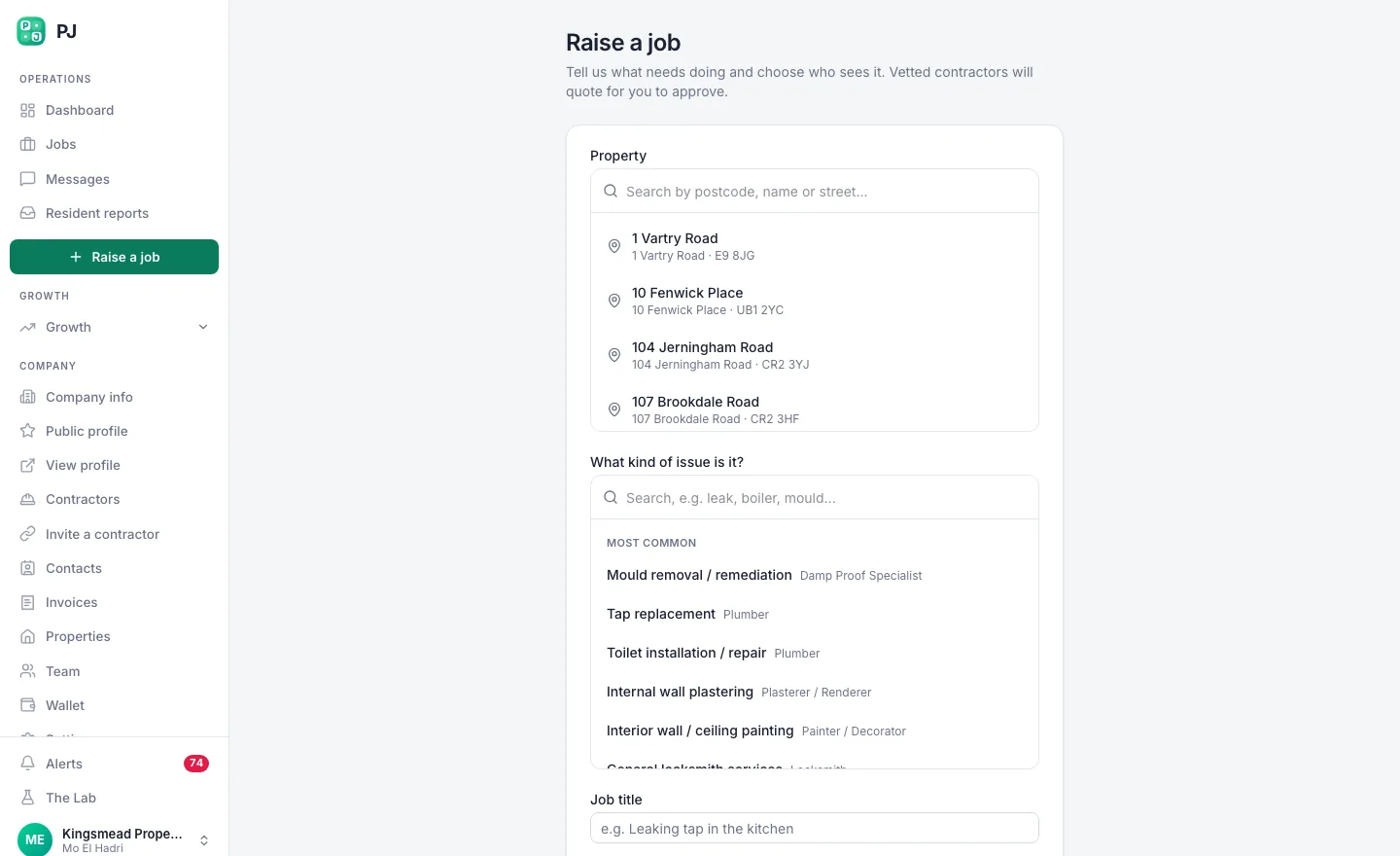 They raise the repair themselves, against the right property, with photos attached.
Step 2: Offer dates and record every attempt
Once the brief is right, offer the tenant real options and keep every contact attached to the job.
- Check availability in Schedule for the operative or subcontractor doing the work.
- Offer two or three slots across different days and times. A tenant who works days cannot answer a weekday-morning-only offer.
- Send the offer through Messages on the job, so the conversation sits with the job record rather than in someone's phone.
- If you phone, log a short note straight after: date, time, number called, outcome. A voicemail left is an attempt. A call that rang out is an attempt. Write both down.
- If you attend and cannot get in, write it up in Job reports with a photo of the front door and any card you left.
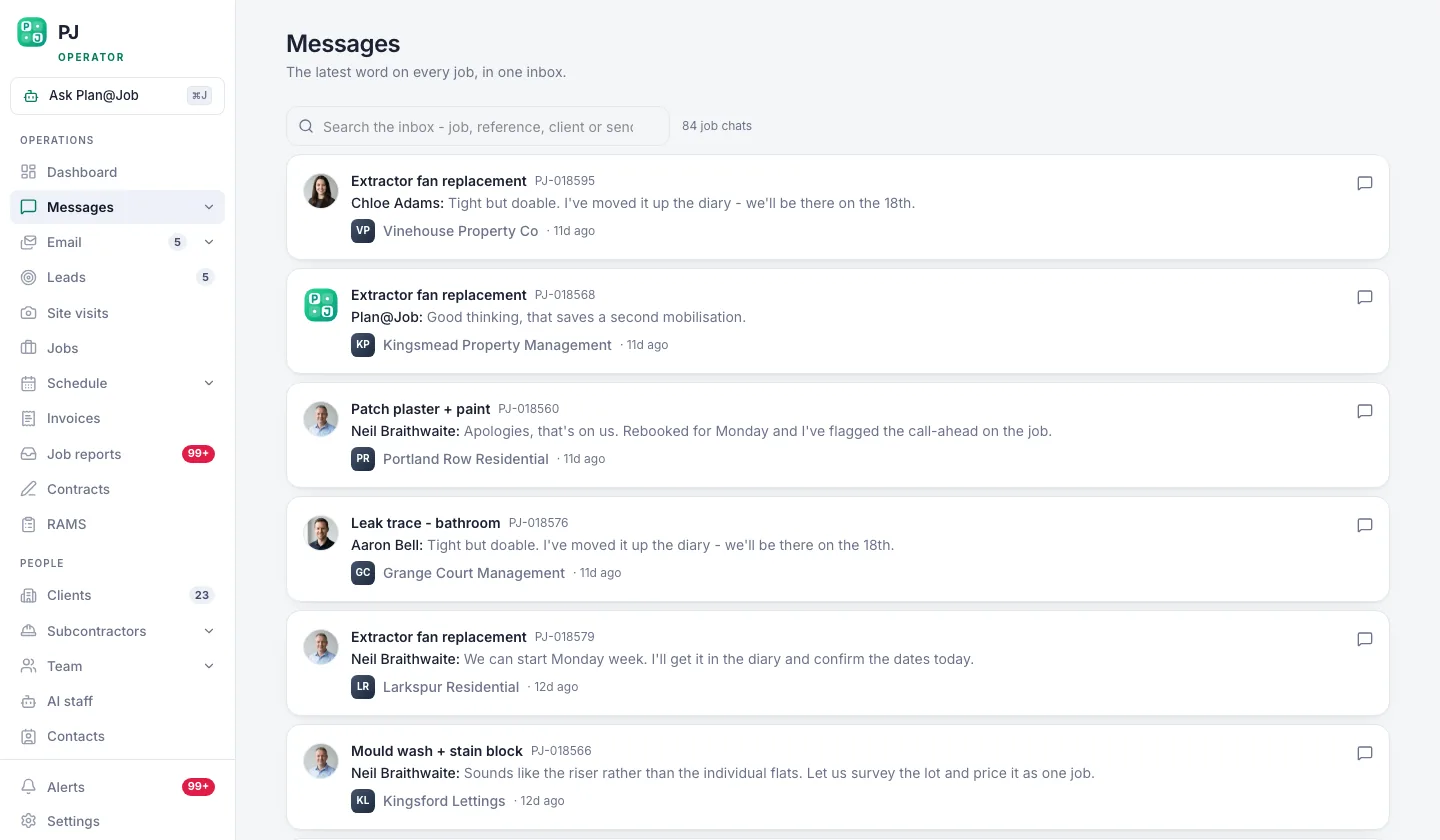 Conversations stay attached to the job they are about.
Daniel Reed, the AI Operations Manager, supports follow-ups on quotes and proposed dates, so an offered slot that nobody has answered does not simply go cold. First contact with a client's contact normally needs your approval before it goes out. You stay in charge of what is said and to whom.
Step 3: Agree when you stop chasing
This is the step most operators skip, and it is the one that saves the most arguments.
Agree with each client, in writing, what a reasonable set of attempts looks like before you escalate. Put it in your terms of business or the client's job instructions. It should cover:
- How many attempts you make, and by which channels.
- Over what period.
- Who you escalate to at the client, by name or role.
- Whether a wasted visit is chargeable, and on what terms you have both agreed.
Illustrative example only: a client might agree that you make three contact attempts across at least two channels over five working days, then send an access request to their property manager. That is not a rule or a recommendation. It is the kind of arrangement worth writing down, because it turns a vague complaint into a clear process both sides signed up to.
Deciding these terms is a person's job. The platform helps you follow them; it does not set them.
Step 4: Escalate to the client with evidence
When you reach the agreed point, stop chasing the tenant and send the client a clear access request through Messages on the job. Include:
- The property address and job reference.
- A dated list of every attempt and its outcome.
- Any no-access visit report and photos from Job reports.
- The dates you can still offer.
- Anything about the repair that makes timing matter, such as an active leak, no heating or hot water, or a safety concern your operative spotted.
Then let the client decide. They hold the tenancy agreement and the relationship with the tenant. Depending on the situation they may contact the tenant themselves, arrange keys, give notice under the tenancy, or treat the issue as an emergency. Do not enter a let property without the client's clear authorisation, and do not give the client legal advice on notice periods or landlord duties.
Some repairs carry legal obligations and timescales for the landlord, for example under current gas safety rules or damp and mould requirements. Flag the issue promptly and in writing. Point the client to current official guidance if they ask. Interpreting it is their responsibility.
Step 5: Keep the job visible until it moves
An access-stalled job is still your job. The risk is that it drops out of sight.
- Keep the status honest on Jobs. If it is waiting for access, it should still sit at booking required, not marked scheduled because a date was once suggested.
- Filter the jobs list by status at the start of each week and work through anything stuck at booking.
- If you use AI staff, read Daniel's morning brief as part of your start of day.
- If the work is subcontracted, keep the subcontractor updated through the job. Nobody should drive to a property where access was never confirmed.
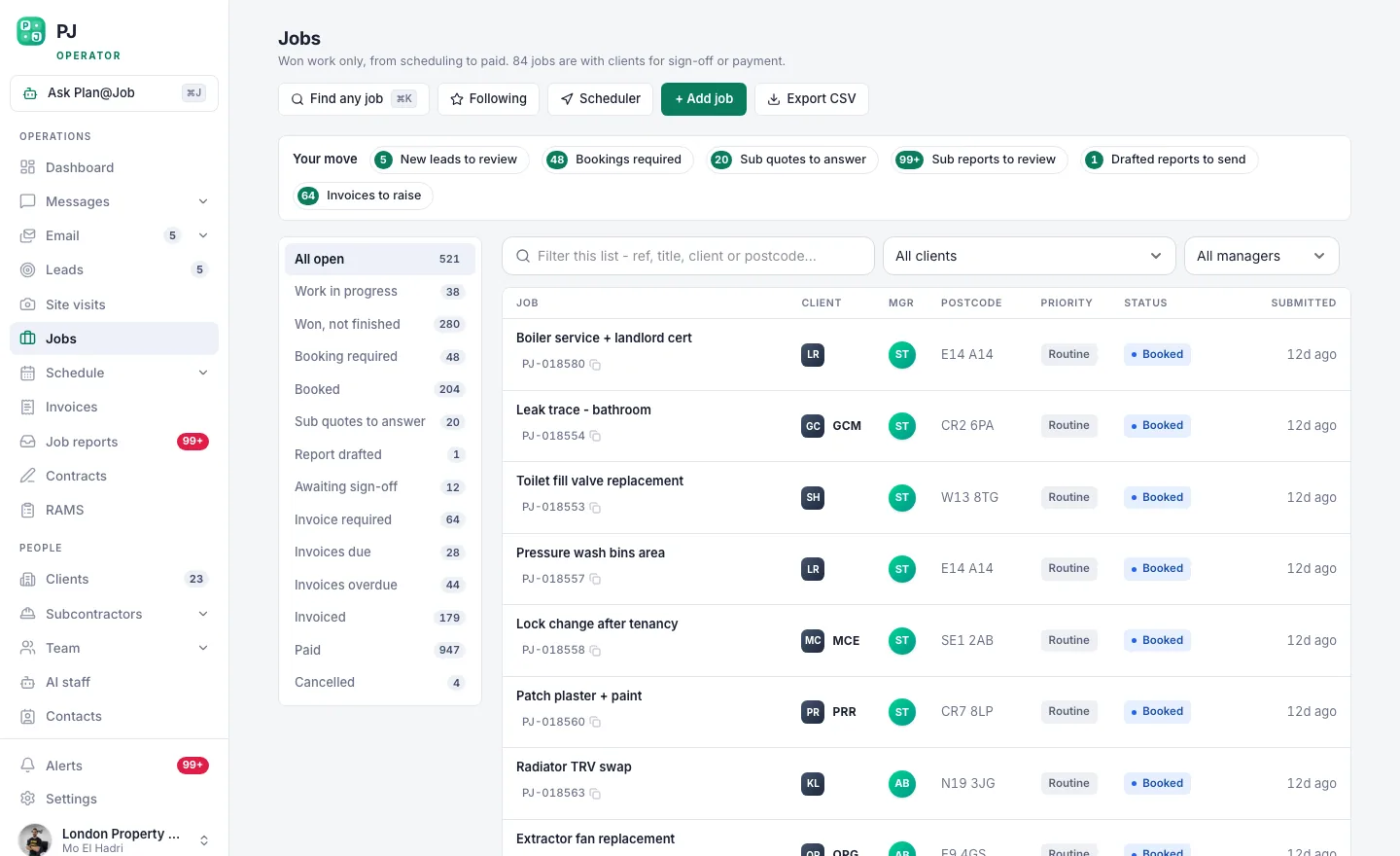 Every won job in one list, filtered by the stage it is stuck at.
Step 6: Close the loop when access comes through
When the client confirms access, move quickly:
- Book the slot in Schedule and confirm it in Messages on the job.
- Send the operative or subcontractor the updated access notes.
- Complete the work and record it in Job reports with before and after photos.
- Raise the invoice from Invoices, including any agreed wasted-visit charge as a separate, clearly described line.
If the client cancels instead, record the reason on the job before you close it. That record is useful the next time the same property or tenant comes up.
What usually goes wrong
- Chasing without recording. Five calls nobody logged count for nothing when the client asks what happened.
- Escalating too late. Waiting weeks before telling the client turns a tenant problem into your problem.
- Escalating without evidence. A message saying the tenant will not answer invites the reply, did you try? Send the dated list.
- Wrong status. Jobs marked scheduled with no confirmed access hide the real backlog.
- No agreed terms. Arguing about a wasted visit charge after the event is harder than agreeing it before.
- Stepping into the landlord's role. Notice, entry and tenancy decisions belong to the client.
Running this in Plan@Job
The process above works on paper, but it is easier when the brief, messages, visit reports and status all live on the same job. Plan@Job's project management keeps each job and its internal stages in one place, so an access delay is visible rather than buried. You can read how the AI staff fit into that workflow, or see what Plan@Job offers UK contractors.
FAQ
How many times should I try to contact a tenant before escalating?
There is no single correct number. Agree it with each client in writing, covering how many attempts, over what period and by which channels, then follow it consistently and record every attempt against the job.
Can I charge for a visit where the tenant was not in?
Only if your terms with the client allow it. Agree wasted-visit terms in advance, record the visit in Job reports with photos, and show the charge as a separate line on the invoice.
Does Plan@Job contact the tenant for me?
Plan@Job keeps messages attached to the job, and AI staff can help with clarification on job briefs and follow-ups on proposed dates. First contact normally needs your approval, and decisions about access, notice and entry stay with you and your client.