
A subcontractor no show hits your programme, your client and your margin in the same morning. The short answer is this: confirm it really is a no-show within the first hour, decide whether the work can move or must be covered, find cover from people you already trust, tell the client before they notice, and only then deal with the subcontractor. This guide walks through that order in Plan@Job, the project and operations platform for construction and property businesses. In Plan@Job you are the operator: the contractor business that manages clients, project delivery, subcontractors and your own in-house operatives.
First hour: confirm it is actually a no-show
Most no-shows start as a late arrival with no message. Treat the first hour as fact-finding, not blame.
- Check what was agreed. Open the job in Jobs and find the stage that was booked. Confirm the date, the start time and who it was assigned to. A lot of later arguments come from a start time that was never confirmed in writing.
- Check the conversation. Go to Messages and open the thread attached to that job. Look for a reschedule request, a question about access or materials, or a proposed date that nobody answered.
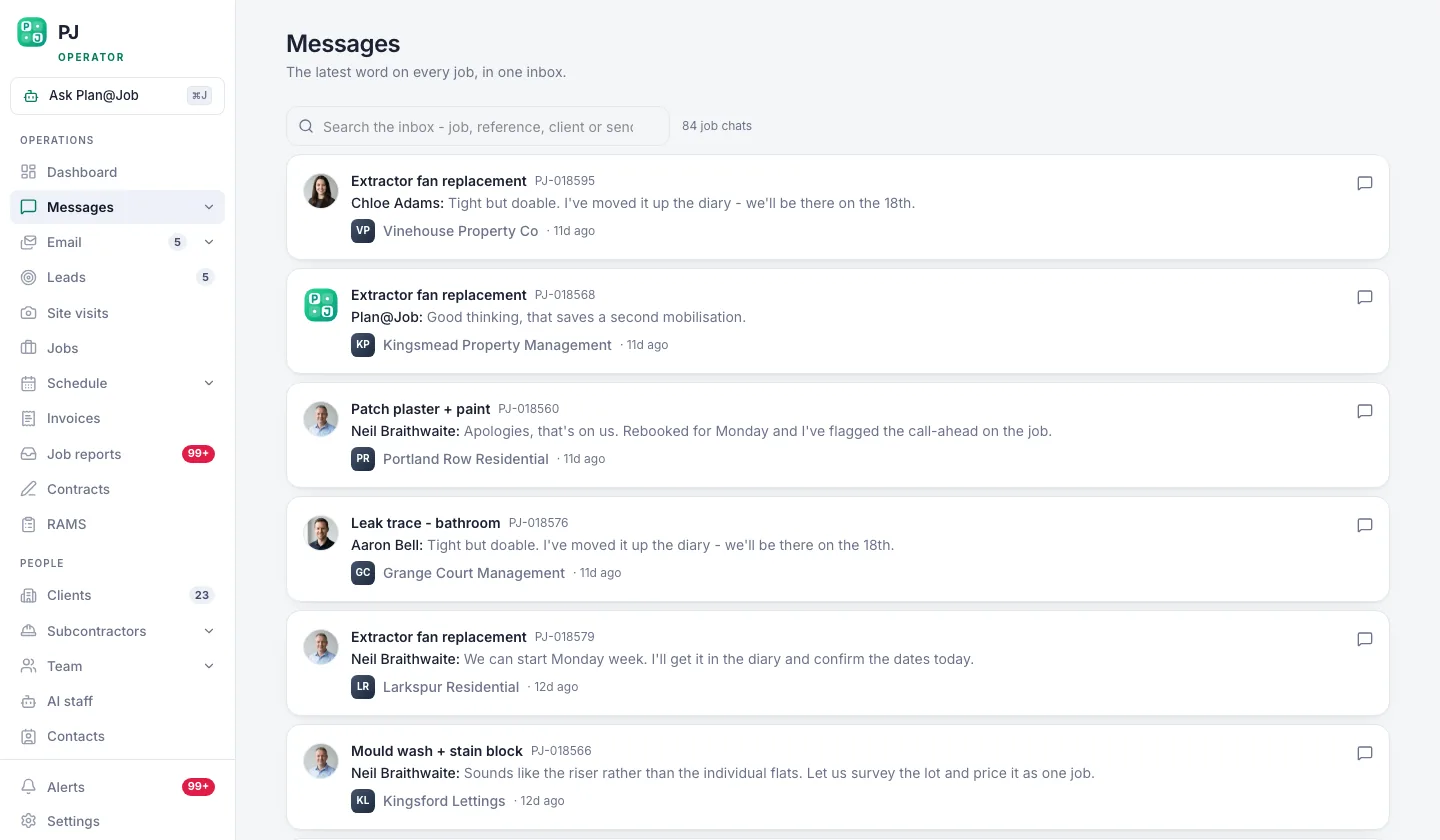 Conversations stay attached to the job they are about.
- Make contact once, properly. Phone first. If there is no answer, send one message on the job thread. Say what you expected, what time it is now and what you need back: an arrival time or a clear 'not coming today'. Keep it short and factual. It may be read again if there is a dispute.
- Set a cut-off. Pick a time after which you treat it as a no-show and start covering. This is your decision. The platform does not decide when someone has failed to attend.
Illustrative example, not a real customer: a bathroom refit stage is booked for a tiler at 8am on a Tuesday. By 9am nobody has arrived and the occupier has phoned twice. The operator checks the job thread, sees the tiler confirmed the date the week before, calls, gets voicemail, sends one message and sets a 10am cut-off.
Decide: move the work or cover it
Not every no-show needs a replacement today. Before you ring round, ask yourself:
- Is anything waiting on this stage? A missing plasterer can hold up second fix. A missing fencer may hold up nothing.
- Is the site safe and usable as it stands? Open excavations, isolated services or a stripped-out kitchen in an occupied home change the urgency.
- Is an access window about to close? Tenanted property, a keyholder, a skip permit or scaffold hire can all make a later date expensive.
- Can your own team do it? An in-house operative with the right skills is often the quickest fix.
From that you have three options: move the stage to a new date, cover it with your own operative, or cover it with another subcontractor. Choosing between them is a person's decision.
Step by step: covering the gap
- See who is actually free. Open Schedule and look at the week by person.
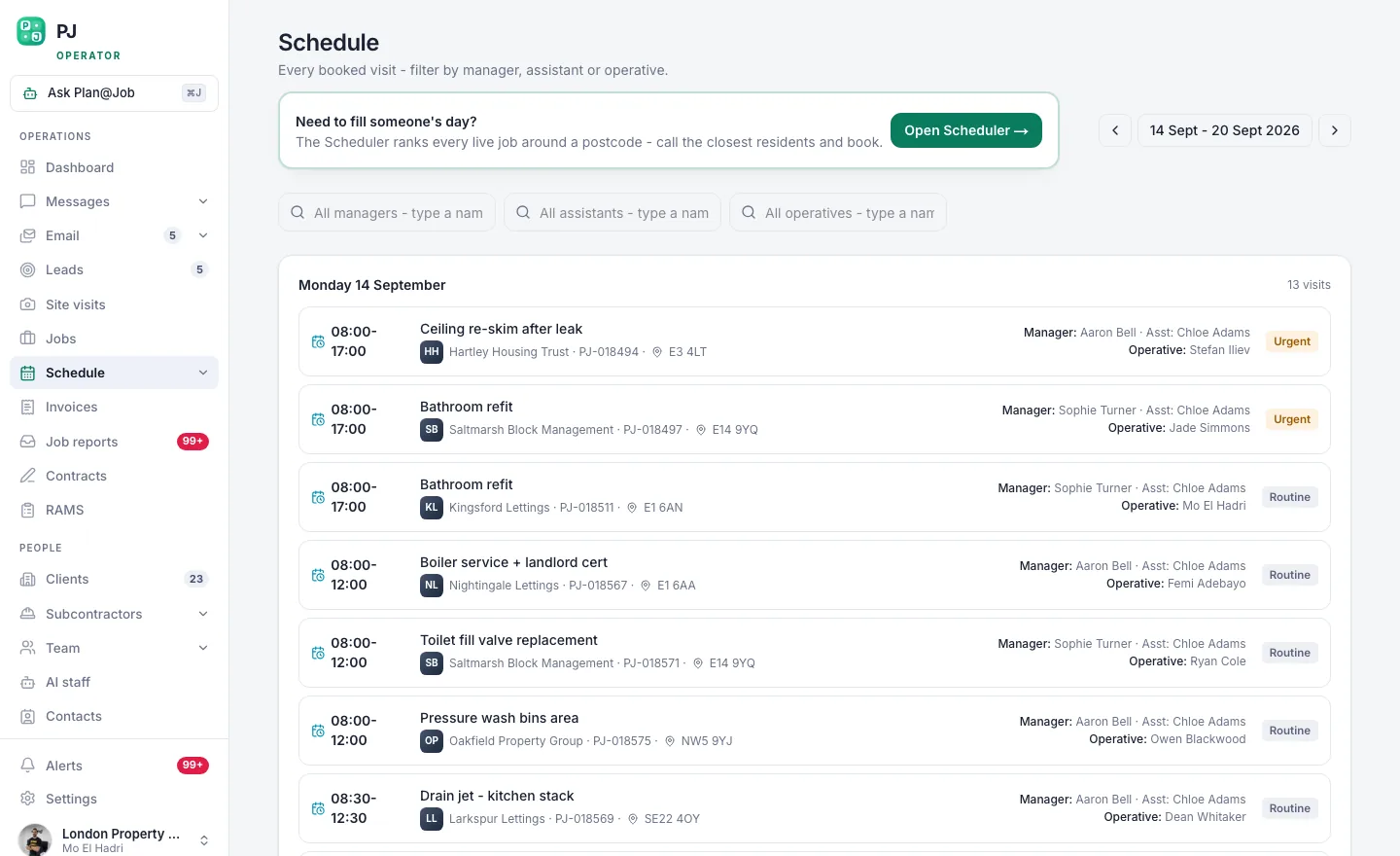 The week, by person, so you can see who is actually free.
If an operative has a gap and the right skills, reassign the stage and update its dates and status on the job. The project plan lets you split a job into internal stages with their own scope, dates, status and costs, for both subcontracted and in-house delivery, so moving one stage does not mean rewriting the whole job. It does not reschedule later stages for you, so check what comes next and adjust those dates yourself.
- Go to your own network first. If nobody in-house can take it, open Subcontractors. Look at trade, area and vetting status.
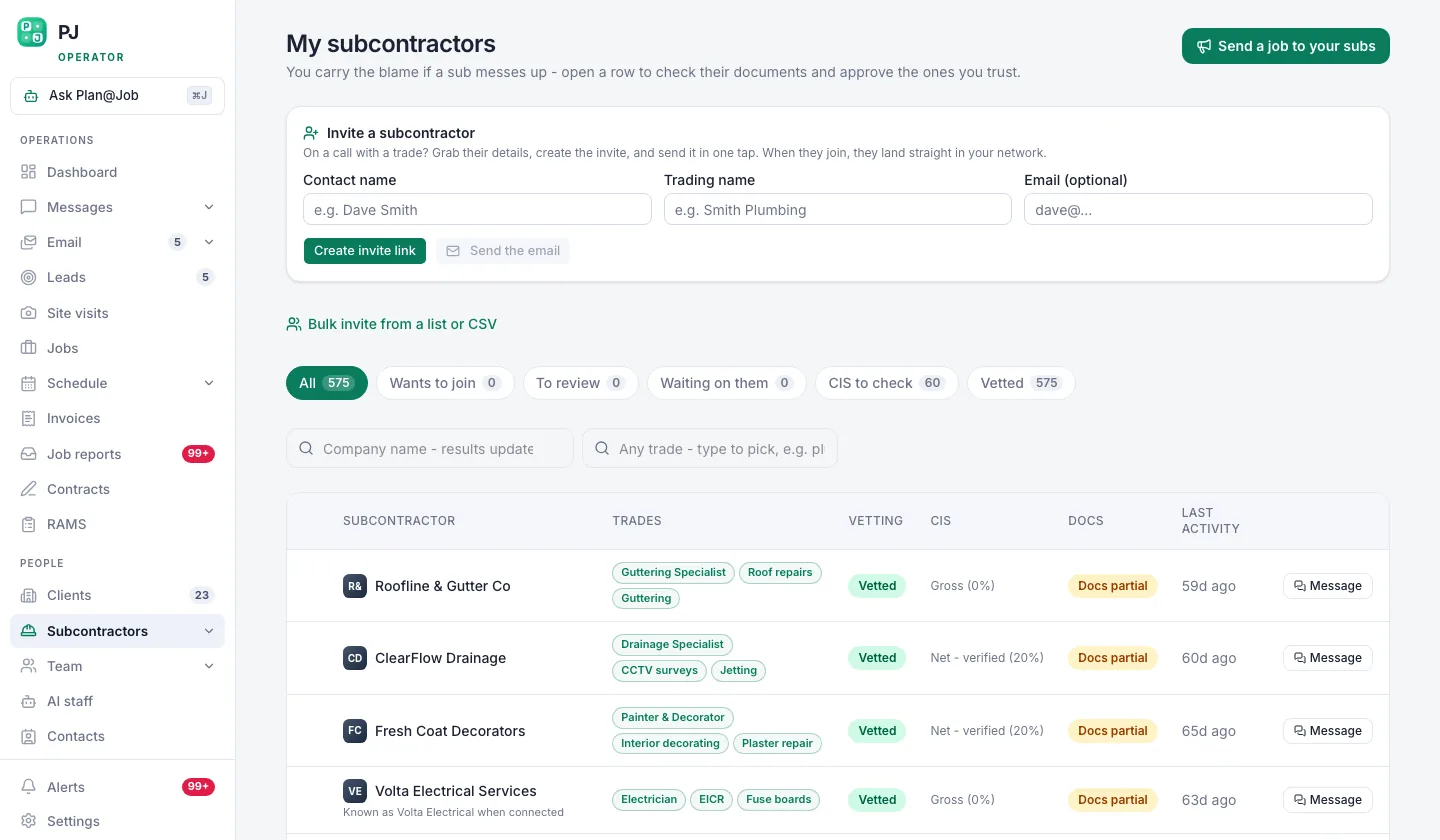 Your own subcontractor network, showing who is vetted and who is still a stranger.
On an emergency day, a subcontractor you have already vetted and worked with is a lower risk than a stranger. In some workflows a subcontractor can price before vetting is complete. That is fine for getting a quote, but decide which checks you need before anyone starts on site.
- Send the work out with a proper brief. Use Cover a job or the Subcontracting desk, depending on how you run your subcontracting, to put the stage in front of suitable subcontractors. Include the scope, the area, access arrangements, the date window and what has already been done. A vague brief gets vague prices.
If you use AI staff, Daniel Reed, the AI Operations Manager, can support sharing eligible work with your existing vetted network and following up on quotes and proposed dates, so you are not chasing people one call at a time. He does not award the work or set the price.
Choose and confirm. Compare price, proposed date and vetting status, then award the work yourself. Confirm the date and start time in writing on the job thread. Check that the paperwork you need for the new subcontractor, such as the contract and the RAMS for the task, is in place under Contracts and RAMS before they arrive.
Update the stage cost. If the replacement costs more, change the cost on that stage so your margin on the job reflects what is really happening. Stage costs are internal. The client still sees the overall agreed scope and price.
Tell the client before they find out
- Give the client the facts that affect them. They need to know what has happened in plain terms, the new date or arrival time, and what you are doing about it. For occupied homes, phone first and follow up in writing.
The client does not need to know which subcontractor let you down. In Plan@Job, subcontractor identity stays internal. Through the Client portal the client sees the overall agreed scope, the price and the evidence you choose to share. Once the work is done, use Job reports to share photos and notes so the client can see it was completed.
If the work was commissioned by a main contractor, use whatever reporting route they expect and tell them early. A late warning is worse than a late arrival.
Deal with the subcontractor afterwards
Wait until the day is under control. Then:
- Ask for the reason and record it on the job. Illness and vehicle breakdowns happen. One missed day with a phone call later is different from a pattern of silence.
- Check the contract before making any money decision. What you can deduct, withhold or recharge depends on the terms you agreed and the payment rules that apply to construction contracts. Do not knock costs off an invoice in the heat of the moment. If the sums are significant, take proper advice.
- Decide their future in your network. Keep them, keep them with a note, or stop offering them work. That is your call. Record the reason so anyone else in your team booking work later can see it.
What usually goes wrong
- Waiting too long. Hoping they turn up eats the hours you need to find cover. Set the cut-off and stick to it.
- Bookings made only by phone. If the date and time were never confirmed on the job thread, it is your memory against theirs.
- Grabbing the first available stranger. Speed matters, but an unvetted replacement can create a second problem. Start with your own network.
- Forgetting the knock-on stages. Moving one stage and leaving the next one booked for the original date just creates the next no-show.
- Over-explaining to the client. Blaming a named subcontractor sounds like an excuse. Give the facts and the fix.
- Arguing about money on the day. Sort the site first and the contract second.
Making the next one easier
You will not stop every no-show. You can make them quicker to spot and cheaper to fix. Confirm every booking in writing on the job, keep your subcontractor network current with trades, areas and vetting status, and keep each stage's dates and costs up to date so the plan matches the site. If you use AI staff, Daniel Reed's morning brief gives you a start-of-day view so you are not piecing the day together from texts.
If you want to compare notes with other UK contractors on how they manage subcontractor reliability, Contractor Club is a related community for UK contractors.
To run your jobs, team and subcontractors in one place, see how Plan@Job works for UK contractors.
FAQ
Should I pay a subcontractor who did not turn up?
It depends on your contract, any work or materials already supplied, and the payment rules that apply to construction contracts. Check the terms you agreed before deciding, record what happened on the job, and take advice if the amount in dispute is significant.
Can Plan@Job find a replacement automatically?
No. Plan@Job helps you see who is free, look through your own network and send the work out. Daniel Reed can support sharing eligible work with your existing vetted network and follow up on quotes and proposed dates. Choosing and awarding the replacement is always your decision.
Do I have to tell the client which subcontractor failed?
No. Subcontractor identity stays internal in Plan@Job, and the client sees the overall scope, price and shared evidence. Tell them what has happened, the new date and what you are doing about it.