
A subcontractor award email template has one job: get the scope, the price and the dates in writing before anyone loads the van. That's it. Most award emails I've seen say "you got it, see you Monday", and three weeks later everyone is arguing about what "it" was. This guide is for operators. On Plan@Job, the operator is the contractor business that wins the client, runs the job and manages the subbies and in-house operatives. Below is how I write the award, step by step, and which parts Plan@Job handles for you.
Why the award email matters more than the quote
The quote is their offer. The award is the deal. If the award is vague, the deal is vague, and a vague deal always gets settled in the subbie's favour on the day the job goes wrong.
When I ran my maintenance company in London, working for housing associations and letting agents through a network of subbies, I had one rule. A start date wasn't real until the subbie had confirmed it back in writing. A phone call didn't count. A thumbs up on WhatsApp didn't count either. Everything below comes from that rule.
Step 1: Pick the winner on the Subcontracting desk
Pick the winner before you write a word. On Plan@Job you do that in one place.
- Open Jobs and pick the job you're subcontracting.
- Go to the Subcontracting desk for that job. Every brief you sent out and every price that came back sits there together.
- Compare what came back: the figure, the proposed dates, and any notes on what they've included or left out.
- Choose your winner and your runner-up.
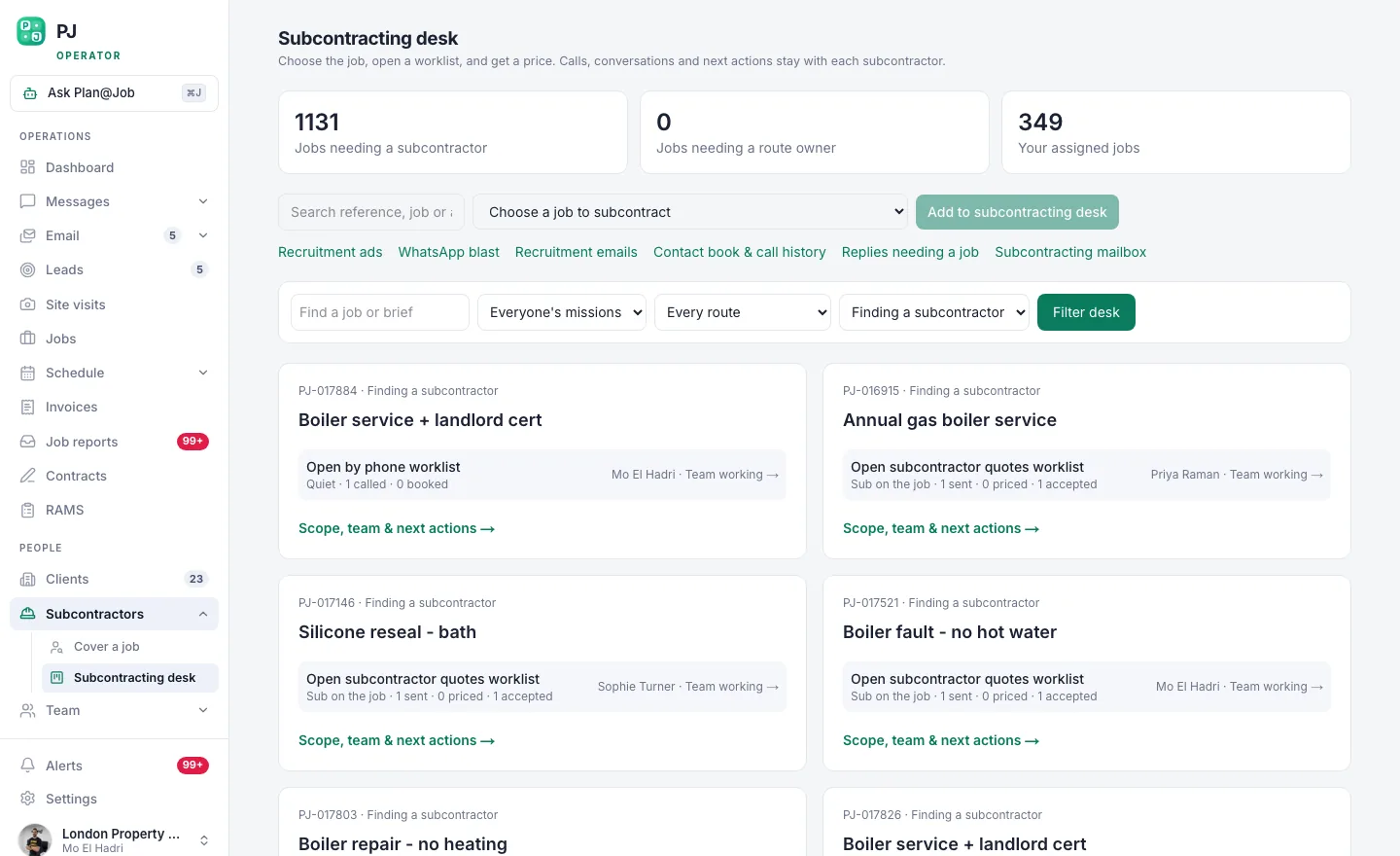 The subcontracting desk: one brief out to many, and every price back in one place.
This is your decision, not the software's. Plan@Job never awards a job by itself, and it never sets the price. If some quotes or proposed dates haven't come back yet, Daniel Reed, the AI Operations Manager, follows them up for you and flags where things stand in your morning brief. Picking the winner is still on you.
The cheapest price is often the wrong pick. It's not the price - it's the service. The subbie who priced the brief properly and gave you a real start date is usually worth the extra.
Step 2: Run your checks before you say yes
In some Plan@Job workflows a subcontractor can price before they're fully vetted. That's deliberate. You get prices quickly, and the checks happen before you commit. So do them now, before the award goes out, not after.
Open their profile under Subcontractors and confirm:
- Their insurance is current and covers this kind of work.
- You've verified them with HMRC under CIS before you pay them a penny.
- They hold the registration the work legally needs. Gas work needs Gas Safe. Electrical work has its own rules, and you check them against the current regulations, not memory.
- You've seen their recent work, or you know someone who has.
If something is missing, the award waits. Ask for it once, clearly, and give them a deadline.
Step 3: Write the award email
Before you write, remember what the subbie has already seen. When you sent the job out, this is what landed with them:
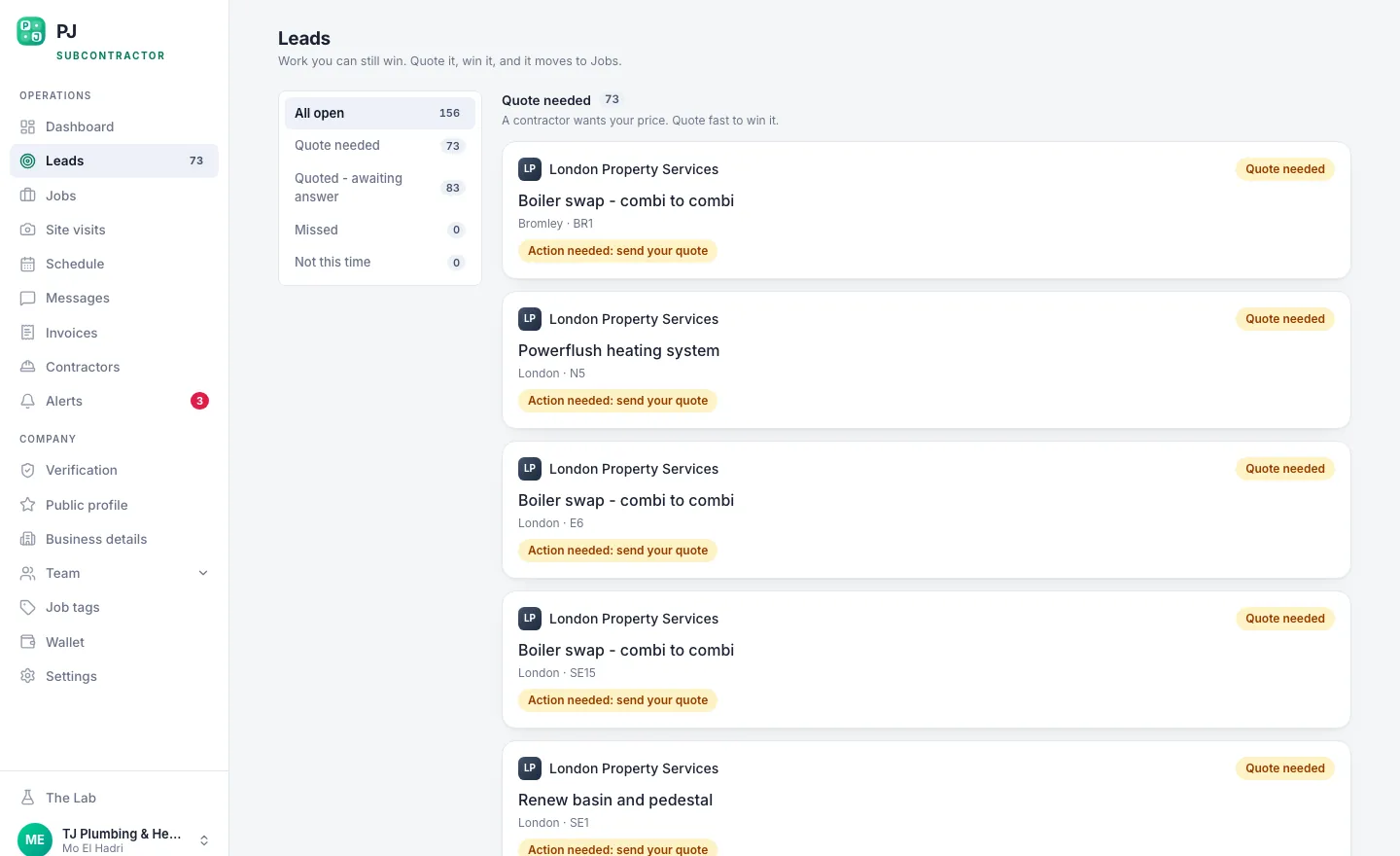 This is what lands on the other end of the offer: scope, area, and the figure on the table.
Your award has to match that exactly. Same scope, same figure. If anything changed after they priced it, say so in the award, in plain words. Don't make them work it out.
If the job is split into stages in the project plan, award each stage on its own, using that stage's scope and dates. Your client sees the overall agreed scope and price plus the evidence you share. Your stage costs and the subbie's name stay internal. Keep it that way.
The template
This is an illustrative template. Swap the brackets for your own details.
Subject: Award - [job ref], [trade] at [area] - start [date]
Hi [name],
You've got the [trade] work on [job ref] in [area]. Here's what we're agreeing:
Scope: as per the brief you priced on [date]. Anything not in it is a variation. Don't start a variation until you have my written OK.
Price: £[agreed figure], [plus VAT where it applies / reverse charge where it applies], fixed for the scope above.
Dates: start [date], finish [date]. Access is [times, keys, on-site contact].
Before you start: I need [your RAMS / insurance certificate / anything still outstanding] by [date].
Evidence: before, during and after photos uploaded to the job.
Payment: [your terms], once the work is signed off with photos.
Client contact: everything goes through me. Please don't contact the client directly.
Reply to confirm you accept these terms and that the start date works. Until you do, the slot isn't locked.
[Your name]
What never goes in it
Three things. The client's price. Your margin. The client's personal contact details beyond what the subbie needs to get on site. The spread between what the client pays and what the subbie costs is your business. It doesn't belong in an email that could be forwarded on.
Step 4: Send it, then get a written yes
- Send the award from Messages in Plan@Job, so it sits against the job instead of getting lost in your own inbox.
- Wait for a written yes. Until you have it, nothing goes in the diary.
- Once they confirm, put the dates into Schedule.
- If you keep paperwork in Contracts and RAMS, file it before the start date, not on the morning.
If they come back with "can we do Thursday instead", that's a new date. Confirm it in writing again. That's boring, and it's exactly what saves you.
Step 5: Tell the others, and keep a runner-up
Everyone who priced deserves an answer. Keep it to two lines: thanks for pricing, we've gone another way this time, we'll send you the next one that fits. Subbies remember who ghosted them.
Don't fully let go of your runner-up until the winner has confirmed and is on site. If nobody fits, or the winner drops out, go back to the Directory:
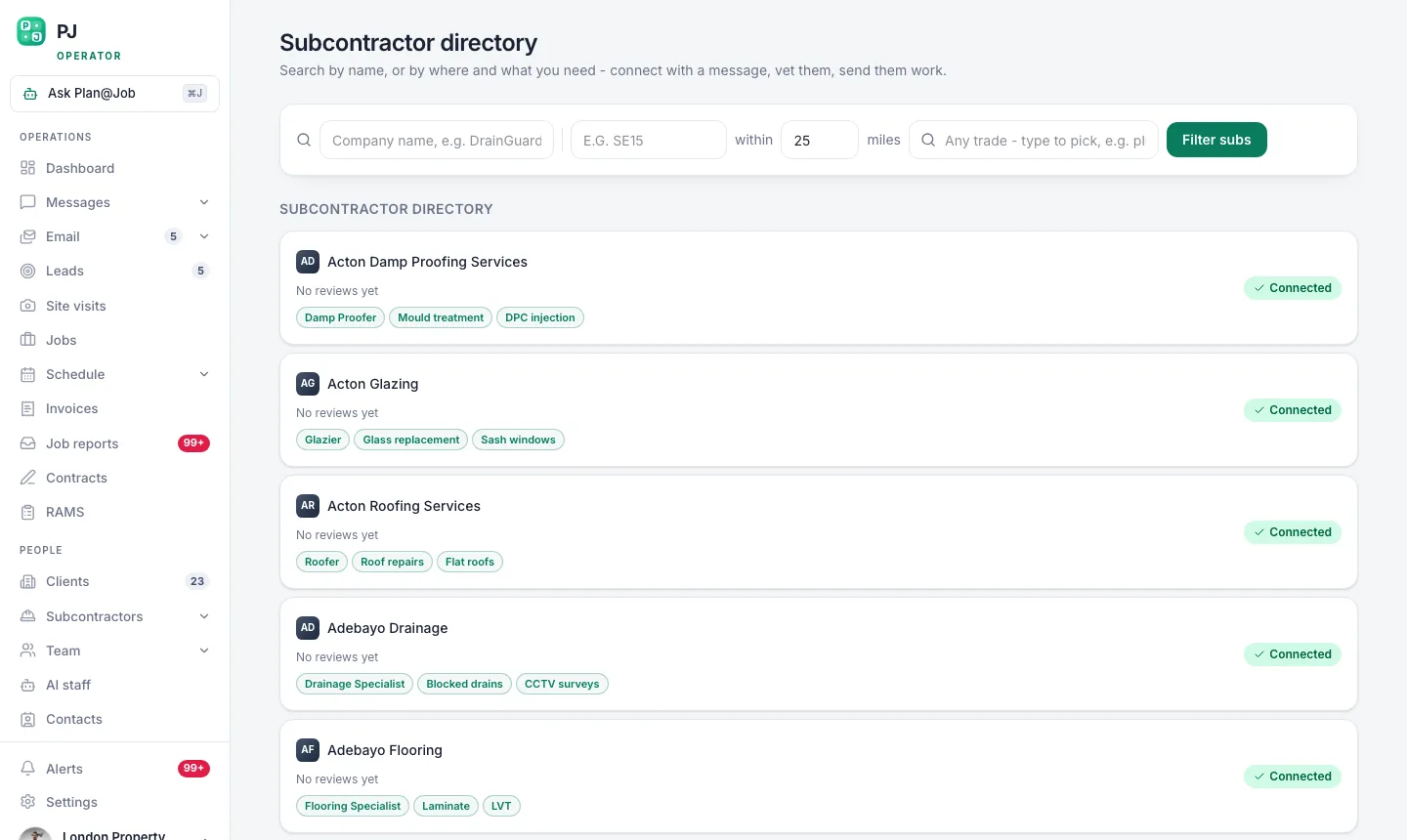 The subcontractor directory ranks by trade first, then by how close they are to the job.
What Plan@Job does, and what's on you
The platform sends your brief out, collects the prices in one place, shows each subbie the scope and the figure on offer, and keeps the messages on the job. Daniel chases outstanding quotes and proposed dates, and your morning brief shows where everything stands.
You decide who wins, at what price, on what terms. You run the checks. You send the award. Nothing gets awarded, priced or paid without a person deciding it. That's how it should be. The margin is yours, so the call is yours.
What usually goes wrong
- "Same as last time" as the scope. Last time is never the same. Point to the brief they priced.
- An approximate price. "Around £[x]" turns into £[x] plus whatever they find. Write a fixed figure for a fixed scope.
- No confirmed start date. If they haven't replied, assume they're not coming.
- Awarding before the checks. Fixing a missing insurance certificate after they've started is ten times harder than before.
- Copying the client in. Your subbie and your client don't need each other's details. Keep the job running through you.
Your next move
If you're still awarding jobs from your personal inbox with no record of what anyone actually agreed, that's the first thing to fix. Set up your operator account, put your next job through the Subcontracting desk, and use the template above for the award. Start at Plan@Job for UK contractors.
If you want to talk subbies and margins with people who run contracting businesses, that's what Contractor Club is for.
Write the award properly once and you'll never go back to "see you Monday".
FAQ
Is an award email legally binding in the UK?
It can be. In the UK a contract doesn't have to be a formal document. An offer and a clear acceptance in writing can be enough. That's exactly why the scope, price and dates have to be right before you hit send. For anything big or unusual, get proper legal advice on your terms.
Should I send a formal subcontract as well as the email?
For small, routine jobs, a clear award email that points to the brief and your standard terms usually does the job. For bigger or longer work, issue a proper subcontract and use the email to cover it. Either way, the email and the paperwork have to say the same thing.
Can Plan@Job send the award for me automatically?
No, and you wouldn't want it to. Plan@Job collects the prices, follows up quotes and proposed dates, and keeps the messages on the job. Choosing the winner, agreeing the price and sending the award are decisions for a person in your business.