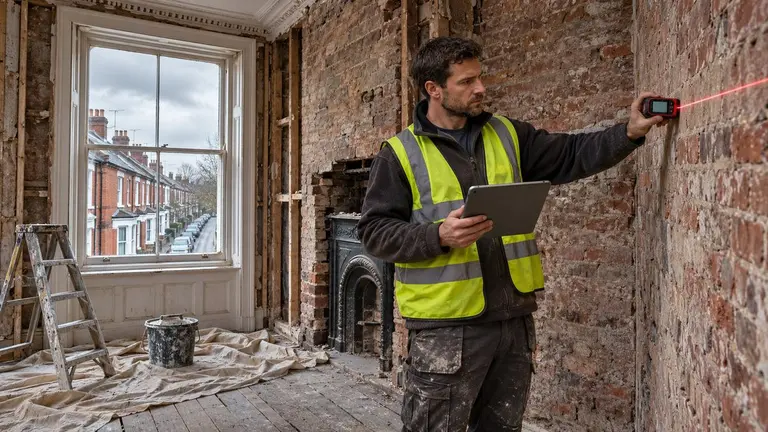
A site visit before quote work goes out is the step that protects your margin on bigger jobs. For anything beyond a simple repair, such as an extension, a strip-out, a full refurbishment or a multi-trade fit-out, do not price from photos and a phone call. Book the visit as its own step, go with a checklist, record what will change the price, then split the job into stages before you put a number on it. This guide walks through that process in order and shows where Plan@Job fits if you run your work as an operator. In Plan@Job, an operator is the contractor business that manages clients, project delivery, subcontractors and in-house operatives. If that is you, Plan@Job for UK contractors explains the wider setup.
Why bigger works need a survey, not a look
On a repair, you can usually price the visit and the fix together. On bigger works the visit is a survey. You are there to find the things that turn a fair price into a loss: poor access, hidden services, old materials, or a client who has not decided what they want.
Treat it that way in your system too. A survey has a different purpose, a different output and often a different person attending than a repair callout.
Before the visit: get the brief straight
1. Start from the enquiry
Open the enquiry from Leads or Jobs, depending on where it came in. Read what the client actually asked for, not what you assume they want. Note the address, the decision maker, and any documents they have mentioned, such as drawings, a previous survey or a planning approval.
2. Fill the gaps before you drive out
Most wasted visits come from a thin brief. If you use Plan@Job AI staff, Sophie Bennett, the AI Enquiries Coordinator, checks existing job briefs for missing information and asks for clarification. If the gaps are still there after two attempts, Sophie hands the job back to a person. Sophie does not decide whether the job is worth visiting. That is your call.
Useful things to ask for in advance:
- photos of the area and of the access route
- rough dimensions, if the client can give them
- any drawings, structural calculations or planning documents
- the age of the property and any known previous works
- the client's budget range and target dates
- who else needs to be there, such as a co-owner or landlord
3. Book the visit
Go to Site visits and add the visit against the job. Check Schedule so you are not double-booking the person attending. Then confirm the time with the client in Messages. First contact with a client normally needs your approval, so check the wording before it goes.
Decide who goes. On multi-trade work it is often worth bringing, or sending separately, the trade whose part is most likely to move the price, such as an electrician on a refurbishment with a lot of rewiring.
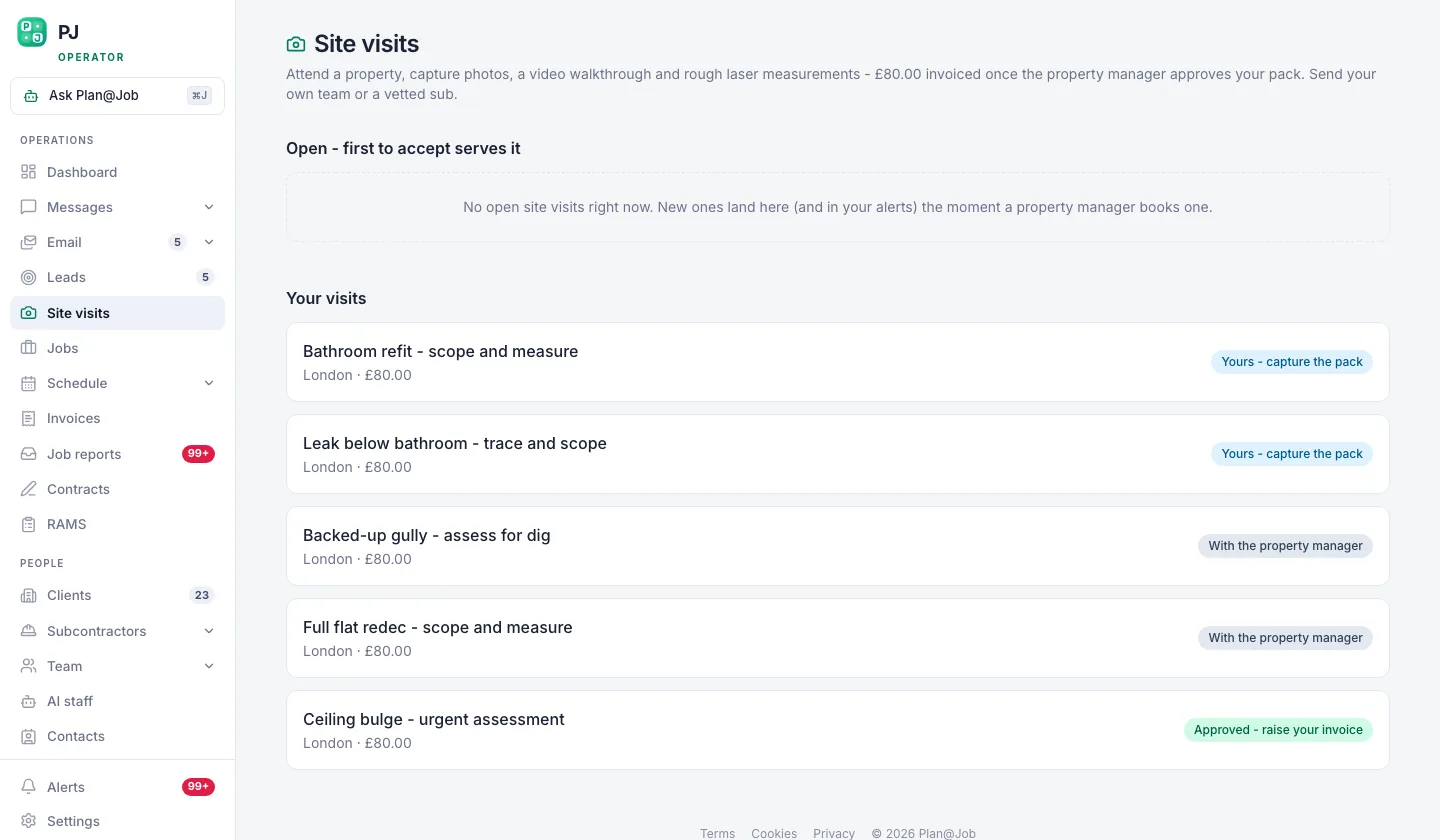 Site visits get their own flow, because a survey is not a repair.
On site: what to check
Use the same order every time so nothing gets missed. A fixed running order also makes your notes easier to price from later.
- Access and logistics. Parking, loading, skip position, stairs, lift sizes, permits if a skip or scaffold sits on the highway, and any working-hour limits from the building or neighbours.
- Measurements. Measure everything you will price. Do not rely on client figures or old drawings without checking them.
- Existing condition. Damp, cracking, rot, uneven floors, out-of-true walls. Photograph each one with something in shot for scale.
- Services. Consumer unit, incoming supplies, boiler and flue position, drainage runs, water pressure. Note what will need moving, upgrading or isolating.
- Hidden risks. In older buildings, assume materials such as asbestos may be present until a suitable survey says otherwise, and check what the current regulations require before any refurbishment or demolition work. Note anything that looks structural and may need an engineer.
- Neighbours and boundaries. Shared walls, boundary work and anything that might fall under party wall rules. Flag it to the client rather than advising on it.
- Waste and protection. What is coming out, how it leaves the site, and what needs protecting while you work.
- The client's decisions. Finishes, fixtures, who supplies what, and which choices are still open. Anything undecided becomes a provisional sum or an exclusion, not a guess.
Before you leave, walk the client through what you saw and what you still need from them. Agree when they will get the quote.
After the visit: turn findings into stages
4. Write up the same day
Notes go cold fast. Add your measurements, photos and findings to the job while the details are fresh. Split them into what you know, what you assumed and what you could not check.
5. Split the job into stages
Open the job and build the project plan. In Plan@Job you can split a job into internal stages, each with its own scope, dates, status and costs. A refurbishment might run strip-out, first fix, plastering, second fix, decoration and snagging.
Mark each stage as in-house or subcontracted. Plan@Job does not work out a critical path or schedule dependencies for you, so set the order and dates yourself based on what you saw on site.
6. Price the subcontracted stages
For stages you will not do in-house, get prices from your subcontractors. Daniel Reed, the AI Operations Manager, can support eligible sharing with your existing vetted network and follow up on quotes and proposed dates. In supported workflows a subcontractor may submit a price before their vetting is complete, so check their status and approve them at the right stage. Awarding work is always your decision.
Price your in-house stages from your own labour, materials and plant. Add each stage cost to the plan.
Build the quote the client sees
7. Turn the stages into one clear quote
The client sees the overall agreed scope and price. Your internal stage costs and the identity of your subcontractors stay internal. That lets you plan in detail without exposing your cost build-up.
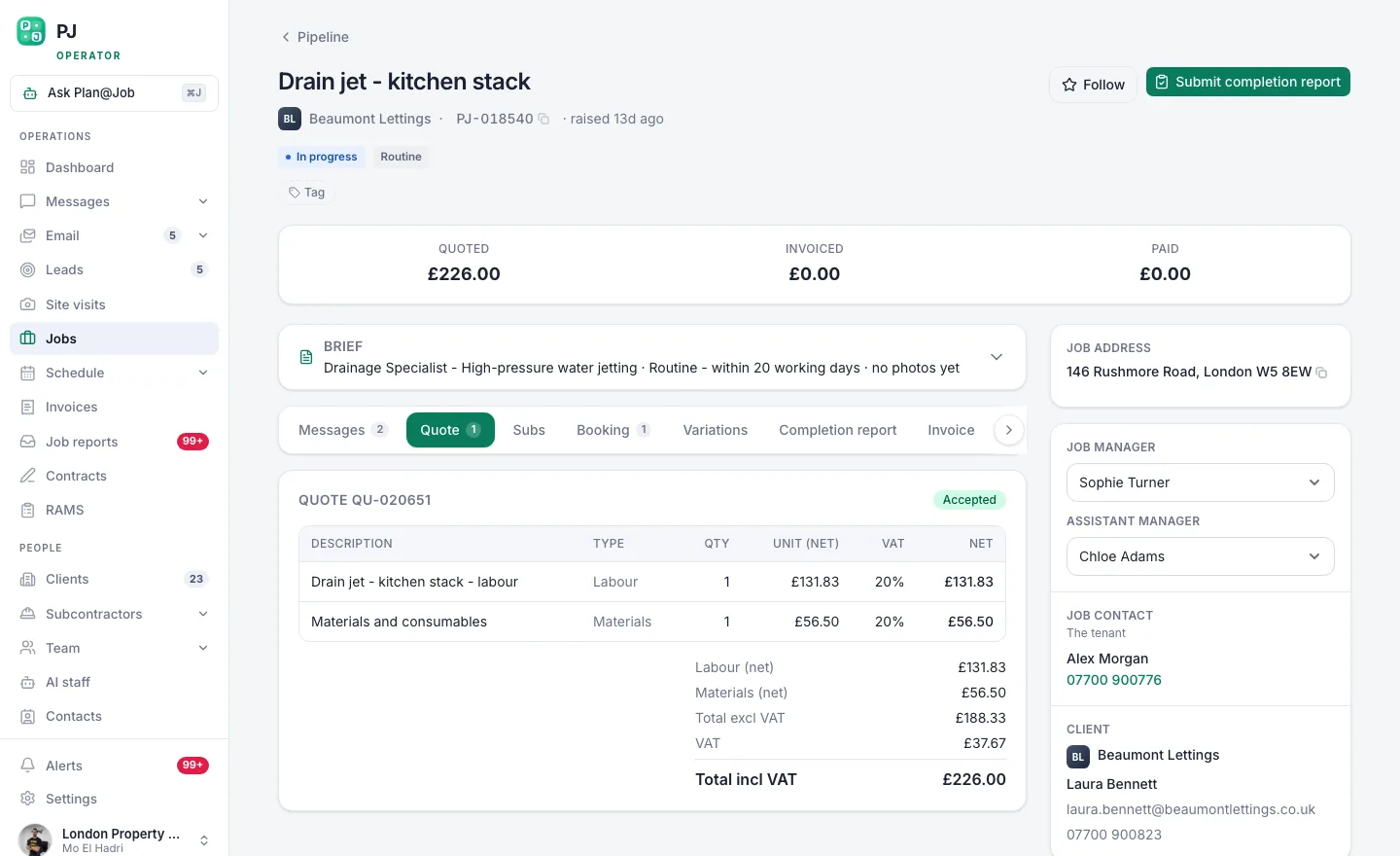 The client sees one scope and one price. Your stage costs stay behind it.
Write the scope so the client can check it against what they asked for. Include:
- what is included, in plain words
- what is excluded
- assumptions you made because you could not check something on site
- provisional sums for undecided items
- a start window and expected duration
You set the price. Plan@Job does not price work for you.
8. Send and follow up
Send the quote to the client and keep the conversation in Messages so the history sits with the job. If you use AI staff, Daniel can help with follow-ups on the quote and proposed dates. Once the client accepts, carry your site findings into Contracts and RAMS. The hazards you logged on the visit are the starting point for your risk assessment.
Who decides what
You decide:
- whether the job is worth visiting
- who attends and what they check
- which stages run in-house or subcontracted
- which subcontractors get the work
- the price, the exclusions and the terms
- the wording of first contact with the client
Plan@Job handles:
- keeping the visit, notes, stages and messages with the job
- checking briefs for missing information and asking for clarification, if Sophie is set up
- sharing eligible work with your vetted network and following up quotes and dates, if Daniel is set up
- showing the client one scope and price while keeping stage costs and subcontractors internal
What usually goes wrong
- Pricing from the van. A figure on the doorstep anchors the client before you have priced the stages. Tell them when the quote will arrive instead.
- Skipping the write-up. If notes are not on the job the same day, whoever prices it ends up guessing.
- Guessing undecided items. Unpicked finishes should be provisional sums, clearly labelled.
- Missing access costs. Scaffold, skips, permits and protection are easy to forget and hard to recover later.
- Waiting on subcontractor prices. Ask for them as soon as the stages are set, not the day the quote is due.
- Vague exclusions. If the client cannot see what is excluded, they will assume it is included.
Next step
If you already survey this way on paper, the gap is usually getting findings into a staged plan that turns into one clean quote. See how stages, costs and the client-facing scope fit together on the Plan@Job project management page.
FAQ
Should I charge for a site visit before quoting?
That is a business decision. Some contractors charge for detailed surveys on larger works and credit the fee against the job if it goes ahead. Others absorb the cost. Whatever you choose, tell the client before you book.
How long after the visit should the quote go out?
Agree a date with the client on site and stick to it. The usual delay is subcontractor prices, so request them as soon as the stages are set.
Can the client see my subcontractors or stage costs?
No. The client sees the overall agreed scope, the price and any evidence you share. Internal stage costs and subcontractor identity stay internal.