
The fastest way to send a job to multiple subcontractors is to write the brief once, pick your subbies from one list and let every price come back to one screen. You don't need twenty WhatsApp chats or a group message where every subbie can see who else got it. In Plan@Job that screen is the Subcontracting desk. Below is how I'd use it, in the order I'd do it.
First, a quick bit of language. Plan@Job calls you the Operator. That's the contractor business that holds the client, runs the job and sends work out to subcontractors or its own operatives. If that's you, this guide is for you.
Why one brief beats twenty phone calls
When I ran the maintenance company in London, working for housing associations and letting agents, jobs rarely went wrong on the tools. They went wrong between the client asking and the subbie pricing. One subbie got half the information. Another priced a different job. A third never got back to you, and you only noticed on Friday.
Sending one brief to twenty subbies fixes the first two problems. Everyone prices the same scope from the same photos against the same dates. Collecting the prices in one place fixes the third. You can see who's answered and who's gone quiet without scrolling through your phone.
Here's the part people hate hearing. Software won't turn a bad brief into a good one. It just sends a bad brief to more people, faster. So the brief comes first.
Step 1: Get the job and the brief ready
- Open Jobs and create the job, or open it if it's already there. If it started life as an enquiry, check Leads first so you don't build it twice.
- Write the scope as if the subbie has never seen the property. Include the address and access, what's wrong, what you want done and what's not included.
- Add the photos and any drawings or reports you have. One clear photo saves three phone calls.
- Put in the dates you need: when it can start, when it has to be finished and any access windows the client or tenant has given you.
- Don't put your budget in the brief. You want their number, not yours read back to you.
If the job came in from a client and the brief is thin, Sophie Bennett, the AI Enquiries Coordinator, checks existing job briefs for missing information and asks for clarification. She tries twice, then hands it back to you. She doesn't turn every email in your inbox into a job, and she doesn't decide anything for you. She just stops you sending a half-finished brief to twenty people.
My rule is simple. The brief isn't ready until someone who's never been to the property could price it from the screen. If they'd need to ring you to ask something, the answer belongs in the brief.
Step 2: Choose who gets it
Twenty isn't a magic number. Twenty subbies from the wrong trade means twenty wasted messages, and twenty people who'll ignore your next one.
- Go to Subcontractors and start with the people you already use. They know how you work, and you know how they price.
- Stick to the trade the job actually needs. If a job needs two trades, decide whether one subbie leads it or you send two separate briefs.
- If your own list is short for that trade or that area, open the Directory and search by trade and distance from the job.
- Only pick people you'd be happy to award the job to. If you wouldn't give them the work, don't ask them for a price.
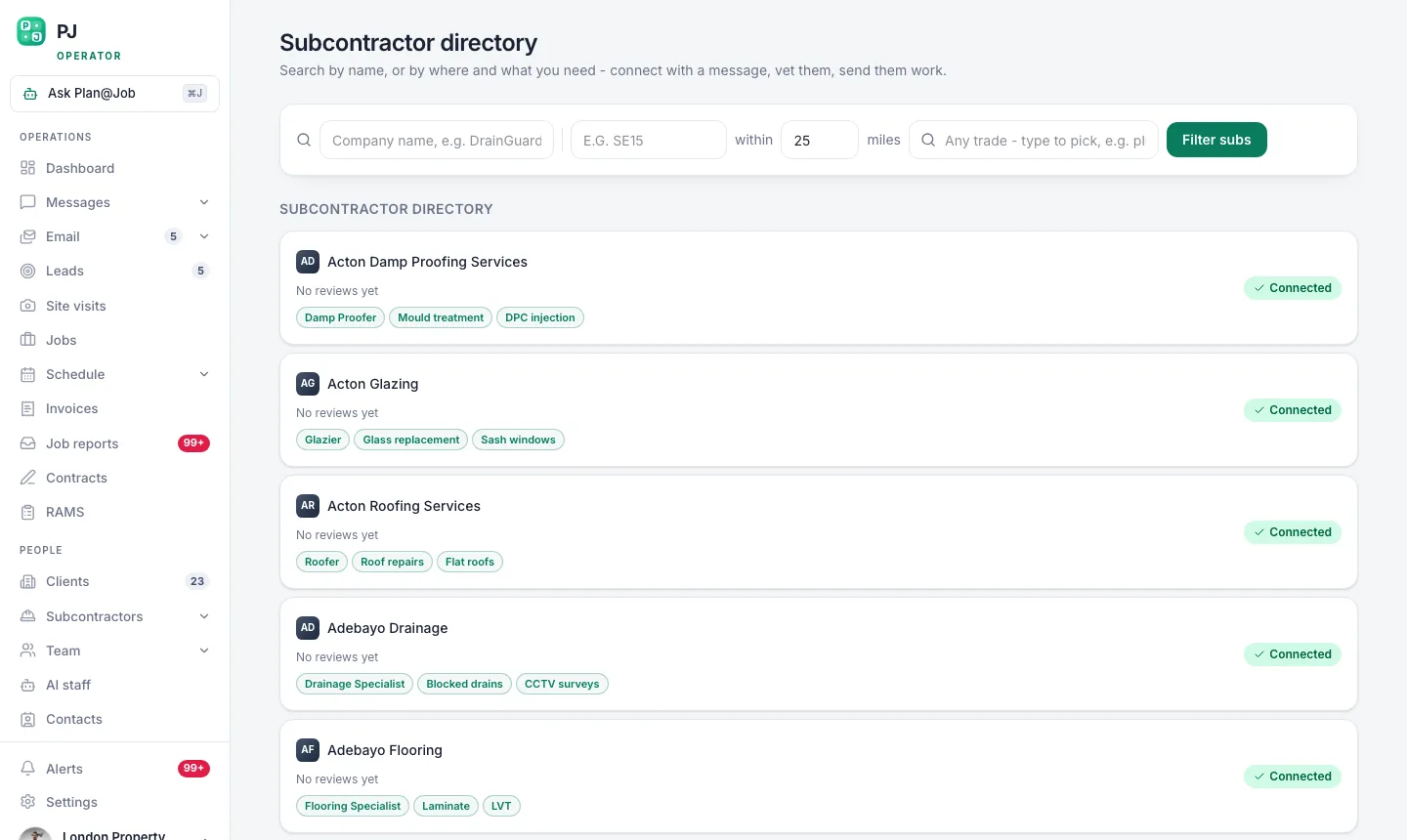 The subcontractor directory ranks by trade first, then by how close they are to the job.
A word on vetting. In some workflows a subbie can price before they're fully vetted. That's fine for getting numbers in, but not for handing over the job. Do your checks, insurance and whatever the trade needs, before anyone gets the work, not after.
Step 3: Send the brief out
- Open the Subcontracting desk and send the job to the subbies you picked. Each quote request is tracked there.
- Use email for subbies who live in their inbox.
- Use the WhatsApp blast for the ones who don't. Plenty of good trades never open email. They get the same job and the same brief somewhere they'll actually see it.
- Keep any back-and-forth in Messages, so the questions and answers stay on the job rather than on your personal phone.
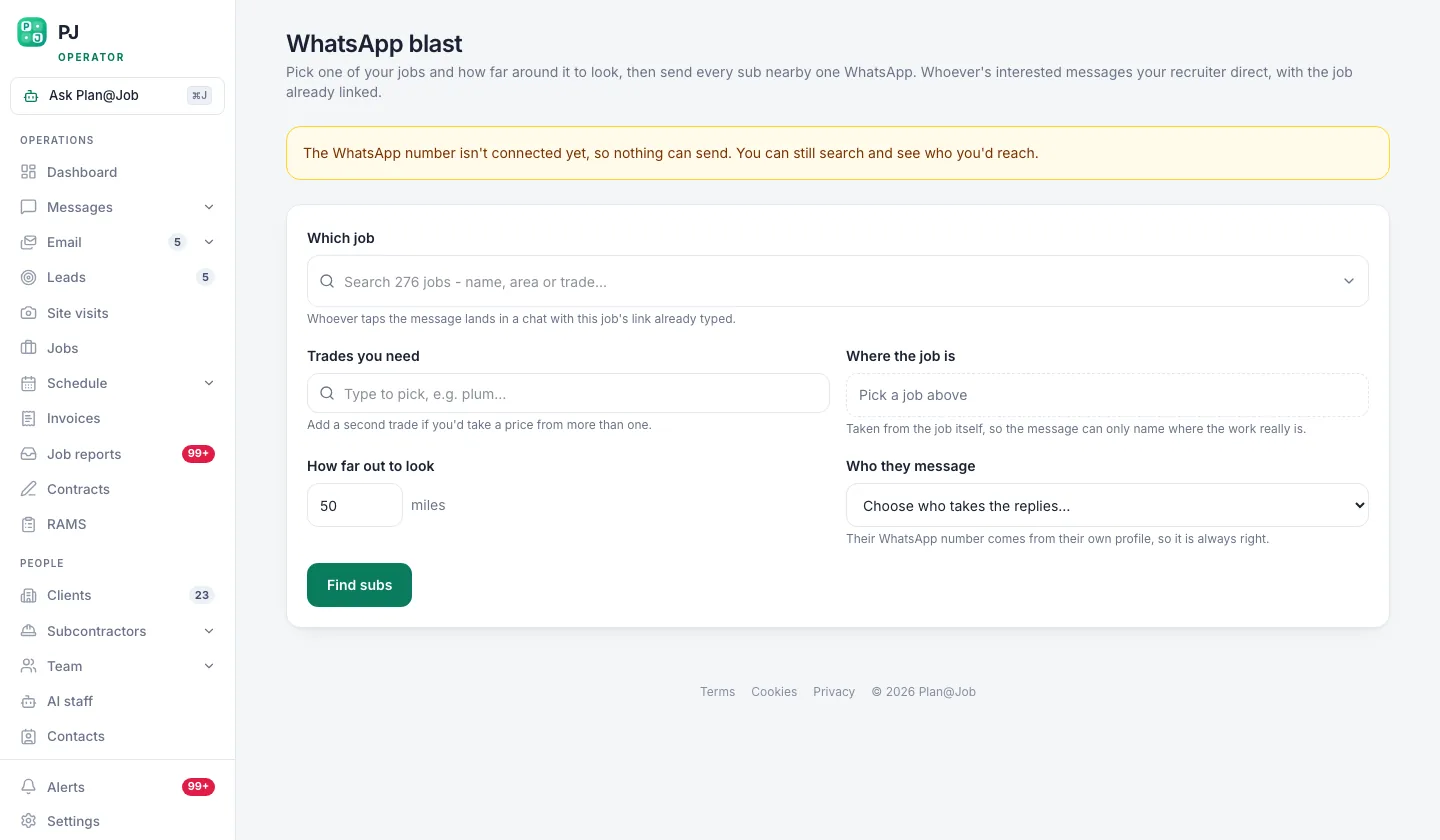 WhatsApp reaches trades who never open email. Same job, same brief, different door.
Once the brief is out, Daniel Reed, the AI Operations Manager, helps with the chasing. He follows up on quotes and proposed dates, and he can help share eligible jobs with your existing vetted network. He doesn't set prices and he doesn't award work.
One more thing. If a subbie asks a question that changes the scope, update the brief and tell everyone. Otherwise you'll end up comparing prices for two different jobs.
Step 4: Collect the prices on the Subcontracting desk
This screen is where sending to twenty people pays off. Every request you sent and every price that came back sits in one place.
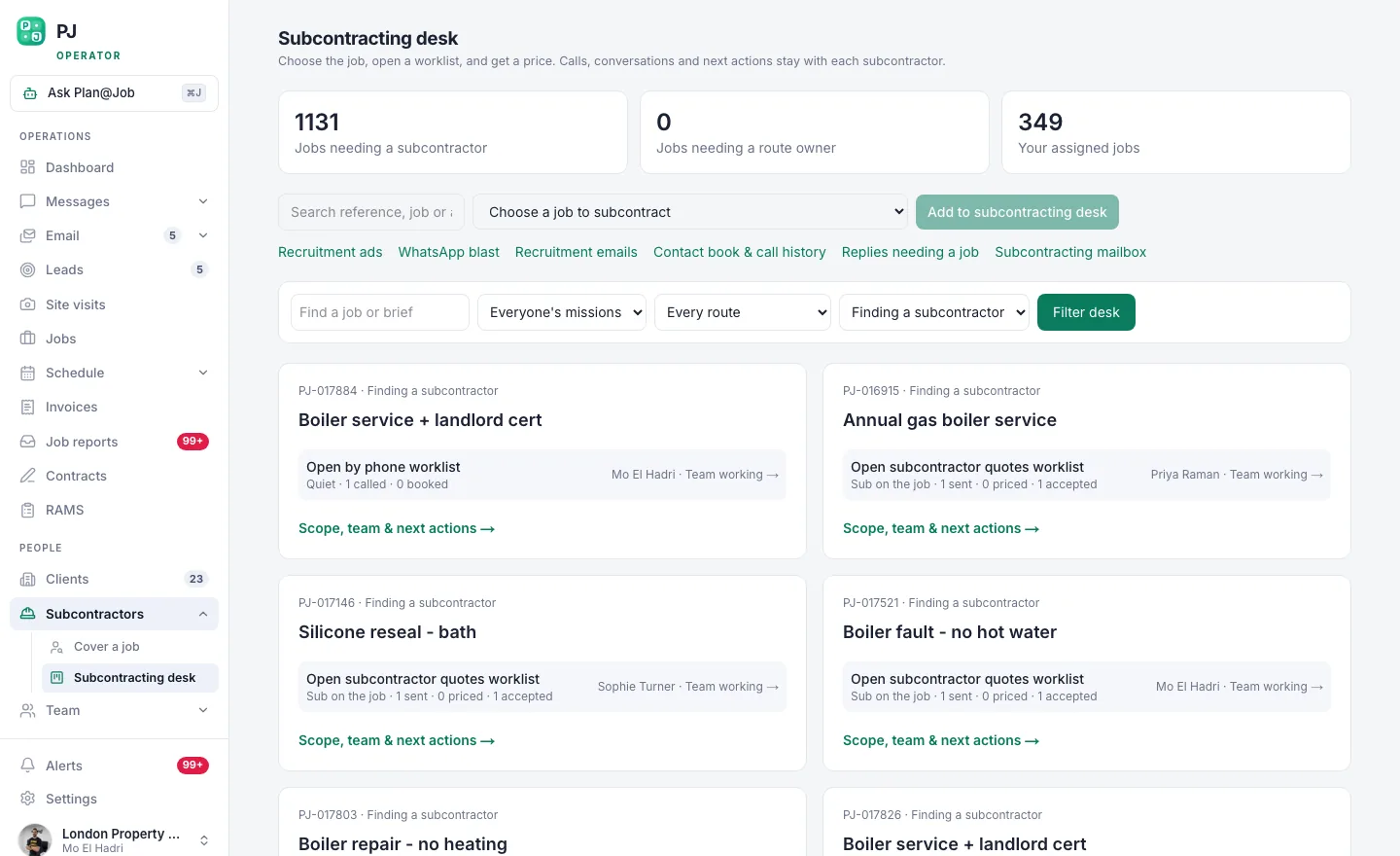 The subcontracting desk: one brief out to many, and every price back in one place.
Here's what I look at, in this order:
- Who's replied and who hasn't. Silence after the follow-ups is an answer too.
- Whether the price matches the scope. A number miles under everyone else's usually means they've missed something. Ring them before you get excited.
- The proposed dates. A cheap price that can't start for five weeks isn't cheap if the client needs it done next week.
- Who you'd actually trust on that site with that client.
Step 5: Decide and award
This part is yours. Plan@Job doesn't award jobs, set your price or move money on its own. You pick the subbie, you agree the price and you set the margin.
- Pick the subbie and confirm the price and dates with them.
- If your checks aren't done yet, finish them before you award.
- Tell the others the job's gone. One line is enough. They'll remember you were straight with them next time.
- If the job is big enough to run in stages, split it up in the project plan with scope, dates, status and costs for each stage. Your client sees the agreed scope, the price and any evidence you share. Your stage costs and who your subbies are stay internal.
What you decide and what Plan@Job does
Plan@Job sends the brief, keeps every request and price on the Subcontracting desk and keeps messages on the job. The AI staff help around the edges. Sophie checks briefs for missing information, and Daniel follows up on quotes and dates.
You decide the scope and who gets asked. You also decide who gets the job, what the client pays and the margin in between. That last bit is the business. Don't hand it to anyone.
What usually goes wrong
- The brief is vague, and twenty subbies ring you with twenty questions. Fix the brief before you send it, not after.
- You pick the wrong trade or the wrong area. Distance from the job is in the Directory for a reason. A subbie two hours away won't love your callout.
- You change the scope halfway through and only tell one person. Now the prices don't compare.
- You never tell the subbies who didn't get it, so next time they don't price.
- You award on price alone. The cheapest subbie who doesn't turn up is the most expensive one you'll ever use.
If you want to talk this through with people doing the same thing, Contractor Club is where UK contractors building subcontracting businesses compare notes.
Your next move
Pick one live job this week. Write the brief properly, send it to your best five, then go wider from the Directory. See what it's like to have every price on one screen instead of in your camera roll. If you run work through subbies in the UK, start on the Plan@Job contractors page.
FAQ
Do subcontractors need to be vetted before they can price?
Not always. In supported workflows a subbie can price before their vetting is complete. That gets numbers in quickly, but your checks still need to be done before you award the job.
Do I have to send the job by WhatsApp?
No. Email works fine for subbies who use it. The WhatsApp blast is for trades who don't, so the same brief reaches them where they'll actually look.
Will Plan@Job pick the subcontractor for me?
No. It sends the brief and collects the prices, and Daniel helps chase quotes and proposed dates. You decide who gets the job and what the client pays, every time.