
To retain maintenance clients you don't need clever tactics. Do the first job properly, prove it with a report they can forward, invoice it cleanly, then ask for the next one before they forget your name. That's it. Most operators lose the client somewhere between the subbie leaving site and the invoice landing, and they never find out why. The client just stops calling.
This is for operators, meaning the contractor business that manages the client, the subbies and your own operatives. I built a property maintenance company in London that worked for housing associations and letting agents, with a network of subcontractors doing the work. The first job gets you in the door. The second job is where the business is. Below is how I'd run that in Plan@Job, step by step, and where a person has to make the call.
Why don't clients come back after the first job?
It's rarely the price. It's the silence.
The client had to chase you for an update. Nobody sent photos. The invoice didn't match the quote. Or the subbie did a bit extra nobody approved, and now there's an argument. None of that is about the work itself. It's about how the job felt from their desk.
Price gets you the first job. Service gets you the second. So every step below is about making the first job feel easy for the person who booked it.
Step 1: Get the brief right before anyone goes to site
Half the jobs that go wrong were wrong before the van left. Missing access details, no contact on site, no photos, no clear idea of what done looks like.
- Open the job in Jobs and read the brief like you're the subbie turning up cold. Access, tenant or site contact, photos, scope, and what the client expects to see at the end.
- If you run AI staff, Sophie Bennett, the AI Enquiries Coordinator, checks existing job briefs for missing information and asks the client for clarification. If she doesn't get what she needs after two attempts, she hands it back to you. She doesn't turn every email into a job, and she doesn't decide anything.
- Decide who's doing it. An operative from Team, or a subbie from Subcontractors. That's your decision, not the platform's.
- Put it in Schedule on a date the client has actually agreed.
The platform helps you spot the gaps. You decide who goes and when.
Step 2: Keep every conversation on the job
When the client messages your mobile, the subbie messages your other mobile, and the update lives in someone's head, you will drop something. Then the client hears it from the tenant before they hear it from you. That's how you lose them.
Keep it in Messages, attached to the job it's about.
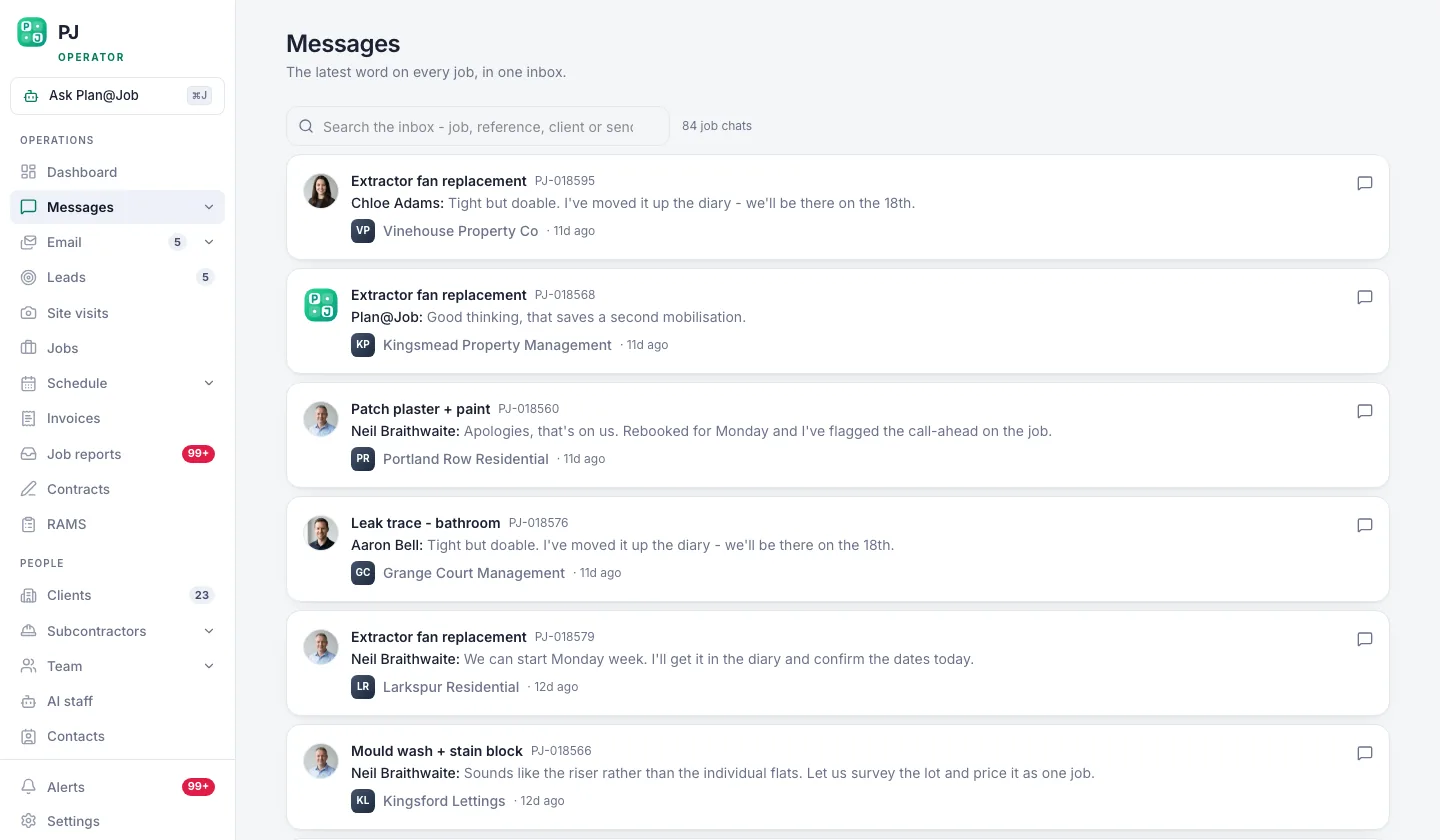 Conversations stay attached to the job they are about.
Two things to get right here:
- Tell the client before they ask. Booked, on site, done, or delayed and why. A two-line update beats a perfect one sent late.
- Keep internal stuff internal. The client sees the agreed scope, the agreed price and the evidence you choose to share. Your internal stage costs and which subbie did the work stay on your side.
For bigger jobs, split the work into internal stages with their own scope, dates, status and costs in the project plan. The client still sees one agreed job. You see who's doing what and what it's costing you.
Step 3: Send a job report the client can forward
This is the step most operators skip, and it's the one that keeps clients.
A letting agent doesn't just want the tap fixed. They want something to send the landlord so the landlord stops ringing them. A housing association wants evidence for their records. Give them that and you've made their job easier. That's what they remember.
My rule when I was contracting: the job isn't finished when the van leaves. It's finished when the client has proof.
- Go to Job reports once the work is marked done.
- Check the draft. Before and after photos, what was done, anything found on site that needs attention.
- Fix anything that's wrong. Wrong photo, vague wording, a subbie's note that shouldn't go to a client.
- Send it.
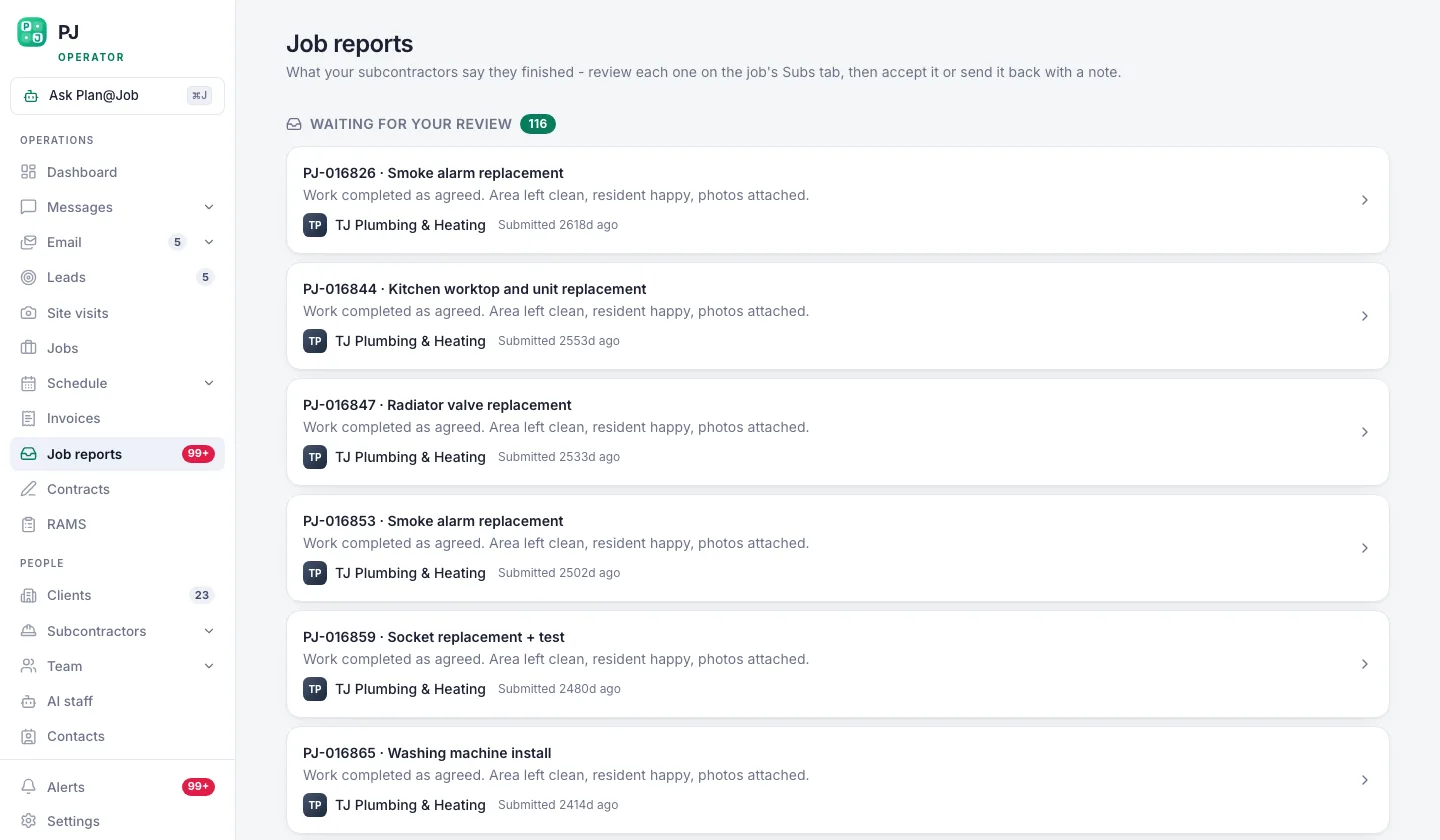 Reports queue up drafted, so a person checks them before a client ever sees one.
A person checks every report before the client sees it. Don't skip that to save five minutes. One sloppy report undoes a good job.
If the subbie spotted something else, a cracked tile or a slow leak under the bath, put it in the report as a recommendation and quote it separately. Don't let anyone do it unasked.
Step 4: Invoice it cleanly and chase it without the awkward call
The invoice is part of the service. If it matches the quote, arrives quickly and is easy to read, the client trusts you more. If it's late and has a line they didn't agree to, you're back to arguing.
- Raise it from Invoices against the job, so it matches what was agreed.
- Send it while the report is still fresh in their inbox.
- If you use AI staff, Maya Collins, the AI Finance Coordinator, prepares deposit requests and overdue payment actions for your approval. Nothing goes out until someone approves it, and she works to fixed finance rules. She doesn't decide amounts or move money.
Chasing payment politely and on time doesn't damage the relationship. Going quiet for six weeks and then sending an angry email does.
Step 5: Make them a client, not a contact
After the first job, that prospect should live under Clients, with the job and the invoice under their name. Then when they ring back, anyone on your team can see what you did for them, when, and what it cost.
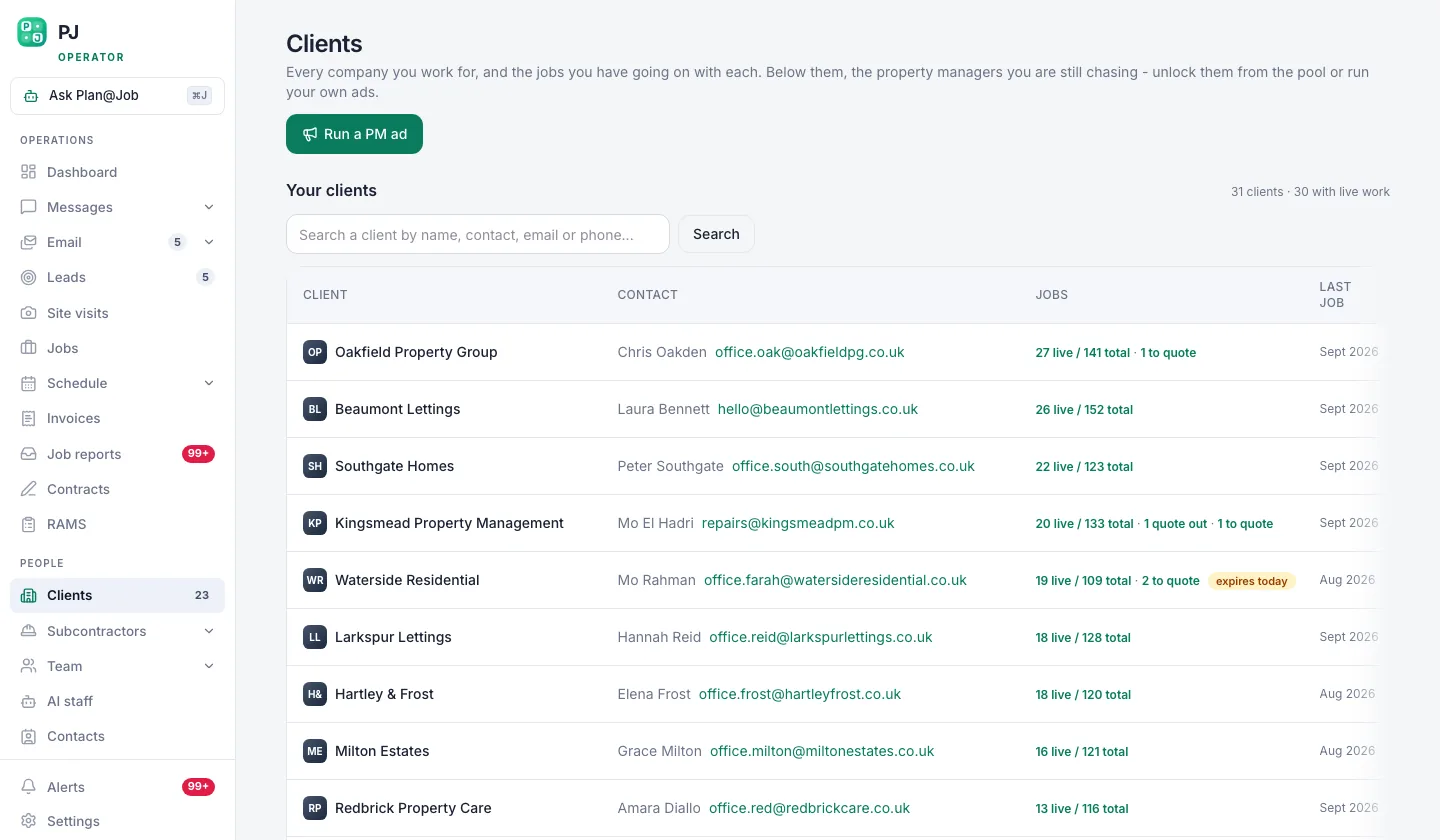 A prospect becomes a client here, with every job and invoice under their name.
Before you quote them again, open their record and look. Did the last report go down well? Was the invoice paid on time? Did you recommend further work they never booked? That's your next conversation, right there.
Step 6: Ask for the next job, on purpose
Most operators wait for the phone to ring. Don't. A good first job buys you one easy ask, and it goes stale fast.
Illustrative example, not a real client: a letting agent books you to fix a leak at one flat. You send the report with the damp patch you spotted in the bedroom flagged as a recommendation. A few days after they pay, you call. You don't pitch. You ask what else is sitting on their list. Letting agents always have a list.
Where the platform helps: Daniel Reed, the AI Operations Manager, follows up on quotes and proposed dates and gives you a morning brief, so a quote you sent doesn't just die in someone's inbox. But the ask itself is yours. First contact with a client normally needs a person's approval, and Plan@Job doesn't win work for you on autopilot. The relationship is yours to earn.
What usually goes wrong
- The subbie goes quiet on site and the client hears about the delay from the tenant. Fix it by updating the client first, even when the news is bad.
- A report goes out unchecked with the wrong photos. Fix it by never sending a report you haven't read.
- The invoice doesn't match the quote. Fix it by raising the invoice against the job, not from memory.
- Extra work gets done without approval. Fix it by quoting extras separately, every time.
- You disappear once you've been paid. Fix it by booking your follow-up the day you send the invoice.
None of these are hard. They're just easy to skip when you're busy, and busy is exactly when you lose clients.
The next move
If you're running jobs across WhatsApp, a spreadsheet and your memory, the first job will go fine and the tenth will fall apart. Put the brief, the messages, the report, the invoice and the client in one place. Then see which of your AI staff are worth switching on at AI staff.
You can see how Plan@Job works for UK operators at planajob.com/uk/contractors. If you want to talk it through with people running the same model, that's what Contractor Club is for.
Win the first job on price if you have to. Keep the client on service. That's the whole game.
FAQ
How soon after the first job should I ask for more work?
Soon. Flag anything you spotted in the job report, then make your ask within a week or two of being paid, while the good job is still fresh. Wait three months and you're a stranger again.
Should the client know which subcontractor did the job?
That's your decision and it depends on your agreement with the client. In Plan@Job the client sees the agreed scope, the price and the evidence you share, while subcontractor identity and your internal costs stay internal. Whatever you decide, the client should always know you're the one responsible for the job.
Can Plan@Job's AI staff chase clients for repeat work?
Not as an autonomous sales tool. Daniel follows up quotes and proposed dates and gives you a morning brief, Sophie checks briefs for missing information, and Maya prepares payment actions for approval. The ask for the next job, and first contact with a client, stays with a person.