
Onboarding a new maintenance client is won or lost in the first week. A managing agent who has just moved their work to you is watching for one thing: do jobs get done without them chasing. Set things up before the first callout lands and it looks like you've worked for them for years. Get it wrong and you're on a trial you didn't know you were on.
This guide is for operators. On Plan@Job that's the contractor business: you manage the clients and the delivery, and the work goes to your subbies and your own operatives. Here's how I'd run the week, day by day, and where each step lives in the platform.
What does a new managing agent need from you in week one?
Not a welcome pack. They need three answers. How do I send you a job. What happens after I send it. Who do I ring when it goes wrong.
Everything below is about answering those before they have to ask.
When I ran my maintenance company in London, working for housing associations and letting agents, I had one rule for a new client. The first job gets more attention than anything that comes after it. Not because it's bigger. Because it's the one the property manager tells their director about.
Day 1: set them up properly in Clients
Do this the day the agreement is signed, not the day the first job arrives.
- Open Clients and add the managing agent. Use the company name exactly as it appears on their purchase orders, so your invoices match what their accounts team expects to see.
- Add their people in Contacts. The property managers who'll raise jobs, whoever signs off spend, and someone in accounts. Ask who approves what and up to what amount. Write the answer down.
- Get the property list off them on day one, with access arrangements, key holders and anything you should know before sending someone in. You want that on file before the first job, not chased on the morning of it.
- Put the terms in writing: callout hours, approval limits, payment terms, how variations get agreed. If you keep your agreements in Contracts, it goes there.
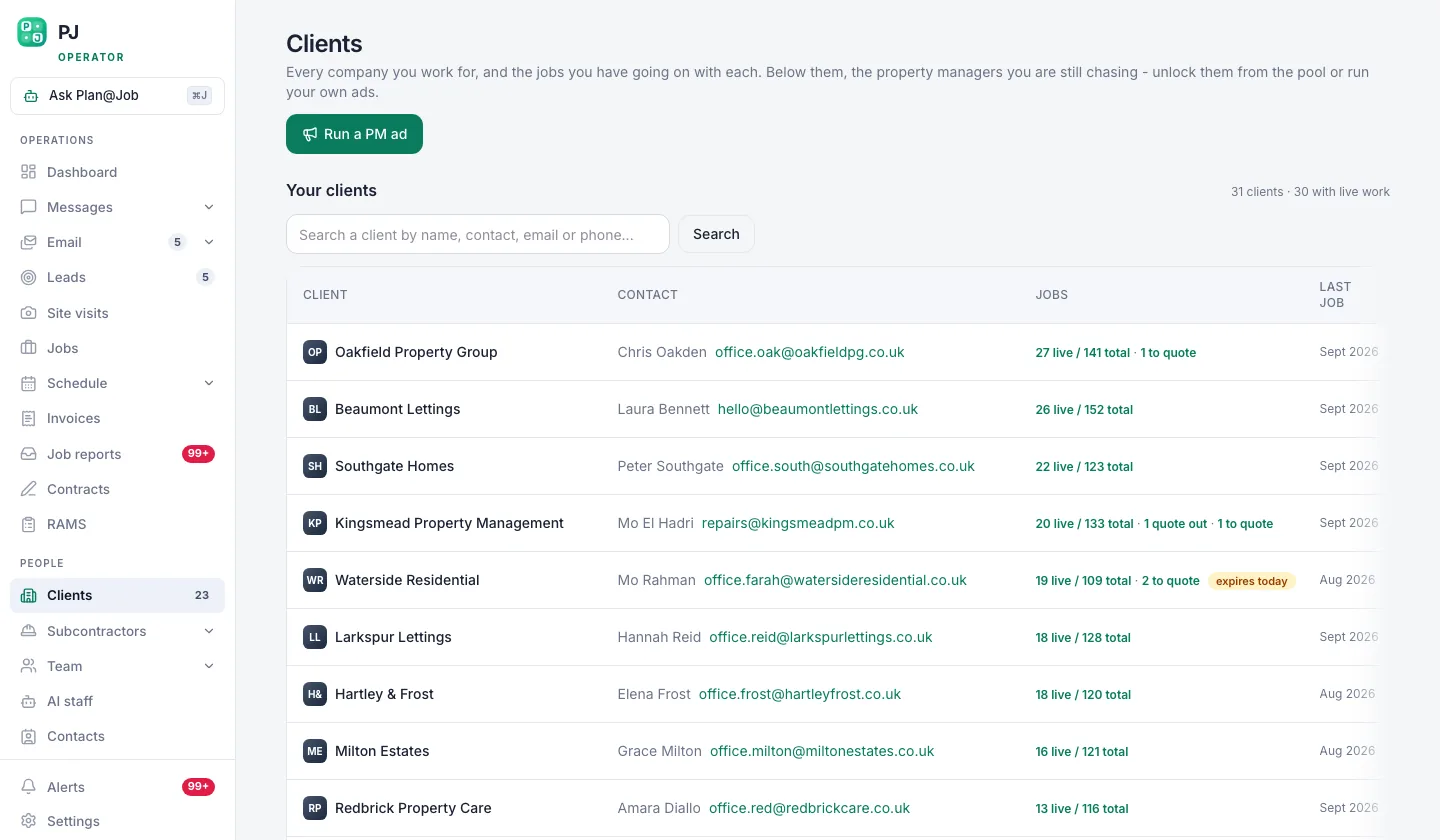 A prospect becomes a client here, with every job and invoice under their name.
Every one of these steps is your call. The platform holds the record. It doesn't decide your terms.
Day 1 to 2: agree exactly how jobs reach you
Ask how they send work to their current contractor. Most agents email. Some want a login.
- Invite their property managers into the Client portal. Access is by membership, so invite the actual people who'll raise jobs, not one shared inbox. They then see their own properties, their open jobs and the reports you share.
- If they keep emailing, fine. It still arrives in Email, and you or your team turn the right messages into jobs in Jobs. Nothing gets converted on its own. You don't want every "quick question" becoming a job.
- Once a job is in, Sophie Bennett, the AI Enquiries Coordinator under AI staff, checks the brief for missing information. No access details, no tenant contact, no photos. She asks the client for it. If two attempts don't get an answer, she hands it back to you.
- Send the agent one short message setting out what a complete job brief looks like: address, access, tenant contact, the fault, photos if they've got them. That one message saves you a lot of phone calls.
Day 2 to 3: line up who's doing the work
Before the first job lands, know who's going.
- Go through Subcontractors and Team and match people to this client's postcodes and trades. In-house operatives for the bread and butter, subbies for the rest.
- Where you've got a gap, Daniel Reed, the AI Operations Manager, can share eligible jobs with your existing vetted network and follow up on quotes and proposed dates. He doesn't award anything. You pick who gets the job.
- Some subbies can price a job before they've been through your vetting. That's fine for getting a number. Your checks happen before you award the work, and that decision is yours.
- Check compliance for the trades this client will need. Gas work by a Gas Safe registered engineer, electrical work by a competent, properly registered electrician, insurance in date. For higher-risk work, sort the RAMS before anyone turns up.
The agent doesn't care who your subbies are. They care that the person who knocks on the tenant's door is the right one.
Day 3 to 5: run the first jobs like you're being watched
You are.
- Set up the job in Jobs with the agreed scope and price. If it needs more than one trade, split it into internal stages in the project plan, each with its own scope, dates, status and costs, delivered by subbies or in-house. The client sees the overall agreed scope and price. Your stage costs and which subbie is on it stay internal.
- Book it in Schedule and confirm the date with the property manager and the tenant. Daniel's morning brief shows you what's moving that day.
- Keep every conversation in Messages, attached to the job. When the property manager asks what's happening on Flat 4, you answer in one look, not three WhatsApp threads.
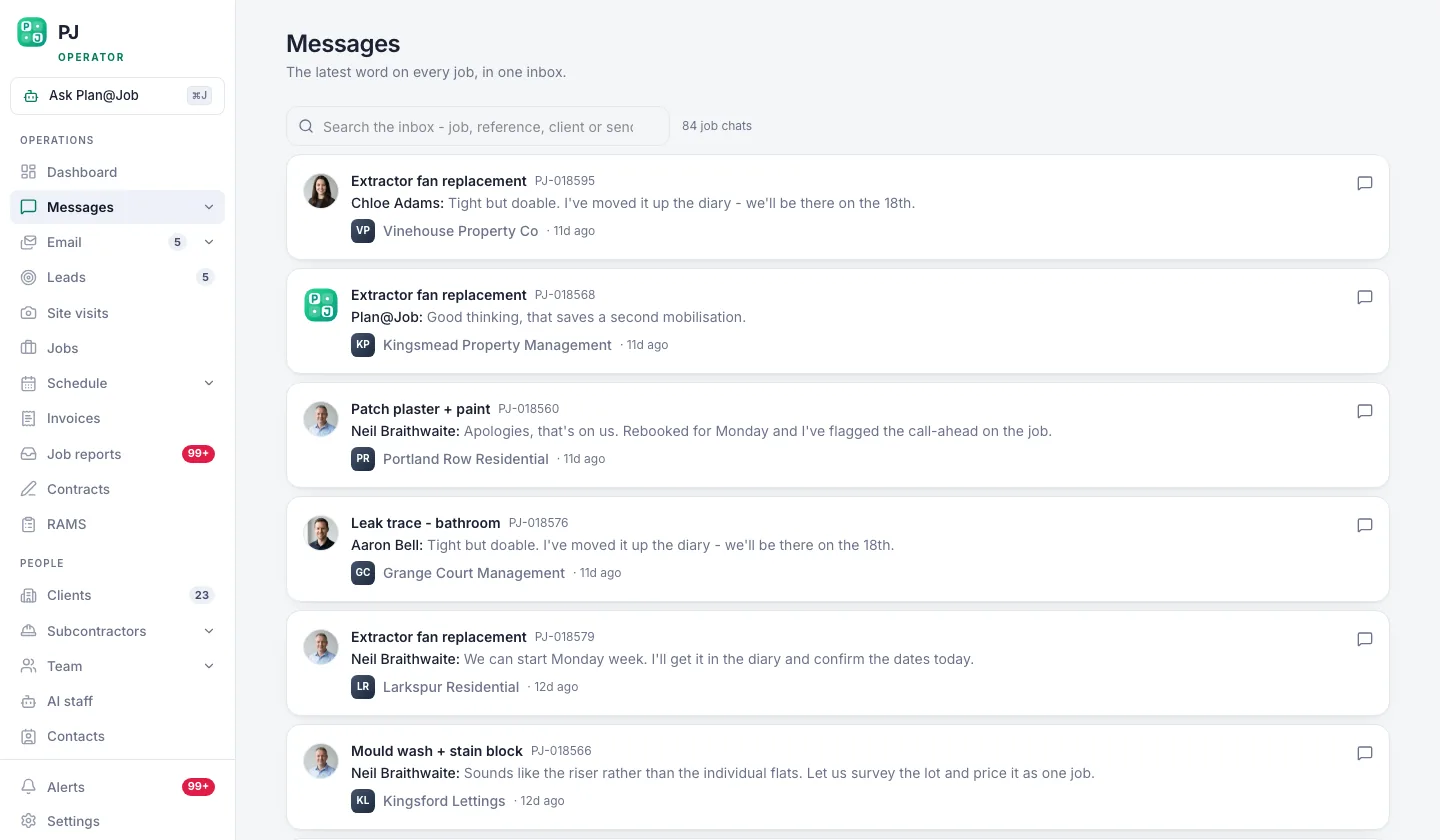 Conversations stay attached to the job they are about.
- Close every job with a Job report. Before and after photos, what was found, what was done. That's the evidence the client sees, and it's what stops the argument when the tenant says nobody came.
- Raise the invoice in Invoices against the right client and the right contact. Maya Collins, the AI Finance Coordinator, prepares deposit requests and overdue payment actions. Nothing goes out until you approve it.
End of week: walk them through their own dashboard
Book twenty minutes on the Friday. Share your screen and show them their view: open jobs, recent reports, spend.
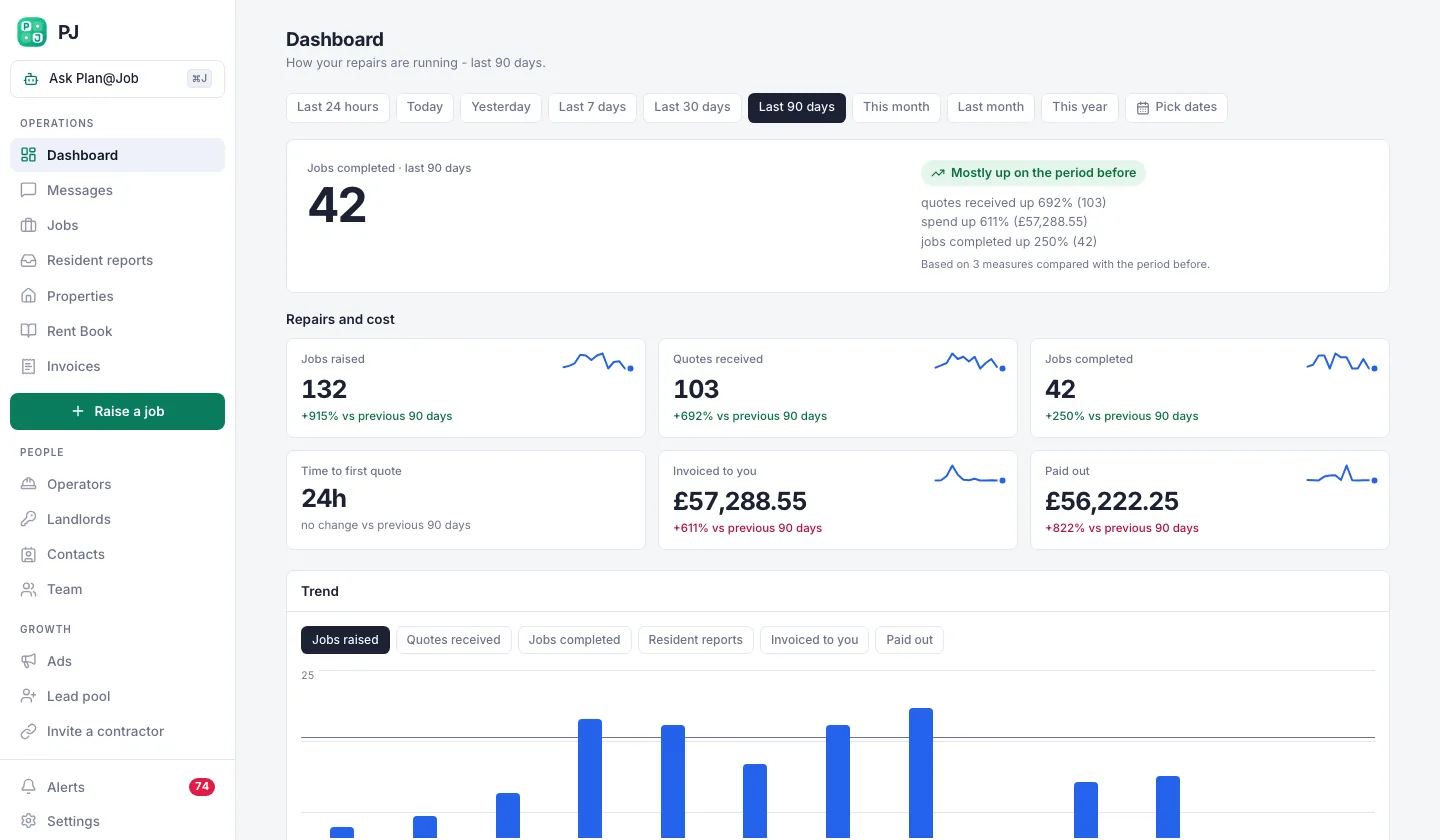 Their dashboard, their properties, their spend.
Then ask one question: what annoyed you this week. Whatever they say, fix it before Monday. That call is worth more than any pitch you made to win them.
Who decides what
People get this backwards, so here it is plainly.
You decide:
- who gets each job, and at what price
- your terms with the client and your terms with the subbie
- when a subbie has passed your checks
- first contact with a new client, which normally needs your approval anyway
- every payment action before it goes out
Plan@Job handles the legwork. It holds the client record, keeps messages on the job, chases missing information, follows up quotes and proposed dates, and lines up payment actions for your approval. No AI colleague awards a job, sets a price or moves money on its own. That's deliberate.
If you want the detail on what each of them does, it's on the AI staff page.
What usually goes wrong
Setting up after the first job instead of before it. You end up building the client record while a tenant's waiting on a leak. Do day one on day one.
Talking to one property manager only. They go on holiday, someone else raises a job, and they've never heard of you. Get the whole team into Contacts and the Client portal in week one.
Promising response times your subbies can't hit. Check your coverage on their postcodes before you agree anything. It's not the price that loses you a managing agent. It's the service.
Letting their team deal with your subbies directly. It starts with a helpful phone number and ends with you cut out. Keep it in Messages, keep it on the job.
Invoicing the wrong person. Ask accounts on day one where invoices go and what reference they need. An invoice sitting in the wrong inbox is an invoice that doesn't get paid.
Most of this is boring admin. That's the point. A new client can't see the admin. What they notice is that nothing went wrong.
The next move
If you're about to take on a managing agent, set them up before the work starts. Plan@Job is built for operators running jobs through subbies and their own team, and you can see how it works for UK contractors here. If you want to talk it through with people building the same kind of business, that's what Contractor Club is for.
Win the first week and the next one is easier.
FAQ
How long should onboarding a new maintenance client take?
The setup itself is a day of admin if you've got the information. The real onboarding is the first handful of jobs, because that's when they decide whether to trust you. Plan for a week of close attention, then review.
Can the managing agent see which subcontractor did the job?
No. In Plan@Job the client sees the overall agreed scope, the price and the evidence you share, like job reports. Your internal stage costs and the identity of your subbie stay internal.
Will Plan@Job's AI staff take jobs and price them for me?
No. Sophie chases missing information on job briefs, Daniel follows up on quotes and dates and sends you a morning brief, and Maya prepares payment actions for approval. Awarding work, setting prices and approving money stay with you.