
To keep subcontractor costs confidential on a Plan@Job job, put your costs on internal stages and give the client one agreed scope and one agreed price. The client sees that scope, that price and the evidence you choose to share. Your stage costs and the identity of your subcontractors stay on your side.
That is the short answer. The rest of this guide covers the order to do it in, what the platform handles, and what is still your decision. It is written for operators - the contractor business managing clients, project delivery, subcontractors and in-house operatives.
What the client sees and what stays internal
Get this split clear before you touch a job. It decides where each piece of information should go.
The client sees:
- The overall agreed scope of the job.
- The overall agreed price.
- Evidence you have shared with them, such as photos and reports.
These stay internal:
- What each stage costs you.
- Which stages are subcontracted and which are done in-house.
- Who the subcontractor is.
The platform keeps the two apart. Your job is to put the right information in the right place, and to watch what you share by hand.
Step 1: Break the job into internal stages
- Open Jobs and open the job you are pricing or delivering.
- In the project plan, split the work into stages. Give each stage its own scope, dates and status.
- Mark each stage as subcontracted or in-house delivery.
- Set the dates yourself. Plan@Job does not work out dependencies or a critical path for you, so the sequence is your call.
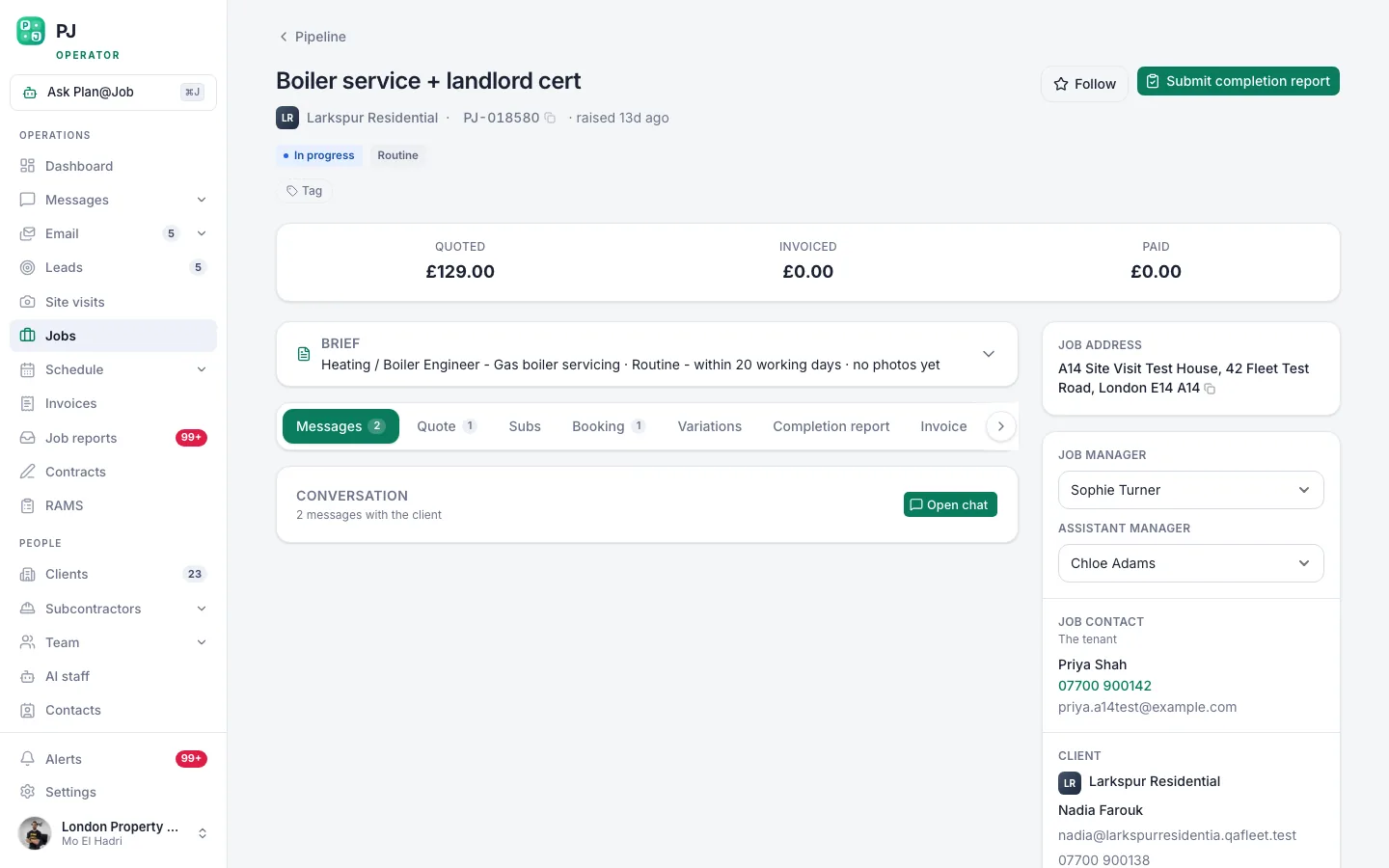 A job page holds the scope, the internal stages, who is doing the work and what it costs you.
An illustrative example
This scenario is made up to show the workflow. An operator is refurbishing a bathroom in a rented flat for a letting agent. They split the job into four stages: strip-out, first-fix plumbing, tiling and second fix. Strip-out and second fix go to their own operatives. Plumbing and tiling go to two subcontractors. The letting agent agreed one scope and one price for a bathroom refurbishment. They do not need the four stages, and they will not see them.
Step 2: Put the cost on each stage
- For each subcontracted stage, choose who does the work. Your existing subcontractors are listed under Subcontractors.
- When a subcontractor's price comes in, review it. Accepting it is your decision.
- Record the agreed cost against that stage.
- Do the same for in-house stages, so the whole job cost sits in one place.
In supported workflows, a subcontractor may price a stage before their vetting is finished. Checks and approval then happen at the appropriate point. A price arriving does not mean the work has been awarded.
If you use AI staff, Daniel Reed, the AI Operations Manager, can support sharing eligible work with your existing vetted network and can follow up on quotes and proposed dates. He does not award work or set prices. You do. More detail is on the AI staff page.
By the end of this step you can see what the job will cost you, stage by stage. Nothing here has gone to the client.
Step 3: Quote the client one scope and one price
- Build the quote on the job from the full scope, not from your stage list.
- Write line items in the client's language. Describe what they are getting, not who is doing it or what you are paying.
- Set your price. Plan@Job does not choose your margin or your price.
- Read the quote once as if you were the client, then send it.
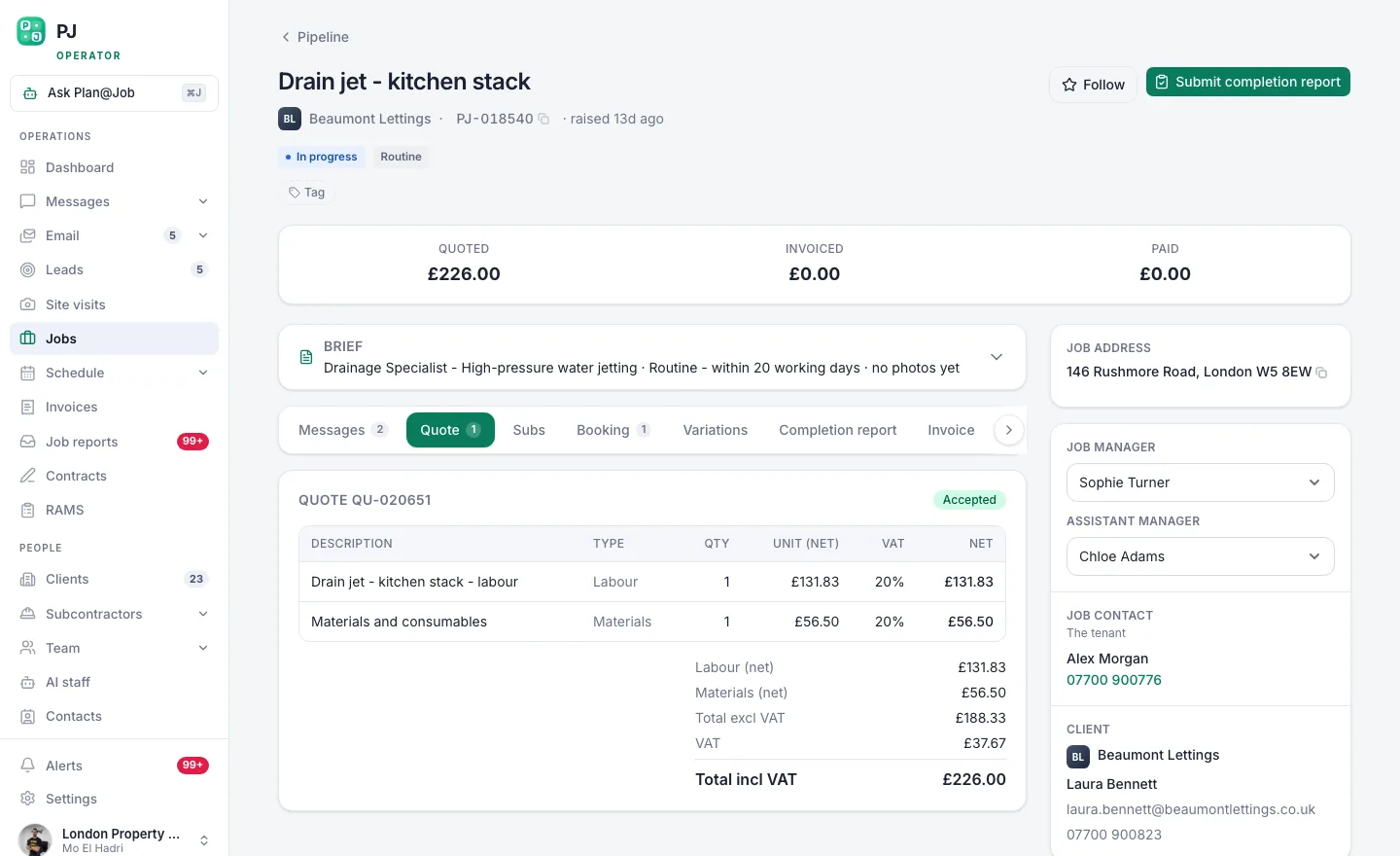 The client sees one scope and one price. Your stage costs stay behind it.
A common slip is copying stage names and stage costs straight into quote line items. If the lines mirror your stages one for one, with a figure next to each, you have rebuilt your cost sheet in a document the client reads. Group the lines by what the client cares about instead.
If a client asks for a breakdown, you can give one. That is a commercial decision for you. Write it as a client-facing breakdown of your price. It does not have to follow your internal stages.
Step 4: Check what the client will see
- Look at the job as it appears in the Client portal before you rely on it.
- Confirm it shows the agreed scope and the agreed price.
- Go through the evidence you plan to share. Choose each photo and each report on purpose.
- Keep client conversations in Messages about scope, access, dates and progress.
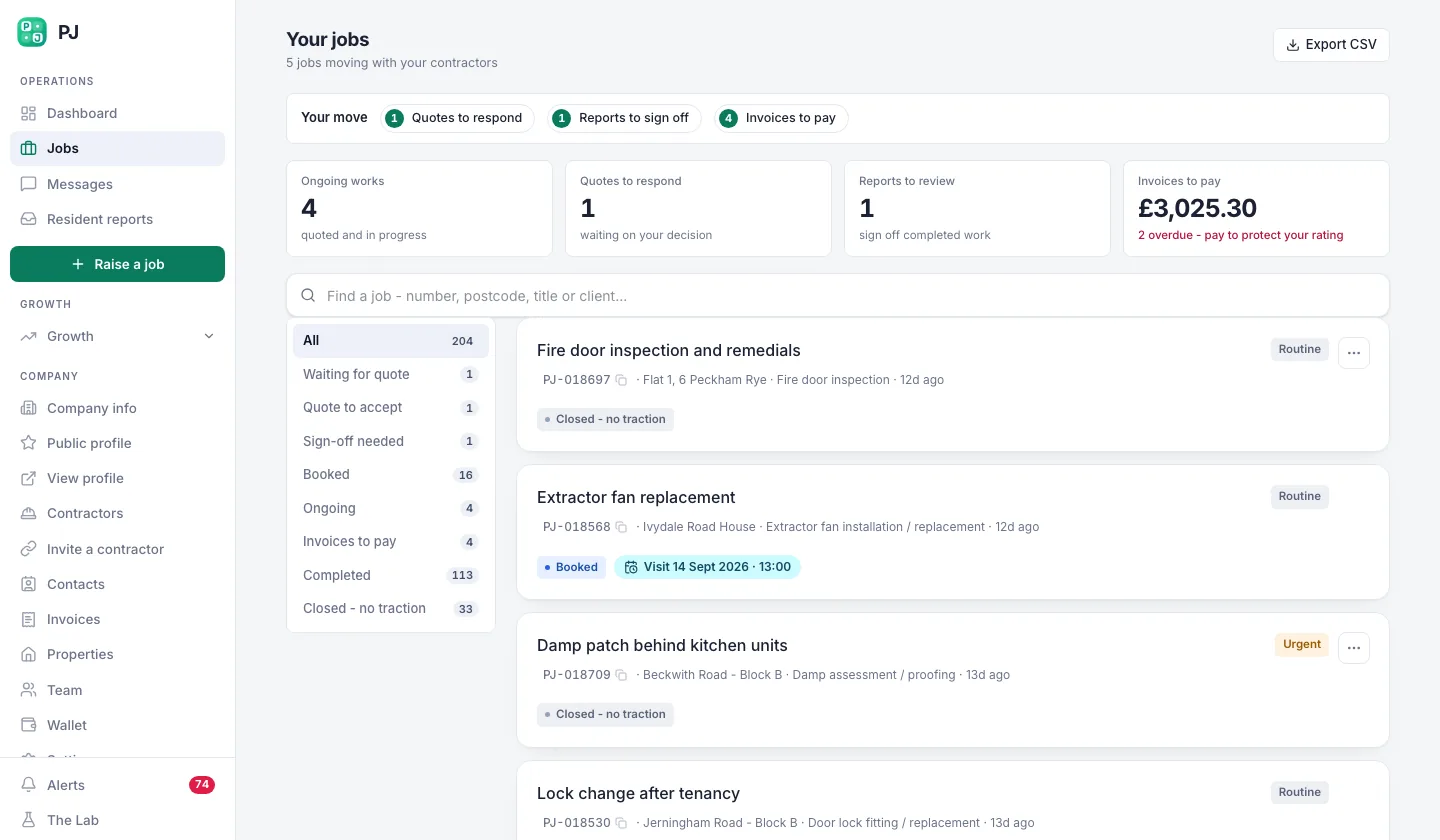 What your property manager sees when they log in: their repairs, not your business.
The platform keeps stage costs and subcontractor identity out of this view. It cannot stop you typing a subcontractor's name into a message or sharing a photo of their van. That part needs your attention.
Step 5: Deliver, then invoice on the agreed price
- Update each stage's status as the work moves. This is your internal tracking.
- When a stage cost changes, update it on the stage. Your job cost stays accurate without the client seeing the movement.
- If the scope changes, agree the change and the new price with the client first. That is a conversation between you and them.
- Raise the client invoice from Invoices against the agreed overall price.
Your internal stages are for delivery and cost control. They are not client invoicing phases, so do not treat stage completion as an automatic bill to the client.
Who decides what
You decide:
- How the job is split into stages, and the dates.
- Who does each stage.
- Whether to accept a subcontractor's price.
- Your price and margin to the client.
- Which evidence the client sees.
- Whether to give a client a breakdown when they ask.
The platform does:
- Holds scope, dates, status and cost for each stage in one job.
- Shows the client the overall agreed scope and price.
- Keeps internal stage costs and subcontractor identity out of the client's view.
- Shows the client only the evidence you have shared.
What usually goes wrong
Most leaks are not system leaks. They come from something shared by hand.
- Evidence that names the subcontractor. A photo with a liveried van, a branded sign-off sheet or a subcontractor's own report. Check each item before you share it.
- Forwarded documents. A subcontractor's quote or invoice sent on to the client by email to justify a cost. Write your own explanation instead.
- Scope text that carries cost notes. Internal notes typed into a client-facing description. Keep cost notes on the stage.
- Quote lines that copy the stages. Covered in Step 3. Group by outcome, not by trade.
- Site conversations. A subcontractor discussing their price with the client or tenant. Deal with this in your subcontract terms and your site briefing.
One more point, and it matters. Keeping prices confidential is normal commercial practice. It is not a reason to mislead a client. If your contract requires consent to subcontract, or the site rules require you to say who is attending, follow them. Check your contract terms before you rely on the client view alone.
Your next step
Take one live job and split it into stages with a cost on each. Then look at the same job from the client side and compare the two views. The project management page shows how the project plan works. If you are new to Plan@Job, the UK operators page explains where it fits in the rest of your business.
FAQ
Can the client see which subcontractor did the work?
Not from the job itself. Subcontractor identity stays internal, and the client sees the agreed scope, the agreed price and shared evidence. They could still find out from something you share or say, so check photos, reports and messages. If your contract obliges you to name who is on site, do that.
Can I give the client a cost breakdown if they ask?
Yes. That is your decision. Write the breakdown as line items on the client quote, in terms that suit the client. Your internal stage costs do not appear there unless you type them in.
Does Plan@Job set my price or choose the subcontractor?
No. The platform holds the stages and their costs, and AI staff can follow up on quotes and proposed dates. Awarding the work and setting the price to the client stay with you.
Published 14 November 2026.