
The in house vs subcontractor construction decision comes down to three questions: how often the work repeats, how much control you need over quality and timing, and whether the margin still holds once you count the full cost of each route. If a trade fills most of your weeks and clients judge you on it, an in-house operative usually makes sense. If the work is occasional, specialist or far from your usual patch, a subcontractor is usually the better call. This guide takes you through the decision in the order you would actually make it, and shows which parts Plan@Job handles and which stay with you.
Operatives, subcontractors and the Operator
Plan@Job uses three terms, and they matter here.
- Operator is your business. You are the contractor managing clients, project delivery, subcontractors and your own team.
- Operative is an individual on your team, working for you.
- Subcontractor is an external business doing work you assign to it.
The platform keeps operatives and subcontractors apart because you manage them differently. You schedule your own people. You commission, check and pay another business. Mixing the two in one list is how jobs end up double-booked or quietly handed to someone nobody has checked.
Step 1: Map the work you actually do
Start with evidence, not gut feel.
- Open Jobs and go back through the last year of work.
- List each trade you needed: first fix electrics, plastering, roofing, groundworks, decorating and so on.
- For each trade, note roughly how often it came up and whether demand was steady or lumpy.
- Open Job reports for the same jobs and note where quality problems, callbacks or delays happened, and who did that work.
This step needs a person. Plan@Job holds the records, but only you know which jobs were typical and which were one-offs.
What you are looking for is simple. A trade that appears on most jobs, week in and week out, is a candidate for an operative. A trade that turns up a few times a year, or needs kit and tickets you would rarely use, points to a subcontractor.
Step 2: Work out the true cost of each route
Compare like with like. A day rate from a subcontractor is not comparable with a wage until you add everything else.
For an in-house operative, count:
- Wages, employer costs and holiday cover
- Van, fuel, tools and insurance
- Training, cards and certificates
- Quiet weeks when they are paid but not billable
- Your time recruiting, supervising and managing them
For a subcontractor, count:
- Their quoted price for the work
- Your time finding, checking and chasing them
- The risk they are unavailable when you need them
- Rework if their standard is not yours
Employment status and tax treatment are not your choice to label. Whether someone is employed or self-employed depends on how the work is actually done. Check current HMRC guidance on employment status and the Construction Industry Scheme before you commit, and take advice from your accountant.
This step needs a person. Plan@Job does not calculate employment costs or give tax advice.
Step 3: Check who you already have in Team and Subcontractors
Before hiring anyone, look at your existing bench.
- Open Team and review your operatives and their trades.
- Open Subcontractors and review your network: trades, areas covered and vetting status.
- Note the gaps. A trade with no operative and only one subcontractor is a single point of failure.
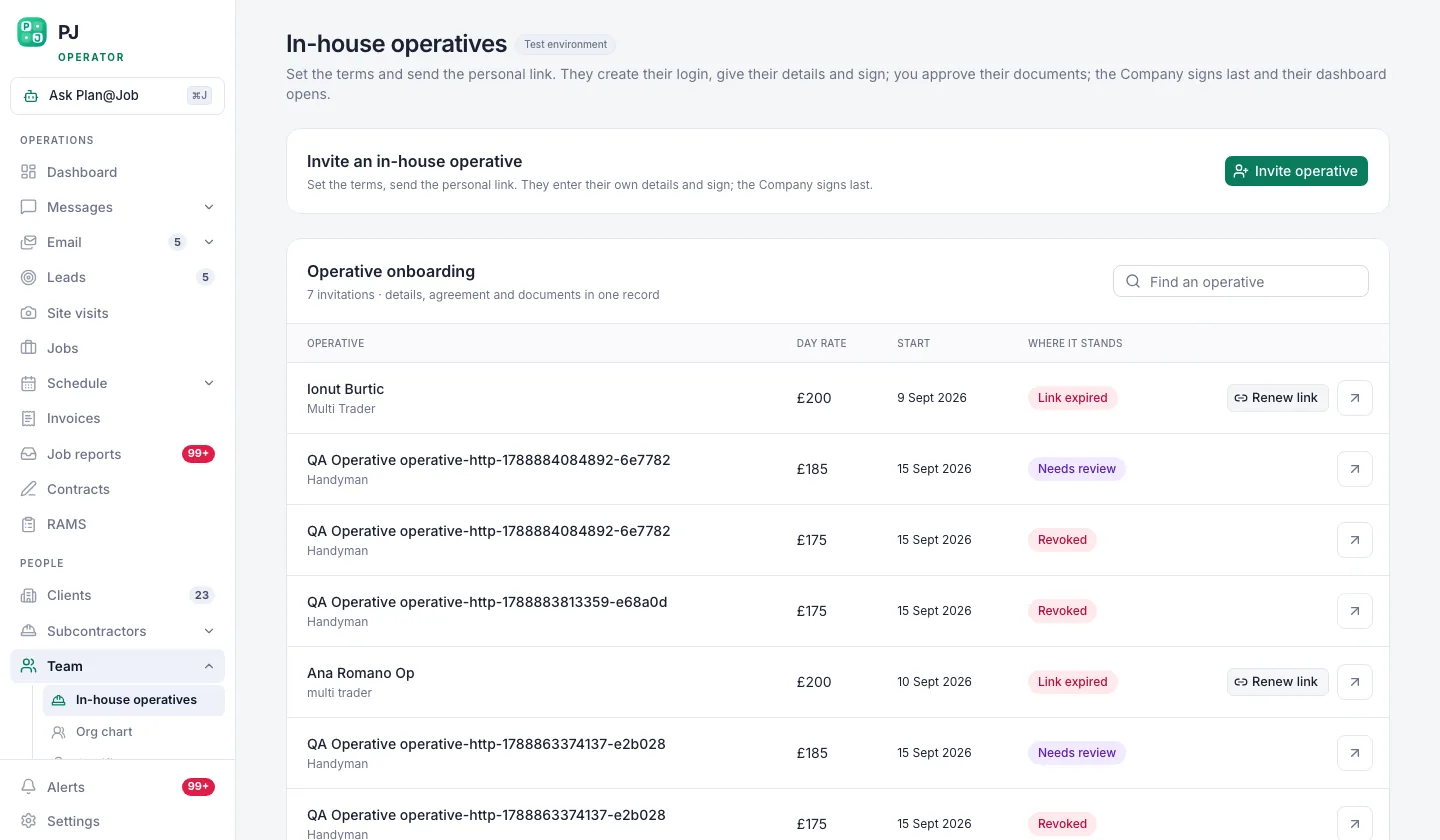 Operatives are your own people. Subcontractors are other businesses. Plan@Job keeps them apart.
Your subcontractor list shows who has been checked and who has not. In supported workflows, a subcontractor can price work before vetting is complete, so you can see a number early without slowing things down. That does not mean they get the job. Decide which checks you need before you award work, such as insurance, competence for the task and references, and apply them every time.
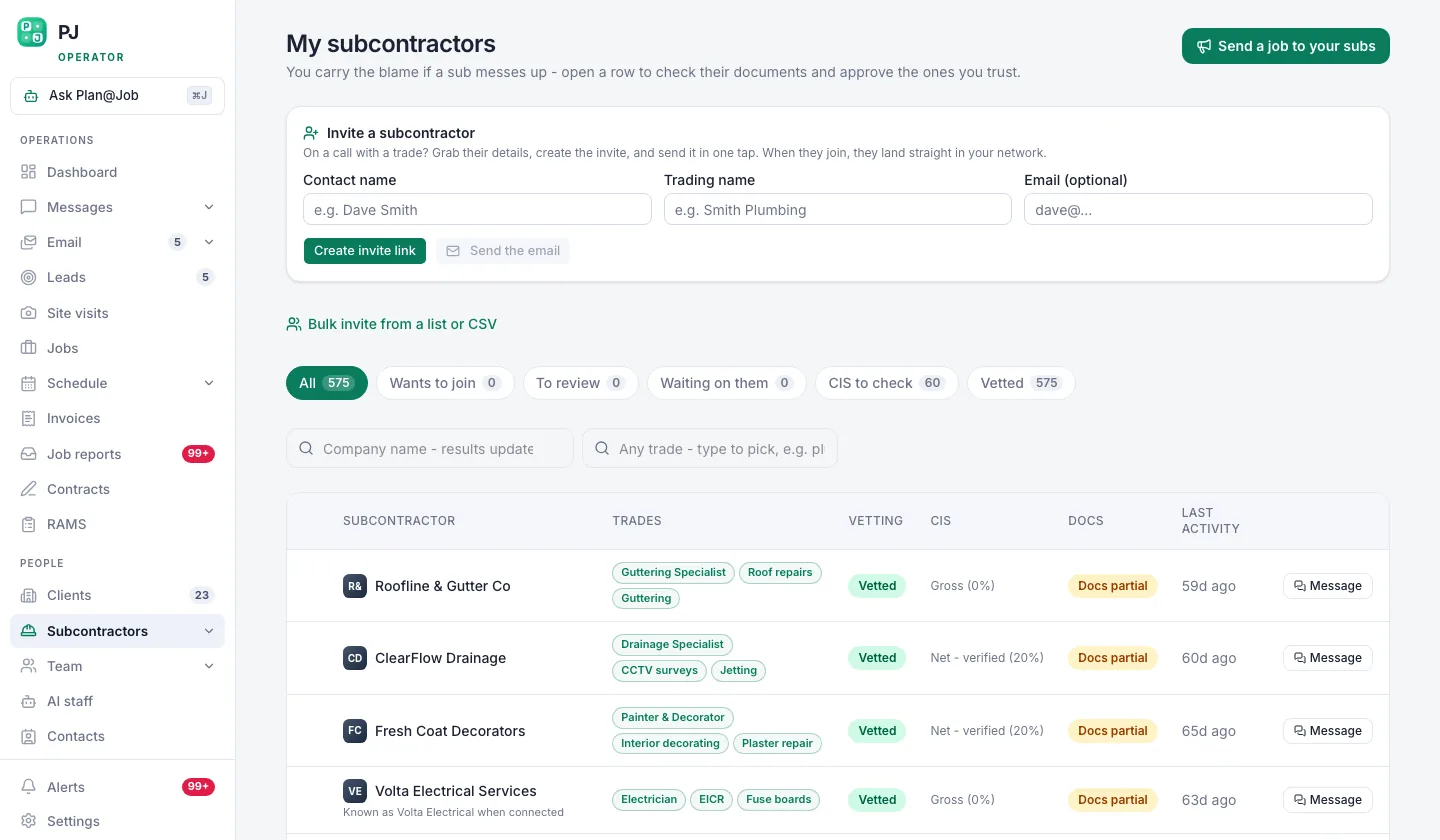 Your own subcontractor network, showing who is vetted and who is still a stranger.
This step needs a person. Vetting standards and approvals are your decision. If you want to compare notes on what other UK firms check, the Contractor Club community is a related site where contractors discuss this.
Step 4: Split the job into stages and assign each one
Most jobs are not all in-house or all subcontracted. A kitchen refit might be your own team for strip-out, joinery and decorating, with a subcontracted electrician and gas engineer. Make the call stage by stage.
- Open the job in Jobs and build the project plan.
- Split the work into internal stages, each with its own scope, dates, status and cost.
- Mark each stage as in-house or subcontracted.
- Assign in-house stages to operatives and check them against the Schedule.
- For subcontracted stages, pick a subcontractor from your network or request quotes.
The project management feature is built for this mix of subcontracted and in-house delivery on one job.
Your client does not see this breakdown. They see the overall agreed scope, one price and the evidence you choose to share in the Client portal. Internal stage costs and the identity of your subcontractors stay internal.
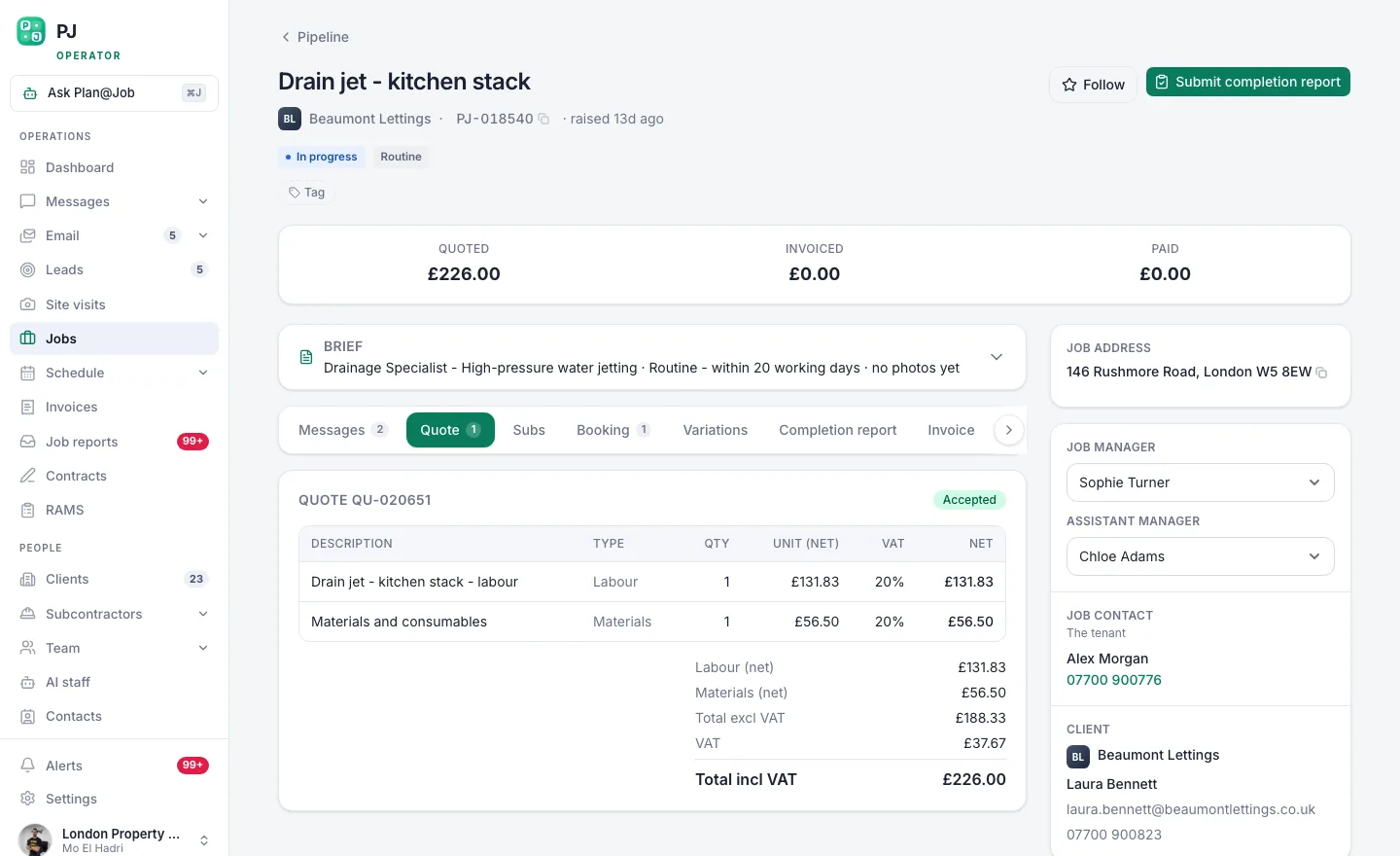 The client sees one scope and one price. Your stage costs stay behind it.
The platform stores the stages and keeps internal costs out of the client view. You decide the split, the price and who does each stage. Plan@Job does not work out a critical path or automatically schedule stages around each other, so set the order and dates yourself.
Step 5: Fill subcontracted stages and keep them moving
Once a stage is marked for a subcontractor, the work is about getting a reliable quote and a firm date.
- Share the stage with suitable subcontractors in your network.
- Use Messages to answer questions about scope and access.
- Collect quotes and proposed start dates.
- Compare price, availability and track record, then award the work.
- Make sure the right paperwork is in place in Contracts and RAMS before anyone is on site.
If you use AI staff, Daniel Reed, the AI Operations Manager, can support eligible sharing with your existing vetted network, follow up on outstanding quotes and proposed dates, and give you a morning brief of what needs attention. Daniel does not award work or set prices. The decision on who gets the stage stays with you.
Illustrative example: a small refurbishment operator has two operatives covering general building and decorating. A bathroom job needs tiling the same week both are booked elsewhere. The operator marks the tiling stage as subcontracted, shares it with two vetted tilers, and gets quotes and dates back through follow-ups. The operator picks one, checks the paperwork and keeps their own team on the original schedule. The client sees one bathroom price throughout.
Step 6: Review the decision after each job
The in-house or subcontract choice is not permanent. Review it.
- When a job closes, open Job reports and compare actual stage costs against what you planned.
- Note which subcontractors delivered on time and to standard.
- Every few months, repeat Step 1. If one trade keeps going to subcontractors and keeps filling your weeks, that is the signal to look at hiring.
This step needs a person. The records are in Plan@Job, but reading them and deciding to hire or drop a supplier is your call.
Who decides what
To be clear about the split:
- You decide the in-house or subcontract route, vetting standards, prices, awards, hiring and employment status.
- Plan@Job does the record-keeping: stages, costs, schedules, the subcontractor network and its vetting status, and the separation between your internal costs and the client view.
- AI staff support sharing and follow-ups where you have set them up. They do not award work, set prices or guarantee outcomes.
What usually goes wrong
- Hiring for a peak. One busy quarter is not steady demand. Check a full year before taking someone on.
- Comparing a day rate to a wage. Add the full cost of an operative before deciding a subcontractor is expensive.
- Letting an early quote become an award. A subcontractor pricing before vetting is useful. Awarding before vetting is a risk. Finish your checks first.
- One subcontractor per trade. If they let you down, the whole job slips. Build at least two options for every trade you do not cover in-house.
- Leaking costs to the client. Keep stage costs and subcontractor names internal, and share evidence through the Client portal on purpose.
Your next step
If you run a mix of your own operatives and subcontractors, the useful first move is to get both into one place, kept separate, and plan jobs in stages. You can see how Plan@Job works for operators on the UK contractors page, and set up your Team and Subcontractors from there.
FAQ
Is it cheaper to use subcontractors than to employ operatives?
It depends on how often you need the trade. For steady, repeat work, an operative often costs less overall once they are fully booked. For occasional or specialist work, a subcontractor usually costs less because you are not paying for quiet weeks, kit or training. Work through the full cost list in Step 2 for your own figures.
Can one job use both in-house operatives and subcontractors?
Yes. In Plan@Job you split a job into internal stages and mark each one as in-house or subcontracted. Your client sees one scope and price, while stage costs and subcontractor identities stay internal.
Does every subcontractor need to be vetted before they can quote?
Not always. In supported workflows, subcontractors can price before vetting is complete. You should still finish your own checks before you award any work to them.