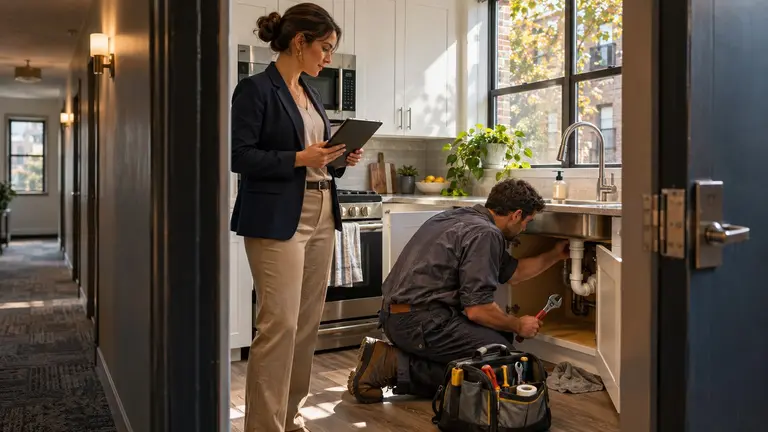
Apartment maintenance callbacks are easiest to track when every return visit is logged against the original work order, tagged with a cause, and reviewed by a person before anyone decides who pays for it. That is the whole system. A callback that gets opened as a brand new ticket disappears into your volume numbers, and you lose the one thing a callback can tell you: which repairs, vendors or buildings keep failing.
This guide walks through a practical way to set that up, whether you manage the units or you are the maintenance contractor sending technicians out.
Published November 10, 2026.
What counts as a callback
Before you track anything, agree on a definition. If your team and your vendors use the word differently, your numbers will never match.
A workable definition is: a return visit to the same unit, for the same reported issue, within a window you set after the original work order was closed. Pick a window that suits your portfolio, such as 30 or 90 days, and write it down. The exact number matters less than using it consistently.
Then separate callbacks from things that only look like callbacks:
- Repeat failure. The repair was done and the same fault came back.
- Incomplete work. The job was closed before it was finished, or a part was never fitted.
- Wrong diagnosis. The technician fixed a symptom, not the cause.
- New issue, same area. A different fault in the same fixture or room.
- Resident-caused. Damage or misuse after a sound repair.
- Upstream cause. The unit was fine, but a shared line, roof or system above it was not.
Only the first three are true callbacks against the original work. The rest still need a work order, but they should not count against the technician or vendor who did the first job.
Link every callback to the original work order
The most common tracking mistake is logging a callback as a fresh request. When a resident reports that the kitchen sink is leaking again, the person taking the request should search the unit's history first.
If there is a closed work order for the same issue inside your window, the new request should be linked to it. Depending on your system, that might mean reopening the original, adding a return visit to it, or creating a new work order with a clear reference back.
Fields to capture on every callback
Keep the list short enough that people actually fill it in:
- Original work order reference and close date
- Unit, building and fixture or system
- Who did the original work (in-house technician or vendor)
- What the resident reported this time, in their words
- Photos from the return visit, ideally matching the angles of any original photos
- Suspected cause category (from the list above)
- Who is going back, and when
- Cost of the return visit, and who is expected to carry it
Photos do a lot of work here. If the original job had before and after photos, the return visit can be compared directly. If it had none, that gap is worth noting too.
Ask the right questions at intake
Vague requests create callbacks of their own. "Sink still broken" can mean a drip, a slow drain or a cracked basin. At intake, ask:
- When did it start again?
- Is it the same spot as last time?
- Is anything wet, stained or smelling different?
- Can you send a photo or short video?
Two or three clear answers often decide whether you send the original vendor, a different trade or nobody at all.
Tag the cause before you assign blame
It is tempting to send the callback straight back to whoever did the first job. Sometimes that is right. Often it is not.
Have the technician on the return visit record what they found before anyone settles responsibility. A useful habit is a single line: what failed, why, and whether the original repair was sound. That line is what you will read later when you review trends.
If the return visit finds an upstream cause, such as a stack leak above the unit, close the callback against the original job as not at fault and open the right work order for the real problem. That keeps your vendor records fair and makes sure the actual fault gets fixed.
Decide who pays and who goes back
This is a person's decision, not a rule your software should make on its own. The answer depends on your vendor agreements, any workmanship warranty, the cause you tagged and the owner's instructions.
Common outcomes look like this:
- Vendor workmanship issue. The vendor returns at their own cost under whatever terms you agreed with them. Check the agreement rather than assuming.
- Faulty part. The vendor may handle a manufacturer claim, but the return labor question still needs agreeing.
- Wrong diagnosis. Often split, depending on what the original scope said.
- Resident-caused. Handled under your lease and your normal chargeback process.
- New or upstream issue. A normal billable work order.
Record the decision and the reason on the callback. If you are the contractor, record it on your side too, so your own job costs reflect unpaid return visits.
For anything touching resident habitability, response times or chargebacks, follow your lease, your state and local requirements and your own legal advice. Rules differ by state and city, so do not rely on a general guide for those decisions.
Review callbacks on a regular rhythm
Tracking only helps if someone looks at it. A short weekly review is usually enough. Sort open and recently closed callbacks by:
- Vendor or technician. Who has repeat failures rather than one-off bad luck?
- Trade. Plumbing, HVAC, appliances, electrical, doors and locks.
- Building and unit. A unit with three callbacks in different trades may have an underlying problem.
- Fixture or model. The same appliance model or faucet failing across units points to a parts decision, not a workmanship one.
- Cause category. If most callbacks are wrong diagnosis, the fix is better scoping, not more vendors.
Illustrative example
The following scenario is fictional and for illustration only.
A manager reviewing a 120-unit building notices four HVAC callbacks in two months, all in top-floor units, handled by two different vendors. Neither vendor's work looks poor on the return photos. Tagging the cause as upstream rather than workmanship leads the manager to commission a roof and ductwork inspection instead of replacing a vendor. Without the cause tags, the pattern would have looked like two weak vendors.
The point is not the numbers. It is that linked records and honest cause tags let you see the real problem.
What maintenance contractors should track on their side
If you are the contractor, callbacks cost you labor you usually cannot bill. Track them separately from new work so you can see:
- Which technicians or subcontractors generate repeat visits
- Which job types you underquote or underscope
- Whether missing information at booking is the real cause
Share return-visit photos and notes with the property manager. A clear record of what you found protects you when the cause turns out to be upstream or resident-caused.
Where Plan@Job fits
Plan@Job is AI-powered project and operations management for construction and property businesses, and property maintenance is one important use case. It is built around jobs with clear records rather than loose tickets.
For callback tracking, the parts that matter are:
- Job records with stages. An operator, meaning the contractor business managing clients, delivery, subcontractors and in-house operatives, can split a job into internal stages with scope, dates, status and costs, covering both subcontracted and in-house work. Internal stage costs and subcontractor identity stay internal, while the client sees the agreed overall scope, price and shared evidence.
- Checking briefs for missing information. Sophie Bennett, the AI Enquiries Coordinator, checks existing job briefs for missing details and asks for clarification, handing off to a person after two attempts. That helps with the vague "still broken" requests that cause wasted visits.
- Follow-ups and a morning brief. Daniel Reed, the AI Operations Manager, supports follow-ups on quotes and proposed dates and produces a morning brief, so open return visits are less likely to slip.
The decisions stay with people. Plan@Job does not decide who is at fault, award work, set prices or move money on its own. You can read more about how the AI staff work at planajob.com/ai-staff.
Plan@Job is live in the UK first. If you manage apartments in the United States, you can reserve your place on the US property managers page. Maintenance contractors can do the same on the US contractors page.
FAQ
How long after a repair should a return visit count as a callback?
There is no single correct window. Choose one that fits your portfolio and vendor agreements, such as 30 or 90 days, write it into your process and apply it consistently. Consistency matters more than the exact number when you compare vendors or buildings.
Should callbacks be opened as new work orders or reopened?
Either works if the link to the original job is clear. What matters is that you can see the original work order, its close date and who did the work from the callback record. A new ticket with no reference loses that history.
Who should decide whether a vendor pays for a callback?
A person, usually the property manager or maintenance supervisor, after the return visit has recorded the cause. Base the decision on your vendor agreement, any workmanship warranty and the evidence from both visits, and record the reason on the job.