
How to quote a maintenance job comes down to one rule: cost every part of the work privately, then show the client a single scope and a single price. In Plan@Job you do that by splitting the job into internal stages, costing each stage, and sending one quote that sits on top. The client sees the overall agreed scope and price. Your stage costs and the identity of your subcontractors stay internal.
This guide is for operators. In Plan@Job, an operator is the contractor business that manages the clients, the project delivery, the subcontractors and the in-house operatives. If that is you, here is the order to do it in.
Why one price beats a list of trade prices
A client is buying a result. They want the leak fixed, the ceiling made good and the room back in use. They are not buying a plumber, a plasterer and a decorator separately.
If you forward three trade prices, three things tend to happen. The client negotiates each line. They ask why they cannot go direct. And nobody has priced the coordination, the return visits or the risk, because that work is yours and it was never on the page.
One price for a clear scope fixes that. It does not mean hiding the work. The scope should be detailed. The cost build-up behind it is your business.
Before you price: get the brief right
A quote is only as good as the brief under it. Do this first.
- Open Jobs and open the job you are pricing. If the work is still an enquiry, you will find it under Leads. Get it to a job with a proper brief before you price anything.
- Read the brief as if you had never spoken to the client. Check the address, access arrangements, what is wrong, photos, deadlines and who approves the spend.
- Fill the gaps. Sophie Bennett, the AI Enquiries Coordinator, checks existing job briefs for missing information and asks for clarification. She makes two attempts, then hands the job to a person. She does not price the work.
- If the job cannot be priced from the brief, book a visit under Site visits. Whether a visit is needed is your decision.
You can read more about what the AI staff do and do not do on the AI staff page.
Step 1: Split the job into internal stages
Stages are how you see the job. The client never needs to see them.
- On the job page, build the project plan by adding a stage for each distinct piece of work.
- Give each stage its own scope. Write it for the person doing the work, not for the client.
- Set the dates for each stage. You set these yourself. Plan@Job does not work out dependencies or a critical path for you.
- Mark how each stage will be delivered: by a subcontractor or by your in-house operatives.
- Leave the status as it is for now. You will update it as the work moves.
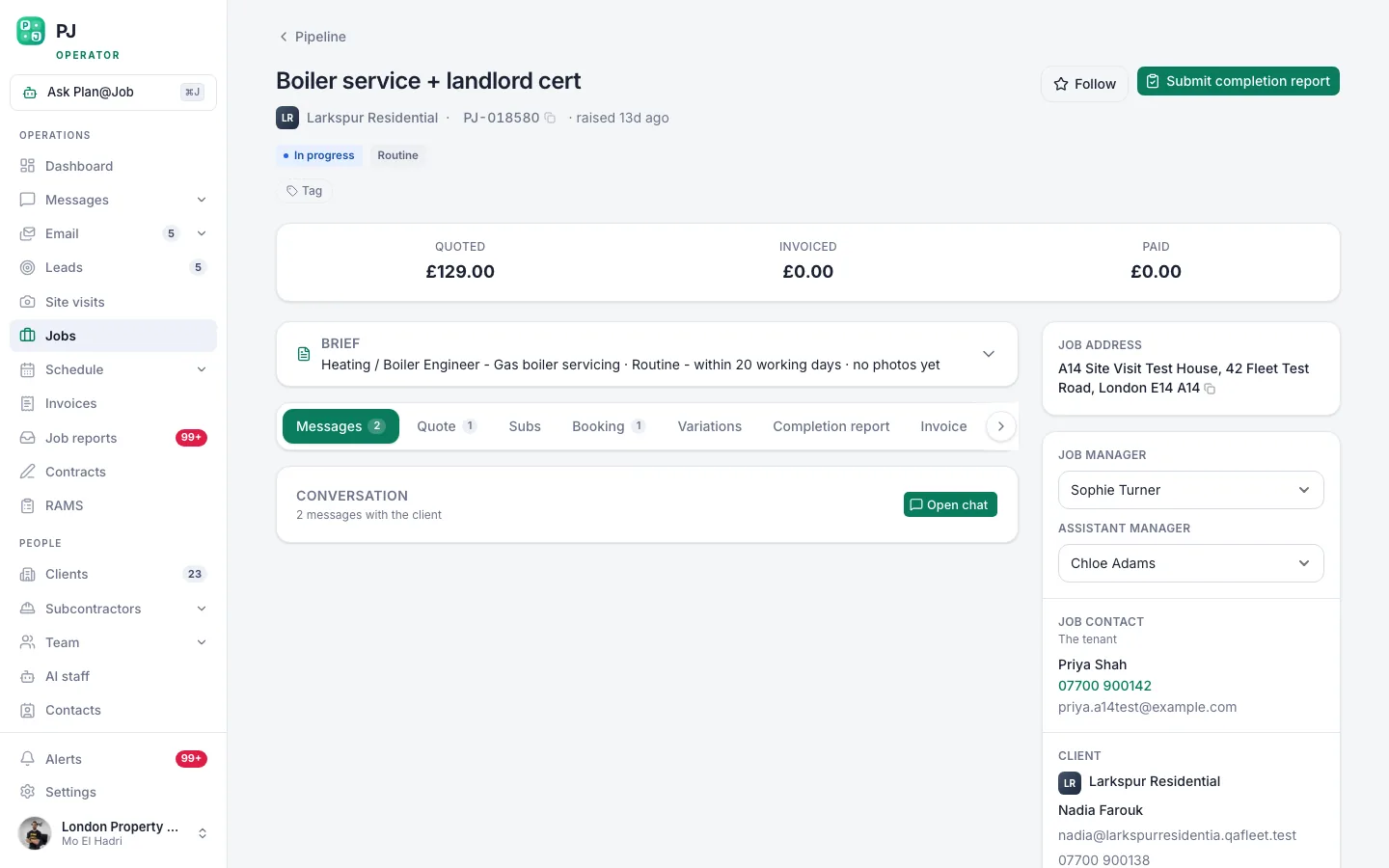 A job page holds the scope, the internal stages, who is doing the work and what it costs you.
An illustrative example
This scenario is made up to show the method. A letting agent reports a leak from a first-floor bathroom into the kitchen below. You might split it into three stages:
- Trace and repair the leak. Subcontracted to a plumber.
- Cut out and replace the damaged section of kitchen ceiling. In-house.
- Stain block and redecorate the ceiling. In-house.
Three stages, two delivery routes, one job. The agent will see one scope and one price.
Step 2: Put a cost on every stage
This is where most quotes go wrong, so take it slowly.
- For in-house stages, cost the labour time, materials, travel and waste removal. Enter the cost against the stage.
- For subcontracted stages, get a price from the subcontractor. Your network sits under Subcontractors. In supported workflows a subcontractor can price before vetting is finished. A price is not an award. Your checks and approval still happen at the appropriate stage.
- If prices are slow to come back, Daniel Reed, the AI Operations Manager, can follow up on outstanding quotes and proposed dates with your existing vetted network. He does not award work or set prices.
- Enter each subcontractor price as the cost of that stage. Use the written figure, not one you remember from a phone call.
- Decide whether to allow for unknowns, such as what is behind the ceiling once it is opened. That allowance is your judgement.
When you finish, every stage should have a cost. A stage with no cost is a stage you are doing for free.
Step 3: Set the one price
Plan@Job holds your costs. It does not decide what you charge. That part is yours.
- Add up the stage costs. That is what the job costs you to deliver.
- Decide your margin. It needs to cover overheads, coordination, snagging visits and the risk you carry for the whole job.
- Build the quote with its line items and check the total.
- Be clear on VAT. Say whether the price includes it, using the current rules that apply to your business.
- Write the client scope. Say what is included, what is excluded, what you have assumed and what would count as a change.
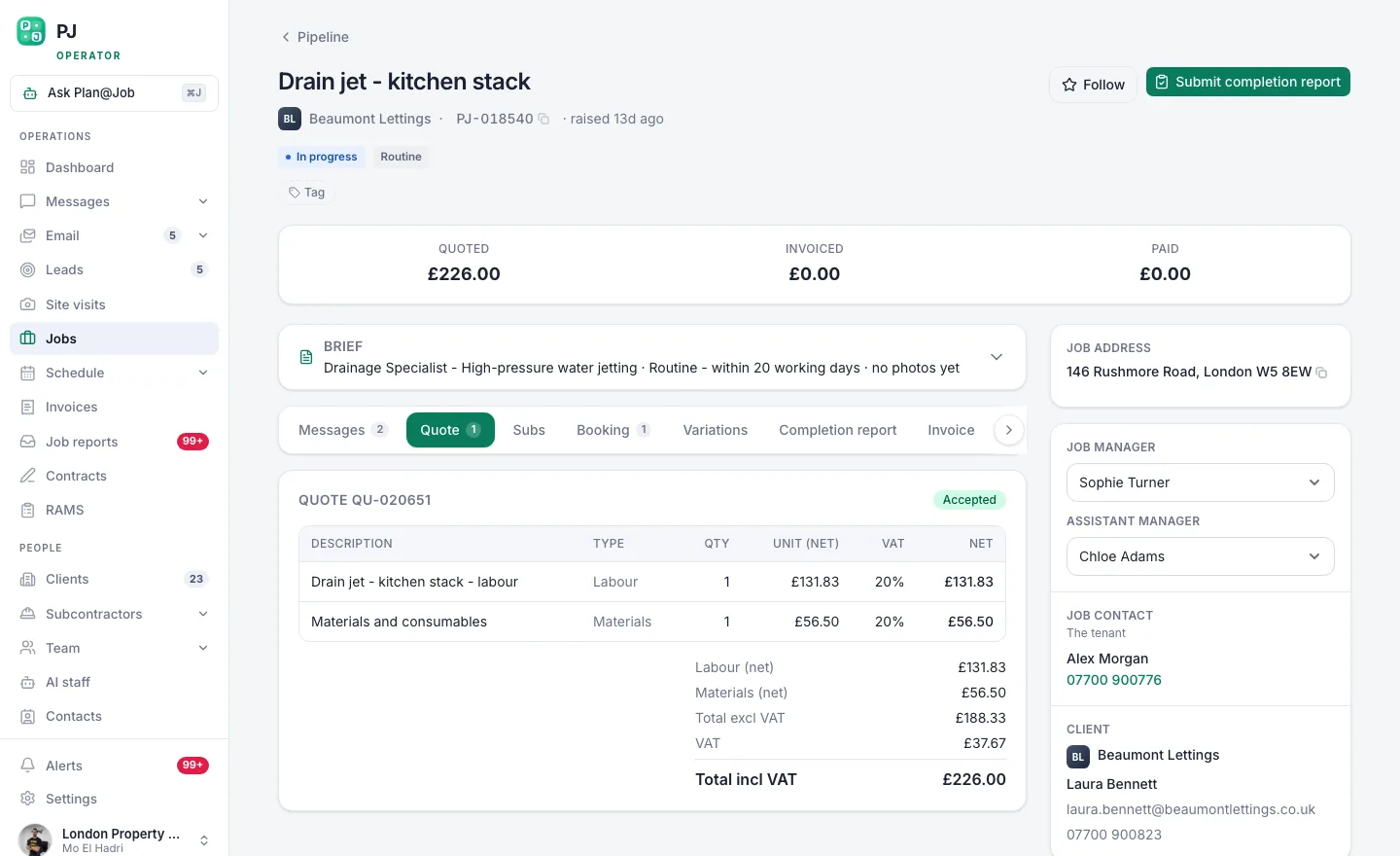 The client sees one scope and one price. Your stage costs stay behind it.
For wider thinking on pricing and margin as a business, our sister blog Construction Arbitrage covers strategy in more depth.
Step 4: Send it and check what the client sees
- Read the quote once more as the client would. If a sentence only makes sense to a tradesperson, rewrite it.
- Check the scope text for anything you did not mean to share, such as a trade name or a cost figure you typed in by hand.
- Send the quote. First contact with a new client normally needs your approval, so expect to confirm it yourself.
- Answer questions in Messages so the conversation stays with the job.
- Once the client agrees, the stages you built become your delivery plan. Update each stage status as work is done and share evidence, such as photos, with the client as you go.
The client sees the overall agreed scope, the price and the evidence you share. Internal stage costs and subcontractor identity stay internal.
Who decides what
You decide:
- Whether a site visit is needed
- How the job is split into stages and who delivers each one
- Which subcontractor price to accept and who gets the work
- Your margin, any allowance for unknowns and the final price
- What goes in the client scope and when the quote is sent
Plan@Job does:
- Hold the scope, dates, status and cost of each stage in one place
- Keep stage costs and subcontractor identity out of the client's view
- Show the client the overall agreed scope and price, plus shared evidence
- Through the AI staff, check briefs for gaps and follow up on outstanding quotes and dates
What usually goes wrong
Pricing before the brief is complete. A guess at access or extent becomes a loss later. Close the gaps or visit first.
A missing stage. Making good, waste removal and return visits are the usual ones. If it will take time on site, give it a stage and a cost.
An old or verbal subcontractor price. Get it in writing for this job and enter that figure.
A vague scope. One price only works with a clear scope. Without exclusions and assumptions, every extra becomes an argument.
Sharing the breakdown by accident. The platform keeps stage costs and subcontractor identity internal. It cannot stop you typing a trade name into the client scope or attaching a subcontractor's quote. Check before you send.
Absorbing changes. If the work grows, price the change and agree it with the client before anyone does it.
Your next step
Pick one live job with more than one trade on it and build it as stages before you quote. The project management feature page shows how stages, costs and the client view fit together. If you are new to Plan@Job, the UK contractors page explains how it works for operators.
FAQ
Does the client see my subcontractor's price?
No. Internal stage costs and subcontractor identity stay internal. The client sees the overall agreed scope and price, and any evidence you choose to share.
Can I give the client more detail if they ask for it?
Yes, and it is your decision how much. You can add detail to the scope you write for the client. Your internal stage costs remain yours unless you choose to put figures into the client-facing text yourself.
Do the AI staff set the price or pick the subcontractor?
No. Sophie checks briefs for missing information. Daniel follows up on quotes and proposed dates with your existing vetted network. Prices and awards are always decided by a person.