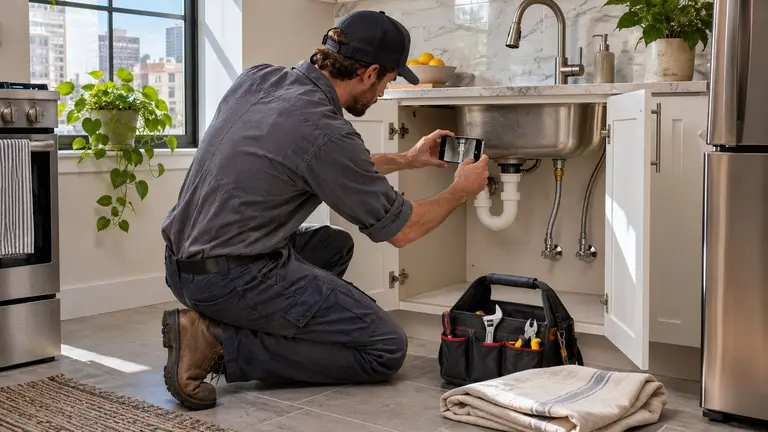
Work order completion notes help when the next person can act on them without picking up the phone. The property manager can close the ticket or approve the next step. The resident knows what happened in their unit. The next tech, whether in-house or a vendor, can pick up exactly where the last visit stopped. A useful note covers six things: access, what you found, what you did, what you used, how you tested it, and what is still open or needs a decision. If a note covers those, it does its job. If it says fixed, it does not.
Who actually reads a completion note
A note gets read by more people than the tech who wrote it. Each reader wants something different.
- The property manager or maintenance coordinator needs to know if the ticket can close, if more work is needed and if anything went beyond what was approved.
- The resident wants to know what was done, whether anyone needs to come back and whether there is anything they should watch for.
- The next tech or vendor needs the cause, the parts used and the condition left behind, so they do not start the diagnosis from scratch.
- The owner or asset manager may look back months later at repeat calls, unit turn costs or a disputed charge.
Write for the coordinator first. If they can act on it, the other readers usually get what they need with a small rewrite.
The six things every completion note should cover
Use this order. It matches how a visit actually happens, so techs can fill it in from memory on the way to the next unit.
- Access and arrival. Date, time on site, who let you in or how you entered, and whether the unit was occupied. Note if permission to enter was on file. If you could not get in, say why and what you tried.
- What you found. Separate the symptom from the cause. Leak under kitchen sink is the symptom. Compression nut on cold supply line cracked is the cause. If you could not find the cause, say that plainly.
- What you did. The actual repair, in plain trade words. Replaced, tightened, cleared, reset, patched. One line per action.
- Parts and materials. Item, quantity and size. For appliances, water heaters and HVAC equipment, record make, model and serial from the data plate. That saves a trip when warranty or replacement comes up.
- Test and result. How you confirmed the fix. Ran water for five minutes, cycled the unit, checked for drips with a dry towel, confirmed the breaker held. A repair without a test is a guess.
- Open items and decisions. Anything not finished, anything you noticed that was not on the work order and anything that needs the manager to approve. Be specific about what decision is needed.
Illustrative example: weak note vs useful note
This is a fictional example for a leaking kitchen sink in an occupied unit.
Weak note:
> Fixed leak. Done.
Useful note:
> Arrived 10:15, resident home and let me in. Water under kitchen sink, base cabinet floor damp. Cause: cracked compression nut on cold supply line. Replaced cold supply line (3/8 in. compression x 1/2 in. FIP, 20 in. braided) and shutoff valve, which would not fully close. Ran water 5 minutes hot and cold, no drips. Cabinet floor is swollen at the front edge and soft to the touch. Not part of this work order. Recommend manager review for cabinet floor replacement. Advised resident to keep the cabinet open overnight to dry. Ticket can close for the leak. Cabinet needs a decision.
The second note takes about two minutes longer. It saves a callback, a guess about the parts and an argument about the cabinet later.
Photos that back up the note
Photos turn a note from a claim into a record. Keep them purposeful.
- A wide shot before you start, so the location is clear.
- A close shot of the cause, such as the failed part or the blockage.
- The data plate on any equipment you touched.
- The finished repair.
- The area as you left it, wiped down and cleared.
Keep residents and their personal belongings out of frame as far as you can. Photograph the work, not the home. If something in the unit looks like a lease issue, report it to the manager in words and let them decide how to handle it.
Writing the part residents will see
Many teams send a short summary to the resident after the visit. Keep it separate from the internal note. The resident does not need part numbers, cost details or your opinion on the last vendor.
A good resident summary is three or four sentences:
- What was wrong, in everyday words.
- What was done.
- Whether anyone needs to return, and who will contact them about timing.
- Anything they should watch for or report.
Do not promise return dates you do not control. Say the office will be in touch. Do not blame the resident in writing, even when the cause was a grease clog. State the cause neutrally and add a practical tip if it helps.
Notes that need a manager's decision
The tech reports. The manager decides. Completion notes are where that handoff happens, so flag decisions clearly instead of burying them in the middle of a paragraph.
Flag it when:
- The fix needs more than the approved not-to-exceed amount.
- You found damage beyond the original request, such as water staining, soft subfloor or a ceiling below.
- There is a possible safety issue, like a gas odor, scorched outlet, missing smoke alarm or blocked egress.
- The same issue keeps coming back in the same unit or stack.
- You suspect moisture or mold behind a finish and cannot confirm it without opening it up.
- The resident refused access or part of the work.
For anything life-safety related, follow your company's emergency procedure and local code at the time. A completion note is not the place to diagnose outside your trade. Write what you saw, what you did to make it safe and who you told.
Put the decision on its own line
End the note with a line that starts Decision needed: followed by the question. For example: Decision needed: approve replacement of cabinet floor, or monitor and recheck in 30 days. Coordinators can scan for that line across a full day of tickets.
Common mistakes that cause callbacks
- Copying the resident's request text back as the completion note.
- Closing the ticket while waiting on parts, so the follow-up gets lost.
- Leaving out model and serial numbers on equipment.
- Writing see photos with no words. Photos without context do not explain the cause.
- Mixing cost or vendor details into a note that gets shared with the resident.
- No test recorded, so nobody knows if the fix held when the tech left.
How this works in Plan@Job
Plan@Job is AI-powered project and operations management for construction and property businesses. Apartment maintenance is one use case. It also supports larger renovation and construction projects.
In Plan@Job, the contractor business managing clients, delivery, subcontractors and in-house operatives is called the Operator. An Operator can split a job into internal stages, each with its own scope, dates, status and costs. Those stages can be delivered in-house or by a subcontractor. You can read more on the project management page.
That split matters for completion notes. The client, such as a property manager, sees the overall agreed scope and price and the evidence the Operator chooses to share. Internal stage costs and subcontractor identity stay internal. So the tech's full working note and the client-facing summary can live in the same job without the wrong details leaking out. Someone on the Operator's team still decides what gets shared.
Good completion notes start with a good brief. Sophie Bennett, the AI Enquiries Coordinator, checks existing job briefs for missing information and asks for clarification. If two attempts do not fill the gap, it hands off to a person. A clearer brief means the tech arrives knowing the unit, the access and the problem, which makes the note easier to write.
Plan@Job is live in the UK. For the United States, the US property managers page explains current availability and how to reserve a place. Maintenance contractors can use the US contractors page. Until then, the six-part note above works in any system, including paper.
FAQ
How long should a work order completion note be?
Long enough to cover access, cause, action, parts, test and open items. For a simple repair that is often five to eight short lines. Length is not the goal. If the coordinator can close the ticket or make the next decision without calling the tech, the note is the right length.
Should the tech or the office write the resident summary?
Either works, as long as someone reviews it before it goes out. Many teams have techs write the internal note and the office turn it into a short resident message. That keeps cost details and internal remarks out of the resident's inbox.
What should the note say if the job is not finished on the first visit?
Say exactly what was done, what is left and why. Record what is needed to finish, such as a part, a second trade or approval. Keep the ticket open, or open a linked follow-up, and add a Decision needed line if the manager has to approve anything before the return visit.