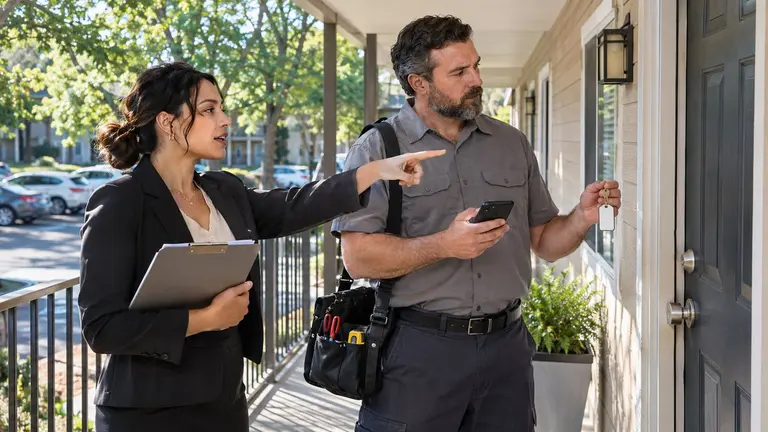
Apartment maintenance access instructions should tell a technician five things before they leave for the job: how to get into the building, how to get into the unit, who approved entry, what is waiting behind the door, and what to do if access fails. If one of those is missing, the visit is at risk. The template below covers all five. Copy it, cut the lines that do not apply to your building, and attach it to every work order.
Why access instructions fail
Most failed visits have nothing to do with the repair. They fail at the gate, the leasing office or the unit door.
The usual causes are simple:
- The gate code changed and nobody updated the work order.
- The resident was given one arrival window and the vendor was given another.
- Permission to enter was assumed, not recorded.
- There was a dog in the unit and nobody mentioned it.
- The technician had a phone number that nobody answered.
Each one leaves you with a wasted trip, an annoyed resident and a repair that is still open. A written template fixes most of this because it forces someone to fill in the blanks before the truck rolls.
The template
Use the headings as they are. Write short answers. If a line does not apply, write N/A so the technician knows it was considered and not forgotten.
1. Job and unit
- Property name and street address
- Building number, floor and unit number
- Work order reference
- The problem in one or two lines, and where it is in the unit
2. Appointment
- Date and arrival window
- Expected time on site
- Company attending, and the technician's name if known
3. Permission to enter
- Entry approved by: resident name or property manager name
- How and when approval was given: written request, resident portal, logged phone call
- Resident will be home: yes or no
- If nobody is home, entry with a key is permitted: yes or no
- Notice sent to the resident: date and method
4. Getting into the building
- Parking: where to park, permit needed, loading zone, clearance for vans
- Which entrance to use
- Gate or call box procedure
- Check-in point: leasing office or front desk, with hours
- Elevator: service elevator, booking needed, protective pads
5. Getting into the unit
- Key source: leasing office, lockbox, on-site maintenance or resident
- Key sign-out and return procedure
- Alarm in the unit: yes or no, and who disarms it
- Entry routine: knock, announce, wait, knock again, announce on opening the door
6. Inside the unit
- Pets: type, name, whether they will be crated or in a closed room
- Occupants: anyone working from home, sleeping after a night shift, or needing extra care
- Preferred language, if relevant
- Rooms or items that are off limits
- Shutoffs: unit water shutoff, breaker panel, and who is allowed to shut off water to other units
- Known hazards: active leak, tripped breaker, damaged flooring
7. If access fails
- First call: name and number
- Second call: name and number
- How long to wait before leaving
- Do not enter if: the resident objects, an unaccompanied child answers, a pet is loose, or the instructions do not match what you find
- What to record: arrival time, who was called, photo of the door notice left
8. Leaving the unit
- Lock the door and check it
- Leave a door notice saying who attended, when, and whether the work is finished
- Return the key and sign it back in
- Send photos and a short note to the named contact
A filled-in example
This is an illustrative scenario. The property and people are fictional.
- Job: Maple Court Apartments, Building C, Unit 204. Kitchen faucet leaking at the base, cabinet floor is wet.
- Appointment: Tuesday, 10 am to 12 pm. About one hour. One technician from the plumbing vendor.
- Permission: Requested by the resident through the portal on Friday. Resident will be at work. Entry with a key approved in the request. Notice sent by the leasing office on Monday by email.
- Building: Visitor parking by the leasing office. Check in at the office, open 9 am to 6 pm. No elevator.
- Unit: Key signed out from the leasing office against photo ID. No alarm.
- Inside: One cat, will be shut in the bedroom. Do not open the bedroom door. Water shutoff is under the kitchen sink. Do not shut off the building supply without calling the office.
- If access fails: Call the leasing office, then the property manager. Wait 15 minutes. Leave a door notice and take a photo.
- Leaving: Lock up, return the key, send before and after photos to the property manager.
A technician can read that in under a minute and knows exactly what to do at each door.
What still needs a person's decision
A template records decisions. It does not make them. These calls belong to a named person, and the form should say who that is.
- Entering when the resident is not home. Someone has to confirm that permission exists and that proper notice was given. The technician should not be the one working that out at the door.
- Emergency entry. A burst pipe or a suspected gas smell may justify entry without the usual notice. Decide in advance who can authorize it and how it gets recorded.
- Releasing keys and codes. Decide who can hand a key to a vendor, what ID is checked, and when codes get changed.
- Stopping the visit. If a resident objects at the door, or the unit does not match the instructions, the technician stops and calls. The manager decides what happens next.
- Paying for a failed visit. Agree with your contractor ahead of time what happens when a visit fails because of bad access details. Sort it out before the job, not after.
A note on notice rules
In the United States, a landlord's right to enter and the notice required are set mainly by state law. Some cities add their own rules, and the lease usually has an entry clause too. The requirements differ from place to place, so this template does not give a notice period. Check the current landlord-tenant statute for your state, your local rules and your lease, and ask an attorney if you are unsure. Then write your required notice step into section 3 so it gets done every time.
Keep keys and codes under control
Access instructions contain the most sensitive details you hold about a building. Treat them that way.
- Share codes only with the company and technician assigned to the job.
- Do not paste codes into long email threads that get forwarded.
- Keep a key log with name, company, time out and time back.
- Change lockbox and gate codes on a schedule, and after any vendor relationship ends.
- Never write the unit number on the key tag. Use a reference that only your log explains.
Where Plan@Job fits
Plan@Job is AI-powered project and operations management for construction and property businesses. Property maintenance is one of its main use cases.
Access instructions belong in the job brief, alongside the scope. In Plan@Job, Sophie Bennett, the AI Enquiries Coordinator, checks existing job briefs for missing information and asks for clarification. If two attempts do not get an answer, she hands the job to a person. A brief built on this template makes gaps easy to spot. Sophie does not decide whether entry is permitted. That stays with you. You can read more about the AI staff and what each one does.
Some jobs need more than one visit, such as a unit turn with cleaning, paint and flooring. A project plan splits the job into internal stages, each with its own scope, dates and status. That gives you a clear place to note when access details differ from one visit to the next.
Your next step
Put the template into your next three work orders and see which lines people leave blank. Those blanks are where your failed visits come from.
Plan@Job is live in the UK. If you manage property in the United States, check the US property managers page for current availability and to reserve your place.
FAQ
How much notice do I need to give before maintenance enters an apartment?
It depends on your state, sometimes your city, and your lease. The rules vary across the United States, and emergencies are often treated differently from routine repairs. Check the current landlord-tenant law where the property is located, or ask an attorney, and build that notice step into your template.
Should gate and lockbox codes go in the work order?
Only if the work order is seen by the assigned company and technician and nobody else. If work orders get forwarded or printed, give the code separately by phone or through the leasing office. Change codes regularly either way.
What should a technician do if the resident refuses entry?
Do not enter. Stay polite, step back, and call the contact named in the access instructions. Record the time and what was said, and leave it to the property manager to speak with the resident and decide whether to rebook.