
A variation order in construction is a written record that changes the agreed scope, price or timing of a job after it has started. Here is the short version. Stop and record the change. Check it against the contract. Price it. Get the client's written agreement before you build it. Then update the plan, brief whoever is doing the work, and make sure the invoice matches. This guide takes you through that order step by step. It is written for operators, meaning the contractor business that manages the client, the project delivery, the subcontractors and its own operatives. It also shows where each part sits in Plan@Job.
Why mid-job variations cause trouble
Most disputes over variations are not about the work. They are about memory. The client remembers asking for a small change. The site remembers being told to crack on. The office remembers nothing because nobody told it.
The fix is boring and it works. Every change goes through the same steps, in the same order, and leaves a written trail on the job it belongs to.
Step 1: Capture the change before anyone acts on it
A variation usually starts as a conversation on site or a phone call. Get it into writing the same day.
- Open the job from Jobs.
- Go to Messages and write a short note on that job's conversation: what the client asked for, who asked, when, and where on site.
- Add photos of the area as it is now. These are your "before" evidence.
- Tell the site team plainly whether to carry on with the original scope, pause that area, or wait for a decision.
Step 4 is a person's decision. Nobody on site should start extra work just because the client asked them directly.
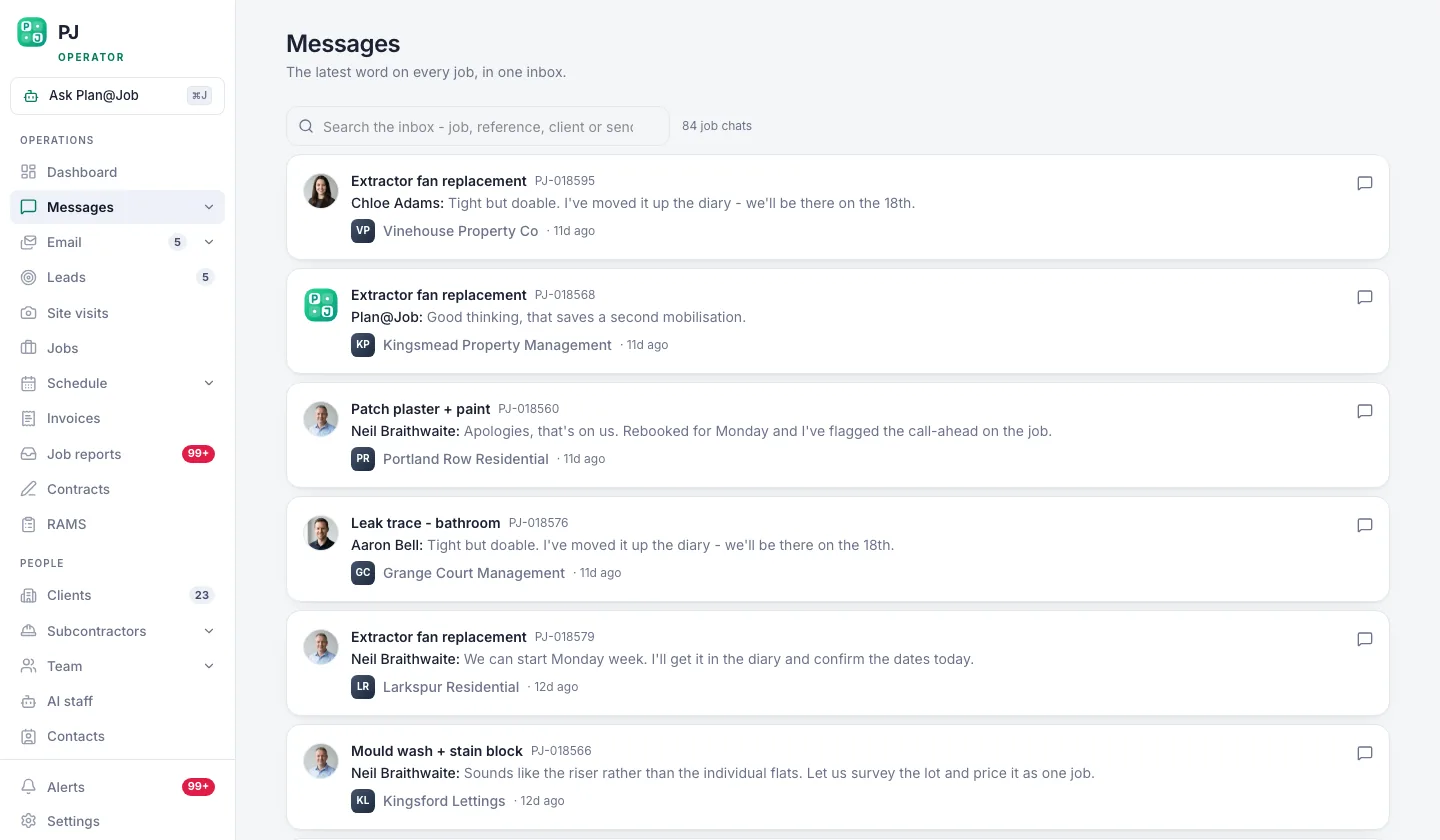 Conversations stay attached to the job they are about.
Step 2: Check the change against the contract
Before you price anything, check what you actually agreed.
- Open Contracts and find the contract for this job.
- Read the scope. Is this genuinely new work, or was it already included?
- Look for a variations clause. Standard forms such as JCT contracts set out how variations are instructed and valued. Your own terms may say something simpler.
Who the client is matters. Most commercial construction contracts are covered by the payment rules in the Housing Grants, Construction and Regeneration Act 1996. Contracts with a homeowner for work on their own home generally fall outside those rules, and consumer law applies instead. Check the current official guidance or take advice if the sums or the wording are unclear. This post is not legal advice.
If the request is already in scope, say so politely in Messages and carry on. If it is new, move to pricing.
Step 3: Price the variation properly
A rushed variation price is where margin disappears. Work through the full cost, not just the obvious materials.
- Labour: your operatives' time, including any return visits.
- Materials: including waste, delivery and any minimum order.
- Subcontracted work: ask the subcontractor for a written price for the change.
- Programme impact: extra days on site, hire extensions, skips, scaffolding.
- Knock-on work: anything already done that now has to be undone or altered.
- Management time: the visits, calls and paperwork the change creates.
If part of the variation is subcontracted, send the request through Subcontractors or the job's Messages. Daniel Reed, the AI Operations Manager in AI staff, can support follow-ups on quotes and proposed dates so a price does not go quiet. You still choose which price to accept. Plan@Job does not award work or set prices for you.
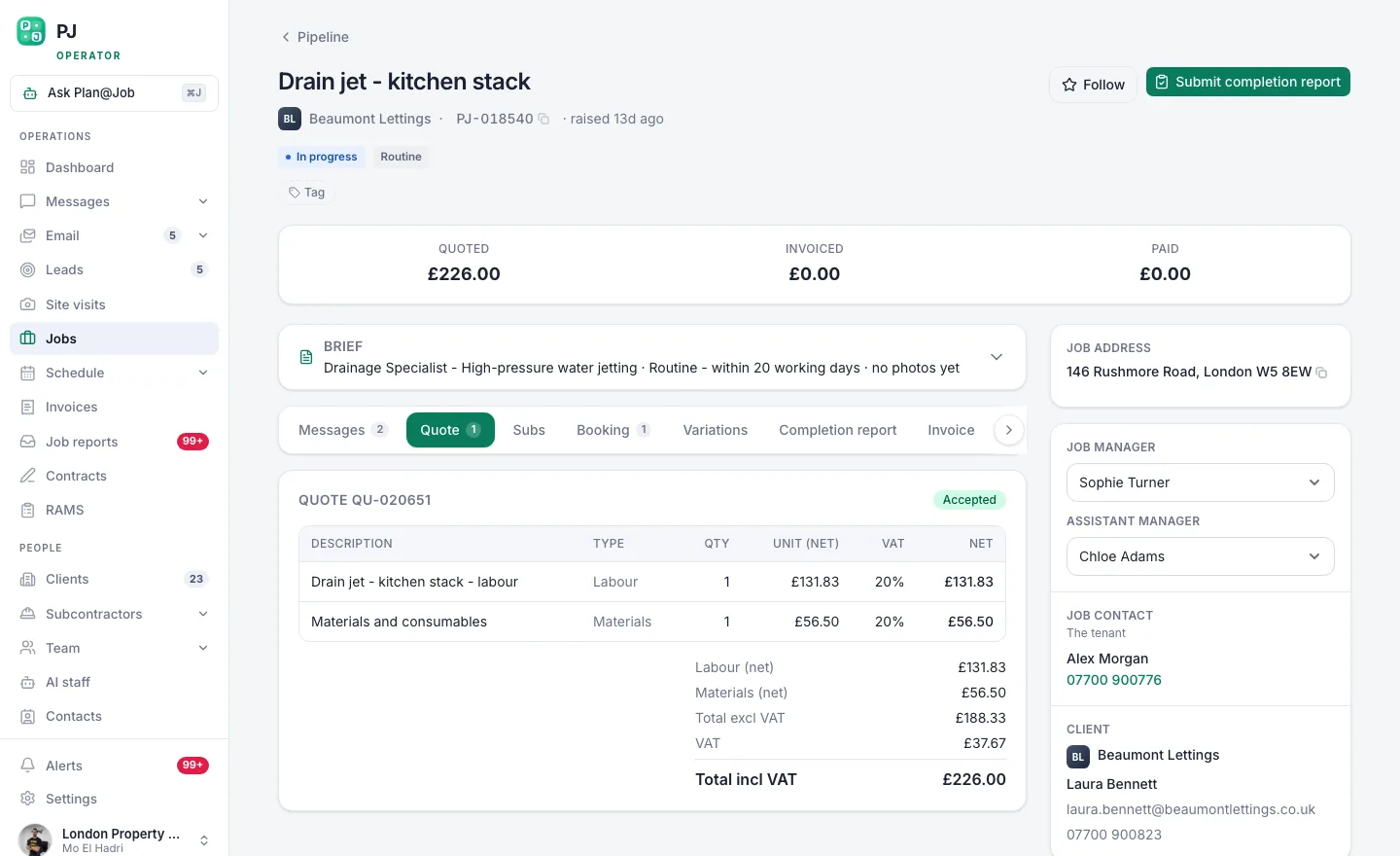 The client sees one scope and one price. Your stage costs stay behind it.
Step 4: Get written agreement from the client
This is the step that protects you. Do not build the variation until the client has agreed it in writing, unless there is a genuine safety reason to act now. If there is, record that reason in Messages too.
- Update the scope and price for the change on the job's quote.
- Send it to the client with a plain description: what changes, the added or reduced cost, and any effect on the finish date.
- Ask for a clear written yes. A reply in the job's conversation is far better than a nod on site.
- Keep shared evidence, such as the before photos, visible to the client through the Client portal where that helps them understand the change.
The client sees the overall agreed scope and price. Your internal stage costs and the identity of your subcontractors stay internal. That lets you price the variation honestly without exposing your margins or your supply chain.
Step 5: Update the project plan
Once the change is agreed, make the plan match reality.
- Open the job from Jobs.
- Add a new internal stage for the variation, or edit the stage it affects.
- Set the scope, dates, status and costs for that stage.
- Mark whether it is delivered by a subcontractor or by your own operatives.
- Check Schedule and move any later stages that the change pushes back.
Be clear about what the platform does here. Plan@Job holds the stages, dates, status and costs in one place. It does not work out a critical path or reschedule dependent stages for you. Moving the later work is your decision.
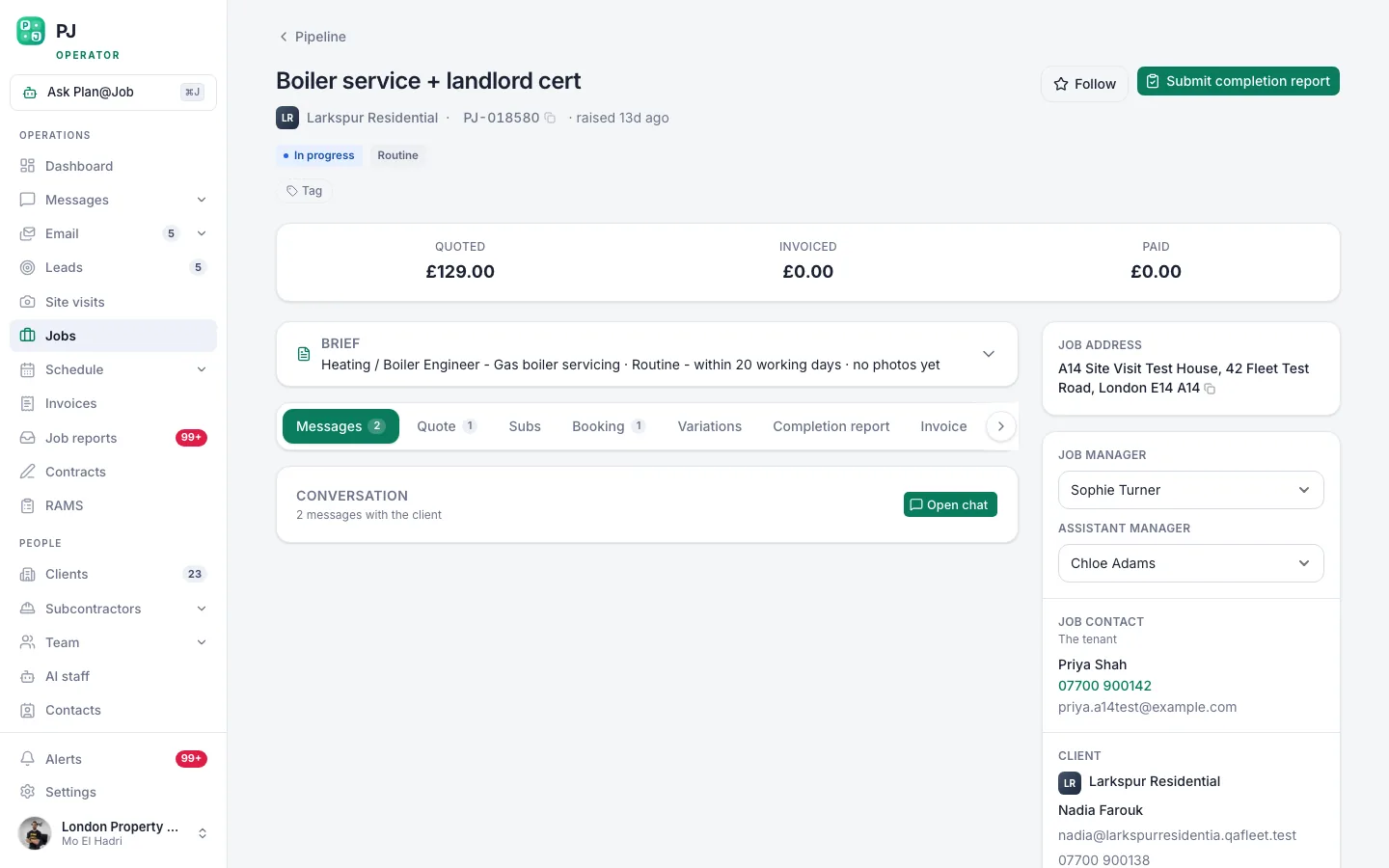 A job page holds the scope, the internal stages, who is doing the work and what it costs you.
Step 6: Brief whoever is doing the work
A variation is only useful if the person on the tools knows about it.
- For subcontracted work, confirm the agreed scope, price and dates with the subcontractor in the job's Messages.
- For in-house work, brief your operatives and check they are assigned in Team and on the Schedule.
- If the method of work changes, review the RAMS before anyone starts. New work at height, new hot works or a new material can all change the risk.
- Confirm that the old instruction is cancelled if the variation replaces it.
Step 7: Record completion and bill it
- When the variation is finished, add "after" photos and notes in Job reports.
- Update the stage status on the job.
- Raise or update the invoice in Invoices so it reflects the agreed variation price, on the payment terms you agreed with the client.
If you agreed a deposit for a large variation, Maya Collins, the AI Finance Coordinator, can prepare the deposit or an overdue payment action for your approval. She follows fixed finance workflows. Nothing goes to the client without you approving it, and a record of payment in Plan@Job is a record, not a transfer of money.
Who decides what
People decide:
- whether the request is a variation or already in scope
- the price and any change to the finish date
- which subcontractor price to accept
- when work can start, and any safety exceptions
- what goes to the client and when
Plan@Job holds and supports:
- the job conversation and evidence, kept with the job
- internal stages with scope, dates, status and costs
- the single scope and price the client sees
- follow-ups on subcontractor quotes and proposed dates, through Daniel Reed
- deposit and overdue payment actions prepared for approval, through Maya Collins
Illustrative example
This is a fictional scenario. An operator is halfway through a rear extension. The homeowner asks the bricklayer to add a second window. The bricklayer says he will check with the office and does not start. The project manager logs the request in Messages, checks the contract, and gets a price from the window subcontractor. The client approves the revised scope and price in writing. The project manager adds a stage for the opening, moves the plastering back two days on the Schedule, and updates the RAMS for the extra lintel work. The final invoice matches what the client agreed.
What usually goes wrong and how to avoid it
- Work starts on a verbal yes. Make written agreement a rule the whole team knows, including subcontractors.
- The price misses the knock-on costs. Use the same checklist every time, including programme and management time.
- The plan is not updated. If the stage is not on the job, it will not be on the schedule or the invoice.
- Reductions are forgotten. Omitting work is a variation too. Record it and adjust the price.
- Several small changes pile up. Log each one separately so you can show exactly what was agreed and when.
Run your next variation through the job
Variations are easier to handle when the scope, the stages, the conversation and the costs all live on one job. Read how project management in Plan@Job handles internal stages and client-facing scope. See what else Plan@Job does for UK contractors, or create an operator account and set up your next job with stages from the start.
FAQ
Does a variation order have to be in writing?
It depends on your contract, and many standard forms expect written instructions. Even where it is not required, a written record is what protects you if the price or scope is disputed later. Get the client's agreement in writing before you start the work.
Can the client see my subcontractor's price for the variation?
No. In Plan@Job the client sees the overall agreed scope and price. Internal stage costs and subcontractor identity stay internal.
Will Plan@Job reschedule the rest of the job when I add a variation?
No. You add or edit the stage and set its dates. Moving any later stages on the Schedule is a decision you make, because Plan@Job does not calculate dependencies or a critical path.