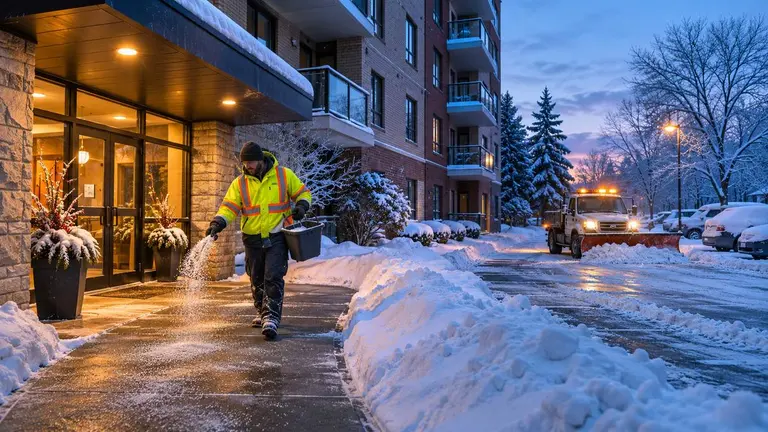
A snow removal service log template gives you one consistent record of every visit: when the crew arrived, what the weather was doing, what they cleared, what they spread and what they left for later. If you manage rental buildings or condo sites in Canada, that record is how you check a contractor did the work you are paying for, and how you answer the question "was that walkway salted before 7 a.m.?" weeks after the snow has melted. Below is a template you can copy, how to fill it in properly, and how to keep the logs with the job instead of in a glovebox.
Why a snow removal log matters
Snow work is easy to dispute. The evidence melts. A tenant reports a fall on the front steps, an owner queries an invoice for six salt runs, or a contractor says they attended at 5 a.m. and the superintendent says the lot was still buried at 8.
A good log settles these questions with facts, not memory. It also helps you plan. After one winter of honest records you can see which sites need early starts, where drifting is a problem and which entrances ice over first.
Rules on who must clear what, and how quickly, vary by municipality and by lease or contract. Check your local bylaws, your service agreement and your insurer's expectations. The log does not replace any of those. It shows what was actually done.
The snow removal service log template
Copy these fields into a form, spreadsheet or job record. Keep the same fields for every site so logs can be compared.
Site and contract details
- Property name and address
- Areas in scope (for example: main lot, visitor parking, front walk, side exit, garbage enclosure, fire route)
- Service trigger agreed in the contract (for example: plow at a set snowfall depth, salt on any freezing rain)
- Contractor or in-house crew responsible
- Site contact and after-hours number
Visit record
- Date and visit number for the storm (visit 1, visit 2 and so on)
- Arrival and departure time, written as recorded on site, not estimated later
- Crew name or operative who did the work
- Equipment used: plow truck, skid steer, snowblower, shovels, spreader
- Conditions on arrival: approximate snow depth in centimetres, temperature in degrees Celsius, precipitation type (snow, freezing rain, ice pellets), wind and drifting
- Work done per area: plowed, shovelled, blown, scraped, salted, sanded
- Material used: type (rock salt, treated salt, sand, sand-salt mix, liquid de-icer) and approximate quantity
- Areas not completed and why: blocked by parked cars, locked gate, unsafe conditions
- Hazards noticed: refreeze spots, roof drip lines, damaged curbs, buried hydrants, blocked exits
- Photos: at least one before and one after for key areas, with the time visible in the file details
- Follow-up needed: return visit, repair, tenant notice, call to the property manager
- Crew sign-off and, where your process uses one, site review sign-off
Season summary
At the end of each month, or the end of the season, total the visits per site, the material used and any incidents or complaints. This is what you will want when you rebid the contract or review the budget.
How to fill it in so it holds up
A blank template is easy. Getting crews to fill it in well, at 4 a.m. in a storm, is the hard part.
Record at the time, not at the end of the shift
Times written from memory drift. Ask crews to log arrival on arrival and departure on departure. A phone form or job record is easier than paper in mitts.
Photograph the same spots every visit
Agree fixed photo points for each site: the front entrance, the accessible ramp, the main lot from the same corner, the side exit. Consistent angles make before-and-after comparisons obvious and stop arguments about which walkway is in the photo.
Write down what was not done
The most useful line in a snow log is often "visitor lot not plowed, six cars parked, return after 10 a.m." Gaps that are recorded can be fixed and explained. Gaps that are not recorded look like missed work.
Note conditions honestly
If freezing rain started after the crew left, write the departure conditions. If the temperature was too low for the salt they used to work well, note it. The log is a record of facts, not a sales sheet.
Keep it per storm, not per day
A long storm can run overnight and into the next day. Number the visits within each storm so a reviewer can follow the sequence.
Illustrative example: one storm at a mid-rise rental
This is a fictional example to show how a completed log reads.
A 40-unit rental building has a front walk, an accessible ramp, a rear lot and a fire route. Overnight snow starts around midnight, followed by freezing drizzle.
- Visit 1, 4:40 a.m. to 5:35 a.m. About 12 cm on arrival, minus 6 degrees Celsius, light snow. Rear lot plowed, front walk and ramp shovelled and salted. Fire route plowed. Two cars blocking the rear corner, photo taken, not cleared.
- Visit 2, 9:15 a.m. to 9:45 a.m. Freezing drizzle. Front walk and ramp re-salted. Refreeze noted under the roof drip at the side exit, sand added, follow-up logged for the property manager about the downspout.
- Visit 3, 2:00 p.m. to 2:50 p.m. Rear corner cleared after cars moved. Windrow at the lot entrance pushed back.
The property manager reviewing this log can see the timeline, the missed corner and why it was missed, and a maintenance issue (the downspout) that needs a separate job. That last point is easy to lose if the snow log lives on paper in the truck.
What needs a person's decision
A log records. People still decide. Before winter, agree who makes these calls:
- Service triggers. What depth or condition starts a visit, and who can call out the crew outside the trigger
- Priorities in a heavy storm. Fire routes, exits and accessible routes usually come first, but write down your order for each site
- Material choices. Salt, sand or a mix near new concrete, landscaping or ramps
- Disputed visits. Who reviews a log when an invoice does not match what the site staff saw
- Incident response. What happens when a fall or vehicle damage is reported, who is told and how the log is preserved
- Approving extra work. Hauling snow off site, extra salt runs and return visits beyond the contract
Write these decisions into the job scope so the crew and the reviewer are working from the same page.
Keeping snow logs with the job in Plan@Job
Plan@Job is AI-powered project and operations management for construction and property businesses. For winter work, the useful part is keeping the scope, the visits and the evidence in one place instead of in texts and email threads.
A typical setup looks like this:
- Create the winter service as a job for each site, with the areas in scope, the service trigger and the priorities written into the brief.
- Split the work into stages using the project plan if it helps, for example pre-season site marking, the main service period and spring cleanup of salt and sand. Each stage carries its own scope, dates, status and costs.
- Attach photos and notes from visits to the job, and share the evidence you want the client or owner to see. The client sees the agreed scope, the agreed price and shared evidence. Internal stage costs and subcontractor identity stay internal.
- Raise follow-ups as their own jobs, such as the downspout causing refreeze in the example above.
The AI staff can help around the edges. Sophie Bennett, the AI Enquiries Coordinator, checks existing job briefs for missing information, such as a slip report with no location, and asks for clarification before handing back to your team if it is still unclear after two attempts. Daniel Reed, the AI Operations Manager, can follow up on quotes and proposed dates and prepare a morning brief. None of them award work, set prices or move money. Those decisions stay with you.
The UK is the live market for this launch. Canadian property managers can register interest through the Plan@Job Canada property managers page, which uses the reserve list for this market. For the wider season, the winter maintenance checklist for rental properties covers the jobs that sit alongside snow clearing.
FAQ
How long should I keep snow removal logs?
Keep them at least as long as your lease, contract, insurer or legal adviser recommends. Claims can arrive long after a storm, so many managers keep full seasons rather than deleting them in spring. Ask your insurer or a lawyer in your province for the right period for your situation.
Should the contractor or the property manager keep the log?
Both should have it. The contractor creates the record on site. The property manager should receive a copy after each storm, not at invoice time, so gaps can be queried while people still remember the visit.
What is the most common gap in snow removal records?
Missing times and missing reasons. A log that says "salted walk" with no time, and no note about areas skipped, is hard to rely on. Arrival time, departure time, photos at fixed points and a line for work not completed fix most of it.