
Responding to maintenance enquiries quickly is most of the job. You rarely win the work on price at the first touch. You win it by sending a sensible question first and then actually turning up. If you're an operator (the contractor business that holds the client, runs the delivery and manages the subbies and your own operatives), this is how I'd set it up so nothing goes cold in an inbox.
Here's the short answer. Get every enquiry into one queue the same day. Check the brief for what's missing before you reply. Send a first reply that asks the right question, not a generic thank you. Book the visit or the quote with a date on it. Then chase the quote like you mean it. Below is how that works in Plan@Job, step by step, and which bits need you.
Why do maintenance enquiries go cold?
Mostly it isn't because the client found someone cheaper. It's because nobody replied properly.
A letting agent sends a leak with no address, no photos and no access details. You mean to call them back. A day goes by. By then they've rung two other contractors, and whoever asked for the photos first is booked in.
When I ran the maintenance company in London, working for housing associations and letting agents, the rule was simple. Every enquiry got a real reply the same day, even if that reply was only the questions we needed answered. Speed isn't an extra. It's the service.
Step 1: Get every enquiry into Leads
Enquiries come in everywhere: email, phone, a text to your personal number. If they live in five places, one of them gets forgotten. Simple.
- Open Leads. This is the queue for enquiries that aren't jobs yet.
- If something comes in by phone or text, add it yourself while you're still on the call. Get the name, the property, what's wrong and how urgent it is.
- Go through Leads at set times every day. First thing in the morning and mid-afternoon works for most operators.
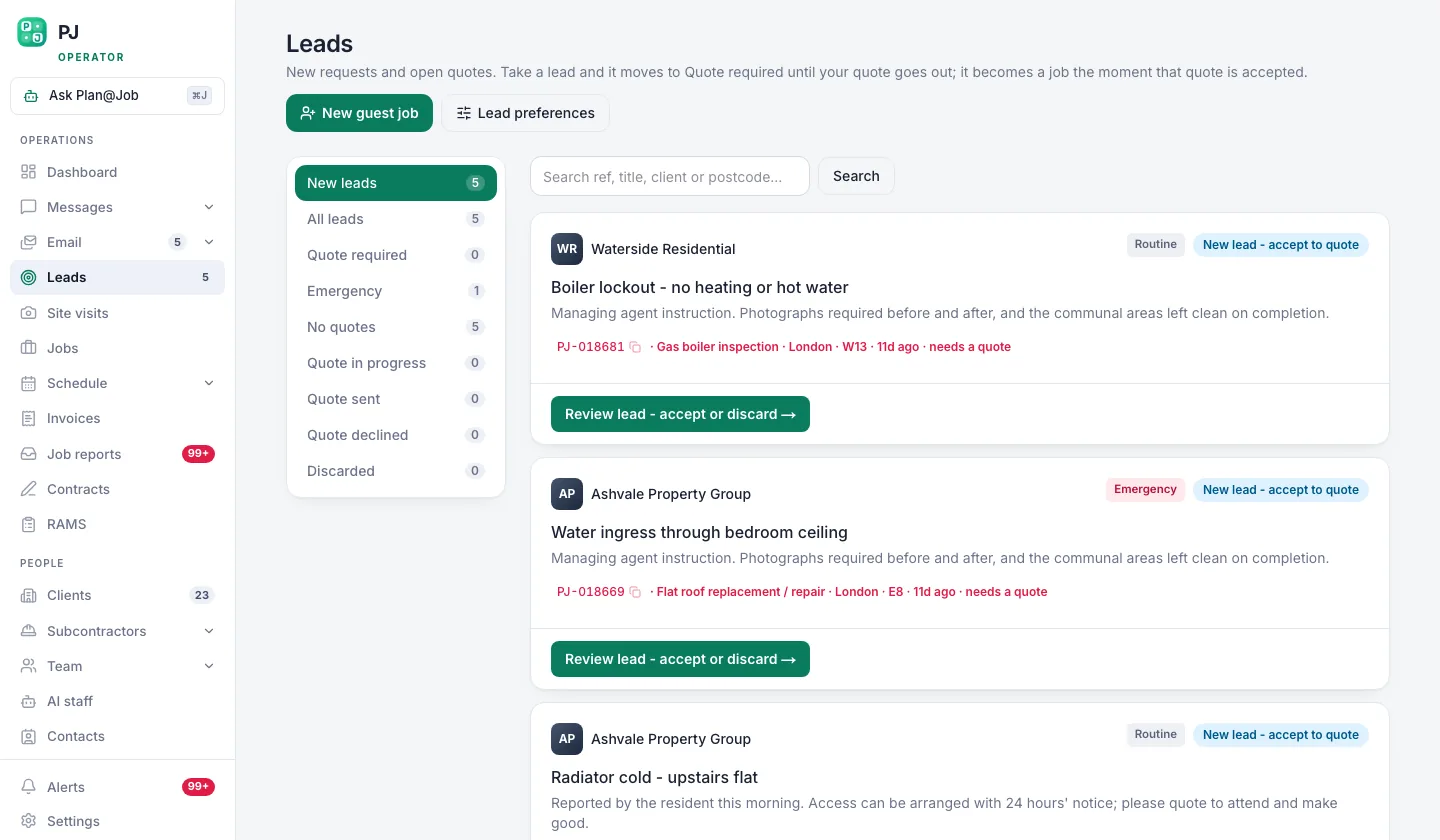 New enquiries queue as leads before they ever become a job.
A lead isn't a job. Some enquiries come from people who are just shopping around, some are out of your area and some are for work you don't do. You decide which ones you want, nobody else.
Step 2: Turn the good ones into jobs and check the brief
Once you decide a lead is worth chasing, make it a job in Jobs. That's where the brief lives, and everything that follows hangs off it.
Next, check the brief for gaps. This is where Sophie Bennett, the AI Enquiries Coordinator in AI staff, earns her keep. Sophie reads existing job briefs, spots missing information and asks for clarification. That might be no access arrangements, no photos or a fault description that just says 'broken'. If she's asked twice and still hasn't got an answer, she hands it back to a person. She doesn't keep chasing the client, and she doesn't turn every email you get into a job either. You decide what becomes a job. She tidies the brief.
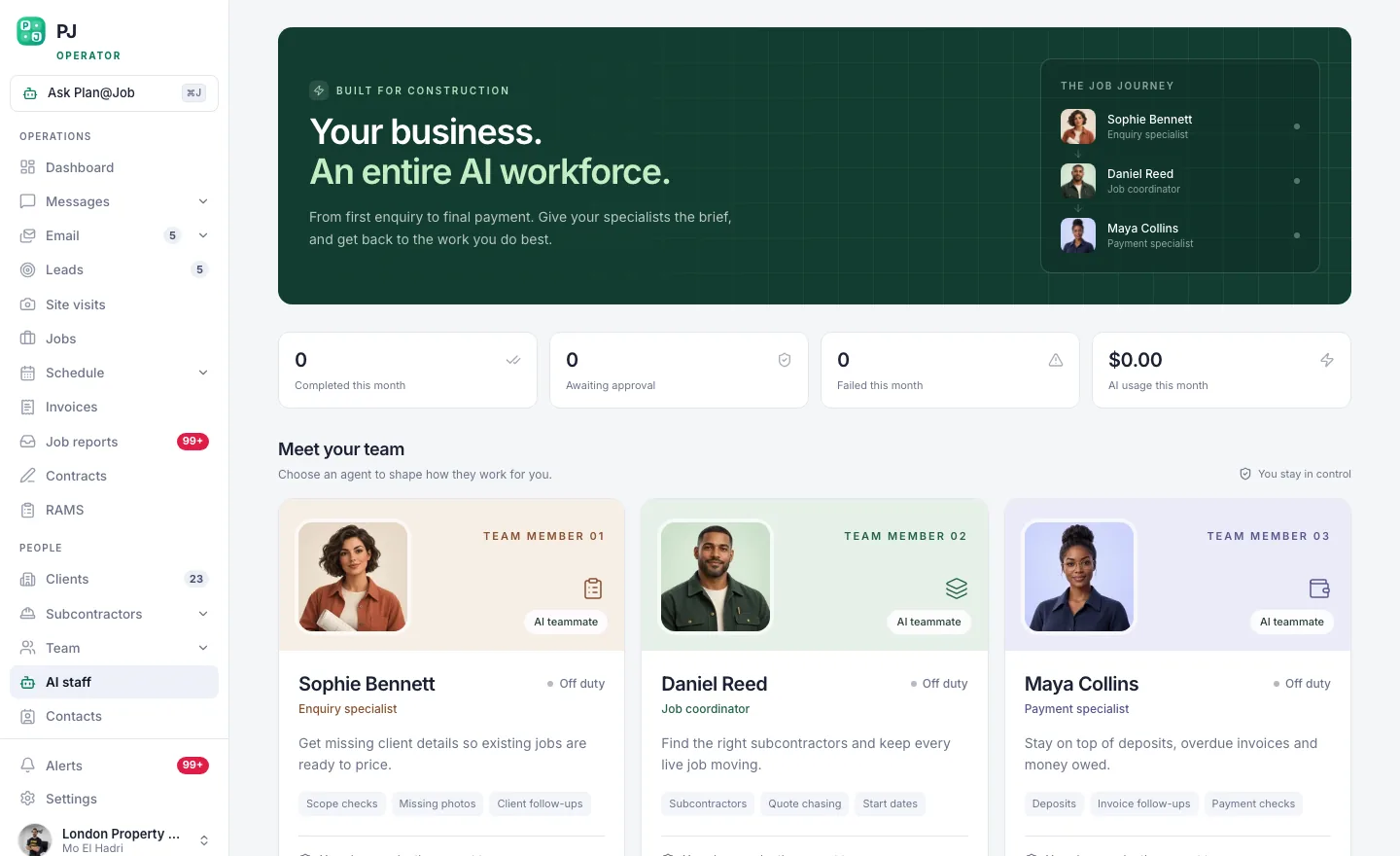 The AI colleagues sit inside the account: Sophie on briefs, Daniel on operations, Maya on money.
The AI staff page sets out what each colleague handles and what they don't.
Step 3: Send the first reply from Messages
The first reply is where most operators lose the job. 'Thanks for your enquiry, we'll be in touch' tells the client nothing.
- Open the job and go to Messages. Conversations stay attached to the job they're about, so whoever picks it up next can see what was said.
- Ask the one or two questions that are stopping you from quoting. Photos. Access. Whether a tenant is in.
- Give them a next step with a time on it. 'Once I've got the photos I'll come back to you with a visit slot.'
- Approve and send. In Plan@Job, first contact with a client normally needs a person to approve it. That's deliberate. Your name is on that message.
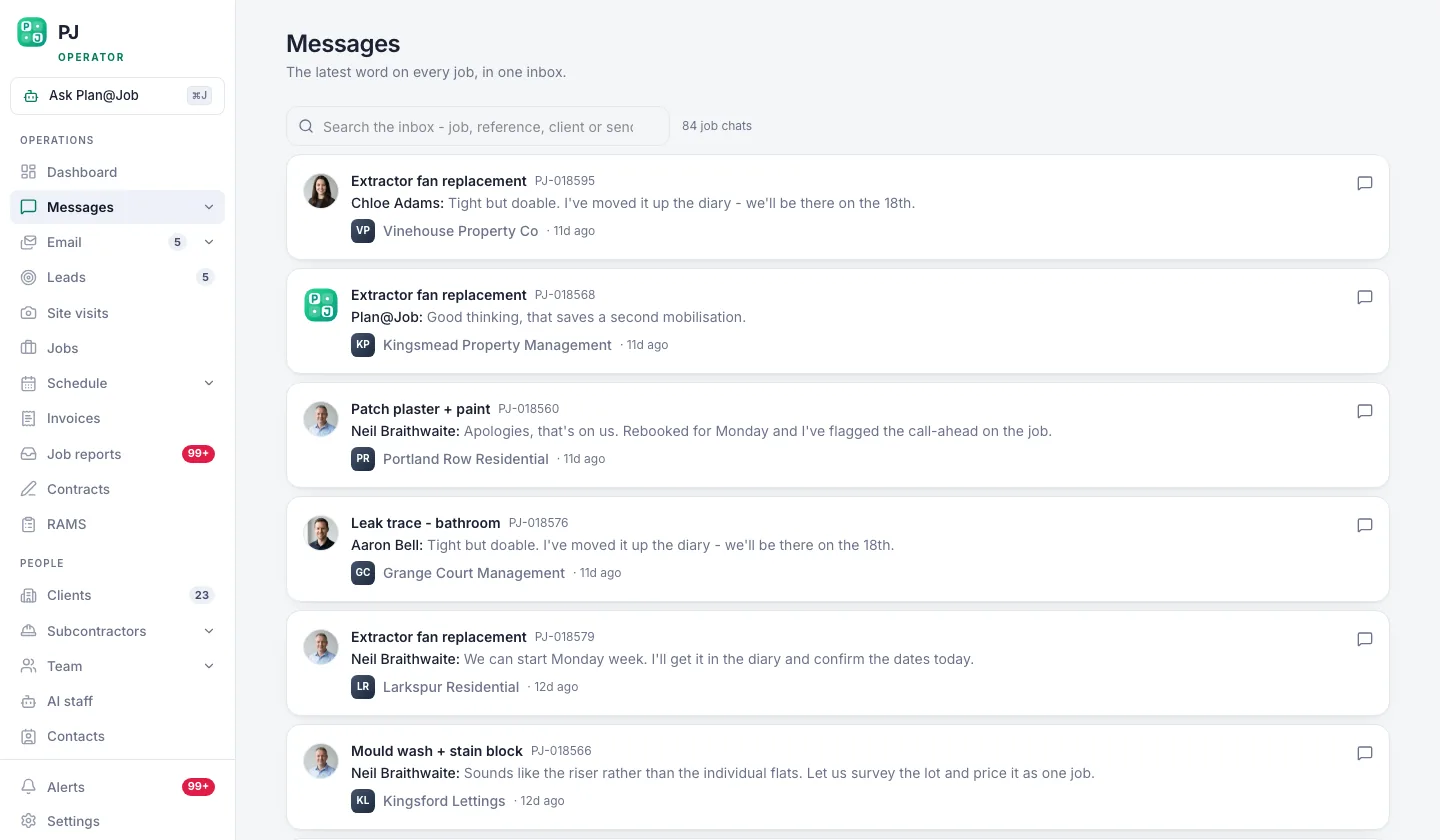 Conversations stay attached to the job they are about.
Illustrative example, not a real job: a letting agent logs 'damp patch in back bedroom' and nothing else. A good first reply is: 'Can you send two photos of the patch and the window above it, and let me know if the tenant is in during the day? I'll book a visit as soon as I have them.' It's short and specific, and the client knows exactly what to do next.
Step 4: Book the visit or price it
Now you've got enough to act on. There are two routes.
If someone needs to see it, book it in Site visits and put it on the Schedule. A date in the diary is the strongest signal you can send that you're serious.
If you can price it from the photos, price it. You set the price. Nothing in Plan@Job sets your price or awards the work for you.
If the job is going to a subbie rather than your own operatives, Daniel Reed, the AI Operations Manager, can help share eligible jobs with the existing vetted network. You still choose who gets the work. The subbie's identity stays internal. The client sees the scope and price you agreed with them, not your supply chain.
Step 5: Chase the quote
Here's the part people hate hearing: most quotes don't die because they were too high. They die because nobody followed them up.
Daniel handles follow-ups on quotes and proposed dates that are still waiting for an answer, so they get chased instead of forgotten. He also puts together a morning brief, so you start the day knowing what's waiting on you. Read it before you open your email.
When the client says yes, you move on to delivery. If you need a deposit, Maya Collins, the AI Finance Coordinator, prepares deposit and overdue payment actions for you to approve. She prepares them. You approve them. Nothing goes out on its own.
What the platform does and what you decide
Keep this straight and you won't get caught out:
- You decide which leads are worth chasing and which ones become jobs.
- Sophie checks job briefs for missing information, asks for it twice at most, then hands it back to you.
- You approve first contact with a client.
- You set the price and choose who does the work.
- Daniel helps share eligible jobs with the vetted network, follows up quotes and proposed dates, and writes the morning brief.
- Maya prepares deposits and overdue payment actions for you to approve.
None of the AI colleagues awards work, sets a price, moves money or promises the client anything.
What usually goes wrong
Three things, and I've seen all of them.
The first is leads that never make it into the system. Someone takes a call in the van, means to log it and never does. The fix is to log it before you hang up.
The second is replies with no question in them. If your first message doesn't ask for anything, the client has nothing to answer and the thread dies. Always end with the specific thing you need.
The third is quotes with no date. A price without a proposed date is half a quote. Every quote should go out with a visit or start date on it and then sit on the follow-up list until you get an answer.
Then there's the big one. The operator who answers every enquiry personally at 9pm. If the replies stop the day you're on site, you haven't built a business. You've built yourself a job. Set up the process so replies go out whether you're on the tools or not.
Your next move
If you run a contracting or maintenance business in the UK and enquiries keep slipping through, start with the queue. This week, get every lead into one place. Add the brief check and the follow-ups after that. You can see how Plan@Job is set up for operators on the UK contractors page. If you want to talk it through with other people building contracting businesses, that's what Contractor Club is for.
FAQ
Can Sophie reply to clients on her own?
Sophie asks for missing information on existing job briefs. If she's had no answer after two attempts, she hands it to a person. First contact with a client normally needs your approval. She doesn't turn every incoming email into a job, and she doesn't price work.
How fast should I be responding to maintenance enquiries?
Same day, as a rule. It doesn't have to be a full quote. A real reply that asks the right question beats a perfect quote three days later. Urgent jobs like a leak or no heating need a phone call, not a message.
Do I need my own subcontractors to use Plan@Job?
No. You can deliver work with your own operatives, with subcontractors or with a mix of both. Daniel can help share eligible jobs with the existing vetted network, but who gets the work is always your decision.