
If you want to protect the client relationship when a subcontractor does the work, the rule is simple: the client deals with one business, and that business is yours. Your name on the quote. Your name on the messages. Your name on the invoice. The subbie gets what they need to do the job and nothing that lets them take it off you. That's most of it. The rest is setting it up so you don't have to police it every single day.
Here's how I'd do it, in the order you'd actually do it, using Plan@Job.
What does keeping your client off the subbie's paperwork actually mean?
It means two things. The subcontractor doesn't walk away holding your client's phone number, email and the price you charged. And the client doesn't walk away holding the subbie's company name, mobile and a business card.
It's not about hiding anything dodgy. It's about who owns the relationship. You won that client. You took the risk on the quote. You're the one who gets the call at 9pm when something goes wrong. If the client and the subbie start talking directly, you don't own a client, you own a referral you gave away for free.
One honest caveat. Some paperwork has to carry the details of whoever did the work. Gas safety records, electrical certificates and similar compliance documents name the engineer or the registered business, and you don't touch those. You keep the client off everything else.
Step 1: Agree the rules before the subbie starts
This is a person's job, not the software's. Before anyone goes to site, the subbie needs to know how you work.
- They work under your name on site. No leaflets, no branded hoodies handed out, no "give me a ring next time".
- All questions about the job come to you, not the client.
- They invoice you, never the client.
- Any extra work the client asks for on site gets passed to you to price.
Put it in writing in your own subcontract terms. If you want a non-solicitation clause with teeth, get proper legal advice on the wording. A clause you copied off a forum won't help you much when it matters.
When I ran my maintenance company in London, working for housing associations and letting agents through a network of subbies, this was the conversation I had before the first job, not after the first problem. Good subbies don't mind. They want the work, not the admin. The ones who push back on it are telling you something.
Step 2: Quote the client one job, one price
Go into Jobs and build the quote for the client as one piece of work. The client sees the overall scope and the agreed price. That's it.
They don't need to see that the plastering is going to one subbie, the electrics to another and the decorating to your own operatives. They're buying a finished kitchen, not a list of trades.
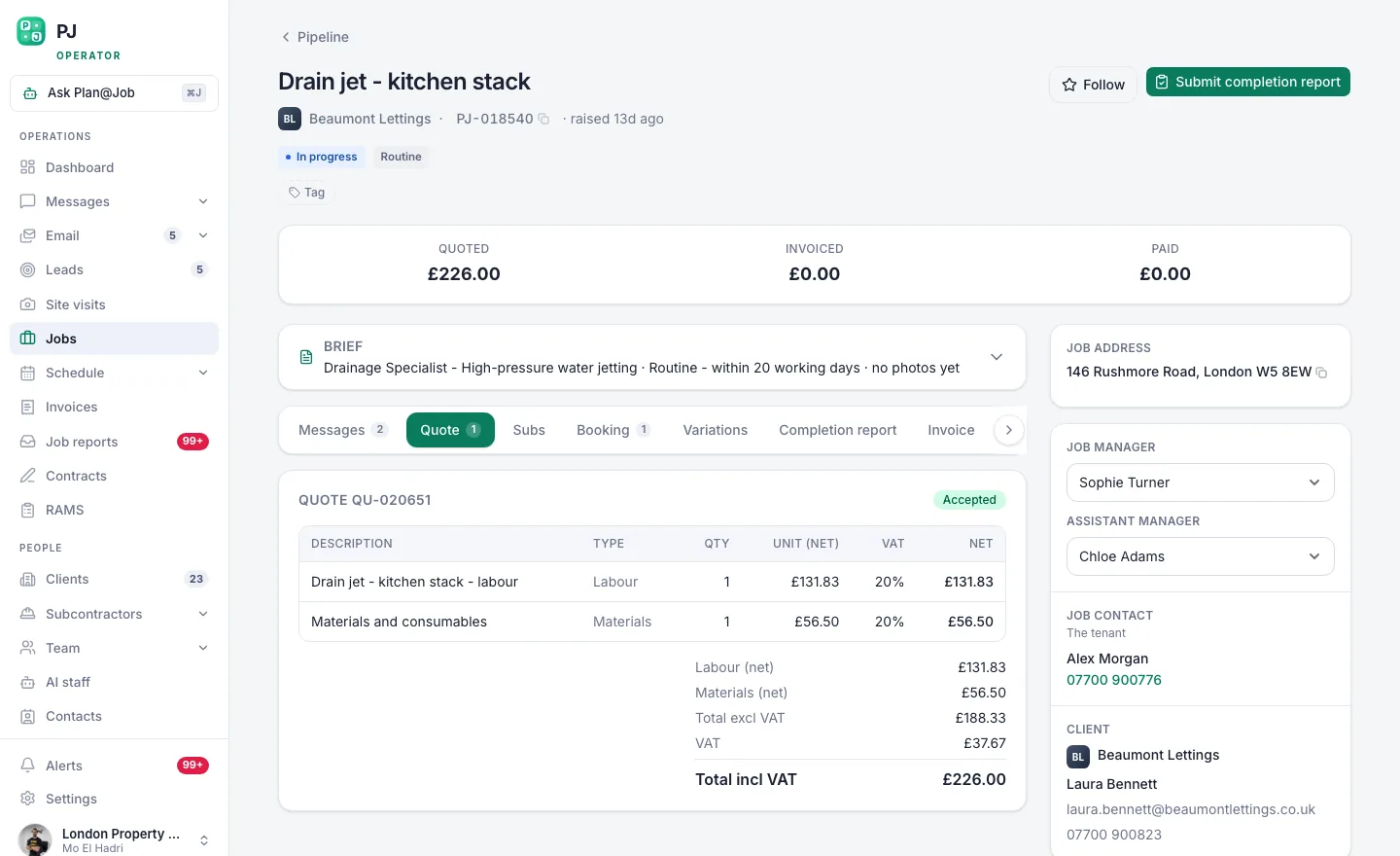 The client sees one scope and one price. Your stage costs stay behind it.
The price is your decision. Plan@Job doesn't set it for you and doesn't send it without you. Work out your costs, add your margin, send it.
Step 3: Split the job into internal stages
Once the client says yes, open the job and break it into internal stages. Each stage gets its own scope, dates, status and cost. You decide which stages go to a subcontractor and which stay with your in-house team.
This is where the margin lives, and it stays internal. The stage costs and which subbie is doing each stage don't show on the client's side. The client keeps seeing the overall job they agreed to.
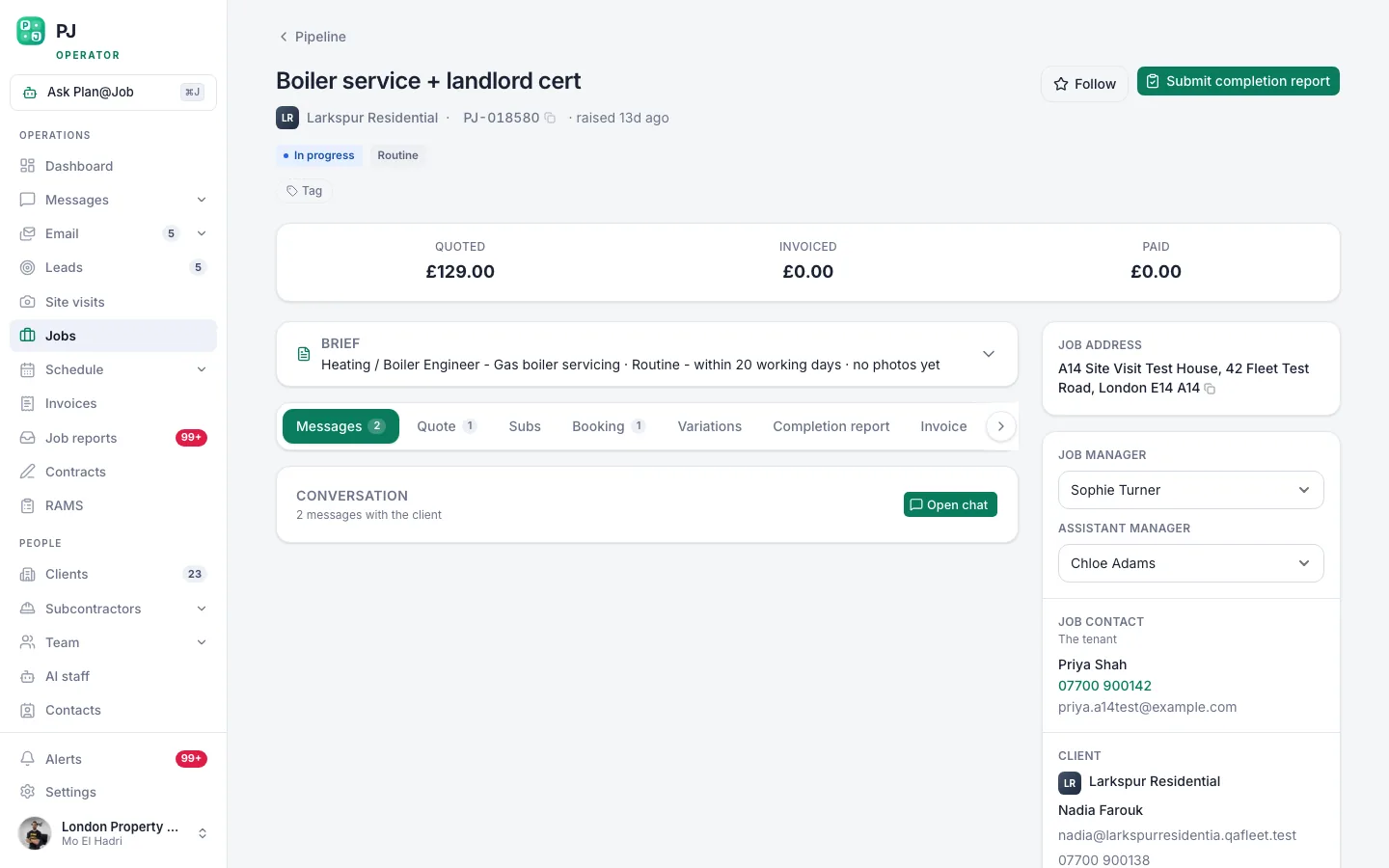 A job page holds the scope, the internal stages, who is doing the work and what it costs you.
Who gets assigned is your call. Pick from your Subcontractors, or use Cover a job if you need someone for a gap. Plan@Job doesn't award work by itself. If you've invited someone new, do your checks and approve them at the stage that makes sense for the job. Don't skip that because you're in a rush on a Friday.
One thing to be clear on: stages are for organising the work. Plan@Job doesn't work out a critical path or auto-schedule one stage off another. You set the dates.
Step 4: Write the stage brief for the subbie, not the client file
This is the bit most people get wrong, and it's purely a human decision. What you type into the stage scope is what the subbie works from. So write it for them.
Put in:
- the site address and how to get access
- the exact scope for their stage, with drawings or photos
- the dates you've agreed
- the photos, certificates or sign-off you need from them when they finish
Leave out the client's personal mobile and email, the client's price, and any notes about the client that the subbie has no reason to read. If someone needs to be on site to let them in, you arrange it. If the subbie absolutely needs a contact on the day, give them yours.
The subbie doesn't need the client's number to fit a boiler. They need the address, the scope and you on the end of the phone.
Step 5: Keep every conversation in Messages
When the subbie has a question, it comes to you in Messages. You answer it, or you go to the client and come back with the answer. Two separate conversations, with you in the middle.
It feels slower. It isn't really. And it gives you a written record of what was asked, what was agreed and when, which is exactly what you want when there's a dispute about a variation three weeks later.
If the client asks the subbie for extras on site, the answer is always the same: "Speak to the office, they'll price it." Then the extra comes back through you, gets priced by you, and gets added to the job.
Step 6: Collect the evidence, then decide what the client sees
When a stage is done, the subbie owes you their paperwork: photos, completion notes, any certificates. On their side it shows as accepted work with dates and what they still owe you.
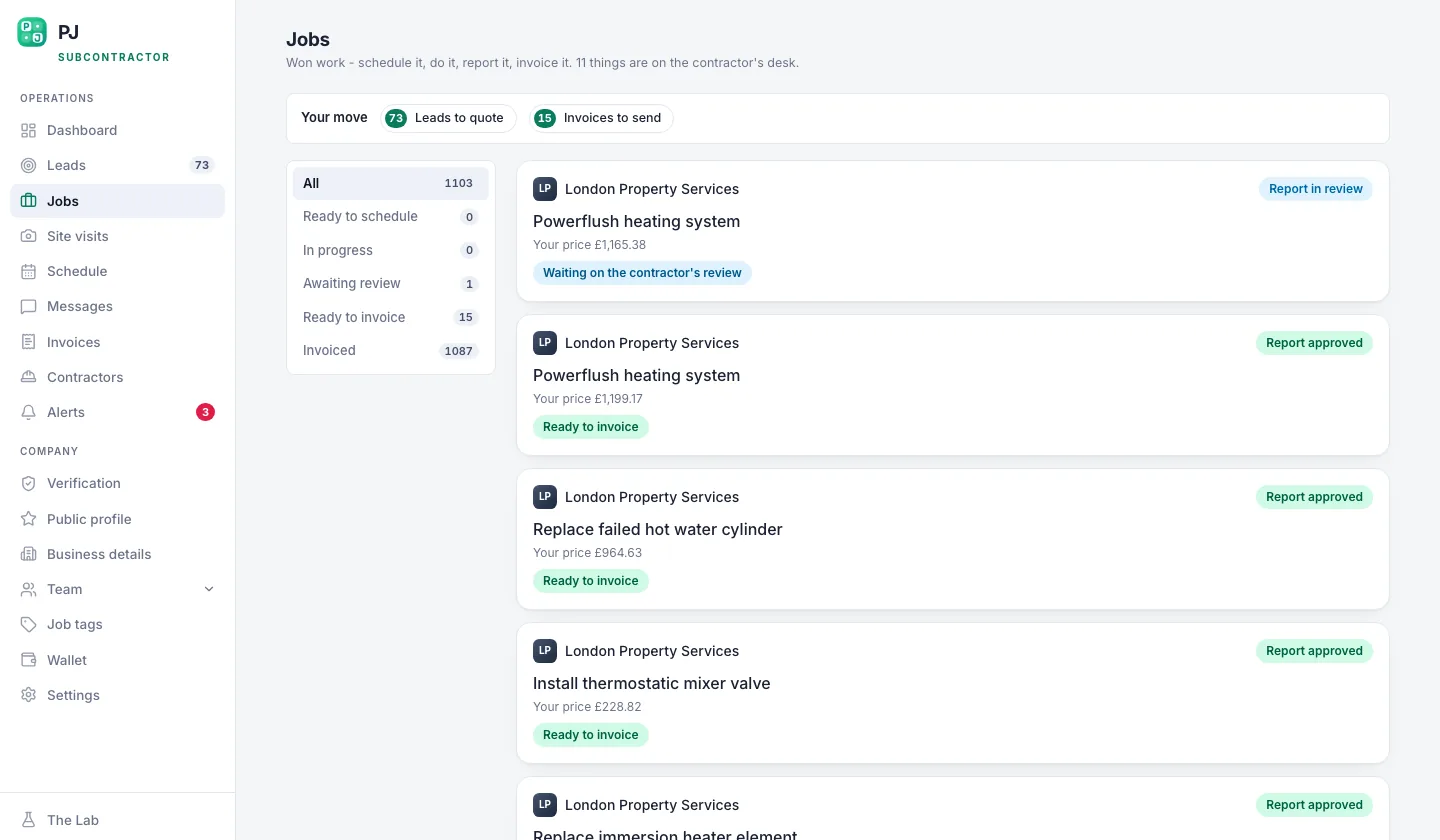 Accepted work, with the dates and the paperwork they owe you.
Then you review it and choose what to share with the client. The client sees the evidence you share, not the subbie's raw upload. Check the photos before they go. You're looking for a van with someone's name on it in the background, a business card left on the worktop, a sticker on the boiler. Small things, but that's how a client ends up ringing your subbie directly.
Compliance certificates go to the client as they are. Don't edit out the engineer's details. That's the law, not a branding choice.
Step 7: Invoice the client under your name
The subbie invoices you for their stage. You invoice the client from Invoices, under your business, for the agreed job. The client pays you. You pay the subbie. The spread between the two is your margin, and nobody outside your business needs to see both numbers.
Who decides what
To be plain about it:
- You decide the client price, who gets each stage, what goes in each stage brief, what evidence the client sees and when to approve a new subbie.
- Plan@Job holds the job, the internal stages and costs, keeps stage costs and subbie identity off the client's side, and keeps the messages and the paperwork in one place.
The software keeps the walls in the right place. It doesn't make the judgement calls for you.
What usually goes wrong
Three things, mostly.
The first is forwarding the client's original email straight to the subbie because it's quicker. Now they've got the client's name, email and signature block. Copy the scope into the stage brief instead.
The second is the client asking the subbie for their number "just in case", and the subbie being too polite to say no. That's why Step 1 happens before the job, not after. Give the subbie the line to use.
The third is sharing photos without looking at them. Five seconds of checking saves you a client.
And the one nobody likes hearing: if a subbie goes behind your back anyway, the paperwork won't save you on its own. Stop giving them work. The best protection is a client who's happy with your service. It's not the paperwork - it's the service. If they rate you, they don't go looking for someone else.
If you want to compare notes with other people running jobs through subbies, that's what Contractor Club is for.
The next move
Pick your next subcontracted job and run it this way from the start: one price to the client, internal stages behind it, the subbie briefed on their stage only, everything through you. See how Plan@Job project management handles the stages, or have a look at what Plan@Job does for operators, the contractor businesses managing clients, subbies and in-house teams. When you're ready, set up your operator account and build the first job.
FAQ
Can I legally stop a subcontractor working for my client directly?
You can agree terms with your subcontractor, including a non-solicitation clause, but how far that goes depends on the wording and the circumstances. Get proper legal advice on your subcontract terms rather than copying a template. In practice, clear rules agreed up front and a client who rates your service do most of the work.
Does the client see which subcontractor did the work in Plan@Job?
No. The client sees the overall agreed scope, the price and the evidence you choose to share. Internal stage costs and which subcontractor did each stage stay on your side. The exception is compliance paperwork like gas or electrical certificates, which carry the engineer's details by law.
Should the subcontractor have the client's phone number?
In most jobs, no. Give them the address, access arrangements, the scope and your number. If someone needs to let them in, you arrange it. That one decision prevents most of the problems in this post.