
Knowing how to write a scope of works a subcontractor can price without ringing you comes down to five things: what the work is, where it is, the standard it must meet, what is not included, and what they need to know about access and timing. Miss any of those and you get a phone call, a vague 'from' price, or an extra once they are on site. This guide sets out the order to write a scope in, then shows how to send it out from Plan@Job so the prices come back on the same basis.
It is written for operators. In Plan@Job, an operator is the contractor business that manages the client, runs delivery, and uses subcontractors and in-house operatives to get the work done. If that is you, the scope is the document your margin depends on.
Before you write: get what you need from site
A good scope starts on site, not at the desk. Most of the questions a subcontractor rings about are things you could have written down while you were standing there.
- Record the survey under Site visits. Keep your notes, measurements and the date you attended against the job, so the scope is built from one record rather than a notebook and three text messages.
- Measure what will be priced. Areas in square metres, runs in linear metres, counts of items. 'Retile bathroom' is not priceable. 'Wall tiling to 3 walls, approx 14 m2, floor approx 4 m2' is.
- Photograph the awkward bits. The consumer unit, the loft hatch, the parking, the stairs a skip bag must come down. Photos answer questions a paragraph cannot.
- Note the access facts. Occupied or empty, keyholder, working hours, parking, where waste goes, any neighbour or building management rules.
- Note the unknowns. If you could not see behind a wall or under a floor, say so. An honest unknown prices better than a hidden one.
Step by step: writing the scope
Write it in this order. Each step removes a reason to call you.
1. Start with one line that says what the job is
One sentence a subcontractor can read on their phone in a van. Trade, property type, location and the outcome. For example: 'Strip out and refit of a first floor bathroom in an occupied two-bed flat, Leeds LS6.'
2. Break the work into stages
Split the job into the chunks you would actually hand out: strip out, first fix, plastering, tiling, second fix, making good. Each stage should be something one trade could price on its own. This also lets you send one stage to a subcontractor and keep another in-house.
3. List inclusions as tasks, not outcomes
Write what they will physically do, with quantities. 'Remove existing bath, basin, WC and wall tiles. Dispose of waste off site. Install client-supplied bath and basin. Tile walls to full height on 3 walls, approx 14 m2.' Avoid 'complete bathroom' or 'make good as required', because nobody can price 'as required'.
4. Write the exclusions
This is the section most scopes skip, and it causes most of the arguments later. Say what is not in the price: decoration, electrical work beyond like-for-like, any work behind walls found on opening up, permits, the skip if you are providing one.
5. Say who supplies materials and to what standard
Client supplied, operator supplied, or subcontractor supplied and priced. If they supply, give the specification or an equivalent standard. If the work has to meet current Building Regulations, or needs a qualified person such as a Gas Safe registered engineer for gas work, say so plainly so the right trade prices it.
6. Cover access, hours and site rules
Keys, parking, working hours, toilet and welfare, waste route, whether the occupier will be in. If the building is old enough that asbestos could be present, say whether a survey exists and what it found. Do not leave the subcontractor to guess.
7. Give dates and sequence
When the stage can start, what has to be finished before it, and when you need it done. If dates are flexible, say that and ask them to propose a date. A price without a date is only half an answer.
8. Say what you want back
Tell them how to price: a fixed price per stage, any provisional sums kept separate, and what they think is missing. Inviting questions in writing is better than inviting a phone call.
An illustrative example
Fictional example. An operator is refitting a kitchen in an empty rental flat. The tiling stage reads: 'Splashback tiling, approx 3.5 m2, client-supplied 100 x 300 metro tiles, white grout. Walls skimmed and dry by start date. Includes adhesive, grout, trim. Excludes any wall repairs. Access via keysafe, code sent on award, parking permit on dashboard. Start any day w/c 9 March, one day expected.' A tiler can price that without picking up the phone.
Setting the scope up in Plan@Job
Once the scope is written, this is how it moves through Plan@Job.
- Open the job from Jobs. The job page is where the scope lives, together with the internal stages, who is doing each one and what it costs you.
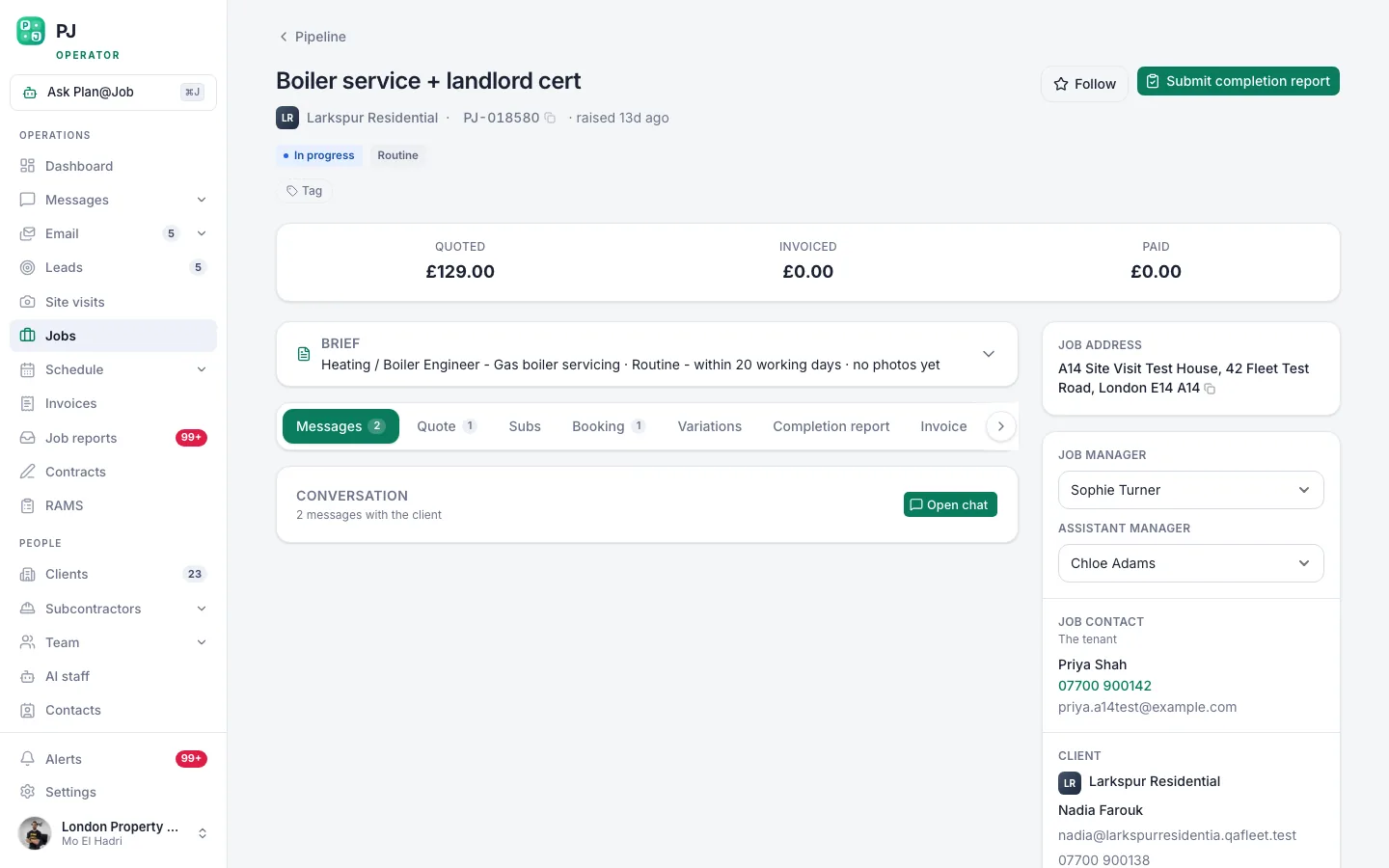 A job page holds the scope, the internal stages, who is doing the work and what it costs you.
- Split it into internal stages. Add each stage from your written scope with its own scope text, dates, status and cost. Mark which stages are subcontracted and which your own operatives will deliver. These stages are internal. Your client sees the overall agreed scope and price and any evidence you choose to share. Your stage costs and the identity of your subcontractors stay internal.
- Send the stage out from the Subcontracting desk. Choose the stage and send the brief to the subcontractors you want to price it. You can send one brief to several businesses and see every price come back in one place, so you are comparing like with like.
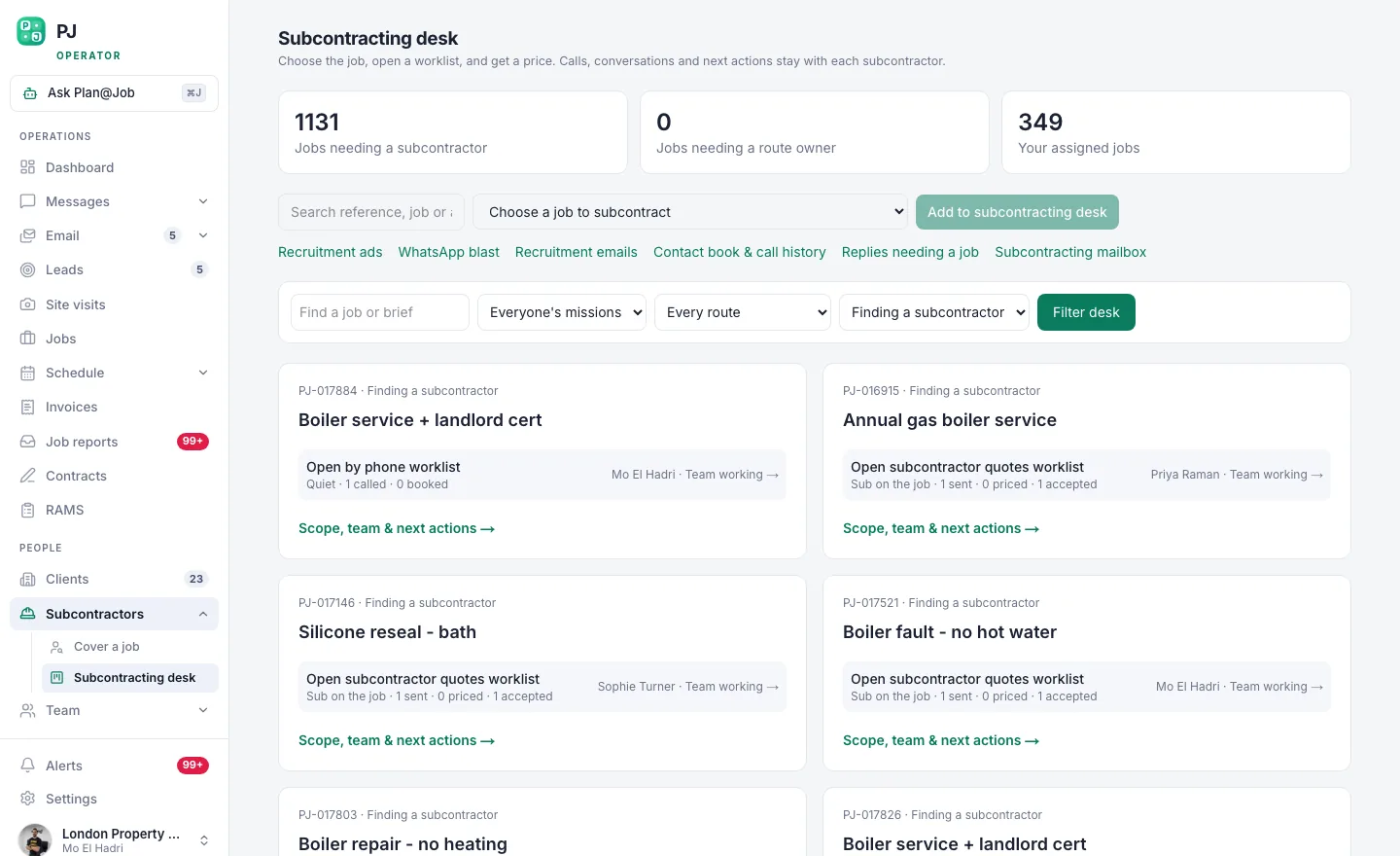 The subcontracting desk: one brief out to many, and every price back in one place.
- Check what the subcontractor will see. Read your brief as they will. If you would need to ring someone to understand it, they will too.
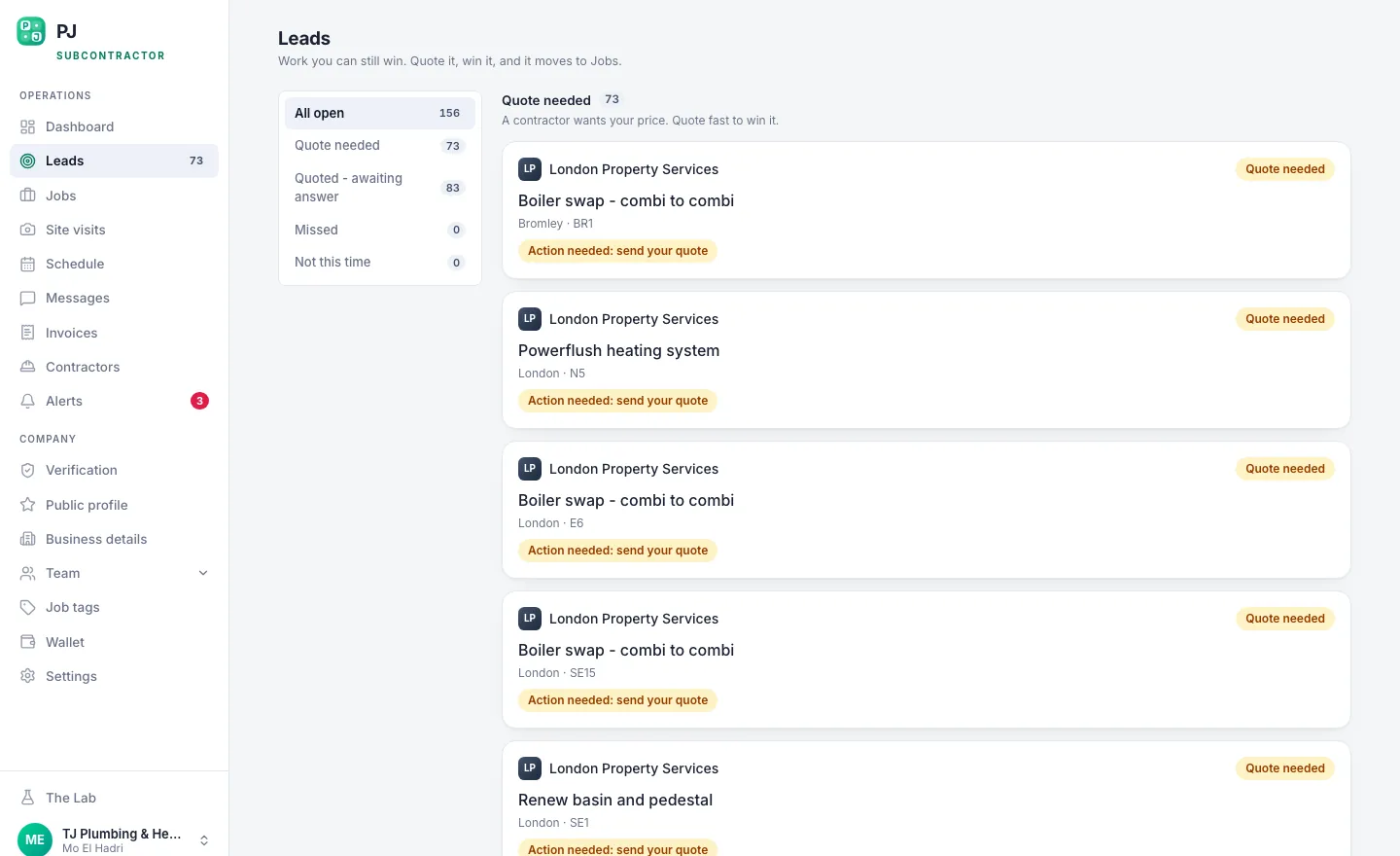 This is what lands on the other end of the offer: scope, area, and the figure on the table.
- Let follow-ups run, and answer questions in Messages. If you use AI staff, Daniel Reed, the AI Operations Manager, can support eligible sharing with your existing vetted network and follow up on outstanding quotes and proposed dates. When a question comes in, answer it in Messages and update the scope on the job, so everyone pricing works from the same text.
- Compare, check and award. In supported workflows a subcontractor can send a price before they have been fully vetted. That is useful for getting numbers in early, but it means your checks and approval belong at the award stage. Look at insurance, competence for the work and anything else your own process requires, using your Subcontractors records, before anyone is given the job.
What the platform does and what you decide
Be clear about where the line sits.
- Plan@Job does: holds the scope and stages on the job, sends the brief out, collects prices in one place, keeps internal costs and subcontractor identity away from the client, and, with AI staff, can chase quotes and proposed dates.
- You decide: what is in and out of scope, which subcontractors to ask, whether a price is acceptable, who is checked and approved, who gets the work, and what is agreed with the client.
No part of Plan@Job awards work, sets prices or moves money on its own.
What usually goes wrong
Most scope problems are the same few mistakes.
- Outcomes instead of tasks. 'Sort the damp' gets wildly different prices. Describe the work you want done.
- No exclusions. If it is not written as excluded, someone will assume it was included.
- Answering one subcontractor by phone. The others are now pricing a different job. Put the answer in the scope.
- Missing access detail. Parking and waste routes cost real money. Leave them out and expect a variation.
- Awarding before checking. An early price is not an approval. Do your checks before the award, not after the start.
If you want to build scopes this way inside the job, rather than in a document that drifts out of date, see how Plan@Job project management handles stages, costs and subcontracted work. For an overview of how it supports operator businesses in the UK, visit the Plan@Job contractors page.
FAQ
How detailed should a scope of works be for a small job?
Detailed enough that someone who has never seen the property could price it. For a small job that might be ten lines, but it should still cover what, where, quantities, materials, exclusions, access and dates.
Should I share my client price with the subcontractor?
That is your commercial decision. In Plan@Job your internal stage costs stay internal, and the client sees the overall agreed scope and price, not what you pay each subcontractor.
What if the scope changes after prices are in?
Update the stage on the job and tell everyone who priced it, in writing. Ask them to confirm or revise their price, so you are still comparing like with like before you award.