
If you're typing "find subcontractors near me" the day after you've won a job, stop for ten minutes. Google isn't the quickest way to cover a job. Start with your own network. Then search a directory by trade and by distance from the site. Then send one clear brief to several subbies at once. You compare the prices, you check the people, you award. That's it.
I've done this the hard way. I built a property maintenance company in London that worked for housing associations and letting agents, and nearly every job went out to a network of subcontractors. Doing the work was never the problem. The problem was finding the right person, close enough to the job, before the client started chasing. This guide is how I'd do it today in Plan@Job.
First, a bit of language. In Plan@Job, the Operator is you. That's the contractor business that wins the client, runs delivery and manages the subbies and your own operatives. A subcontractor is an outside business doing work you've assigned. An operative is one person on your own team.
Why "near me" is the wrong search
"Near me" means near your office. Your office doesn't need a tiler. The job does.
Say you're based in Croydon and you've won a bathroom refit in Reading (a made-up example). A subbie ten minutes from you is a long drive from site, every morning. You'll pay for that drive. It shows up in the price, in late starts, or in a subbie who quietly drops you for something closer to home.
So search from the job address, not from where you're sitting. And search by trade before distance. A carpenter next door is no good when you need a plasterer.
Step 1: Get the job brief right before you contact anyone
Open the job in Jobs. Before a single subbie hears about it, make sure the brief answers the questions they'll ask you anyway.
- The site address and postcode, so that distance actually means something.
- The scope, written so a stranger could price it. Don't write "do bathroom". Write out the strip out, first fix, tiling and second fix, plus what's supplied and what isn't.
- Access. Keys, parking, whether it's occupied, and the working hours.
- When it has to start and when it has to be finished.
- Photos and notes from Site visits if you've got them.
This part is your call. The platform holds the information, but only you know what you sold the client. A vague scope gets you vague prices, and then you're arguing about extras on day three.
If you have AI staff switched on, Sophie Bennett, the AI Enquiries Coordinator, checks existing job briefs for missing information and asks for clarification. That helps. Read it yourself anyway before it goes out.
Step 2: Check your own network first
Go to Subcontractors. That's your network: the people you've used before or added yourself, with their trades, the areas they cover and their vetting status.
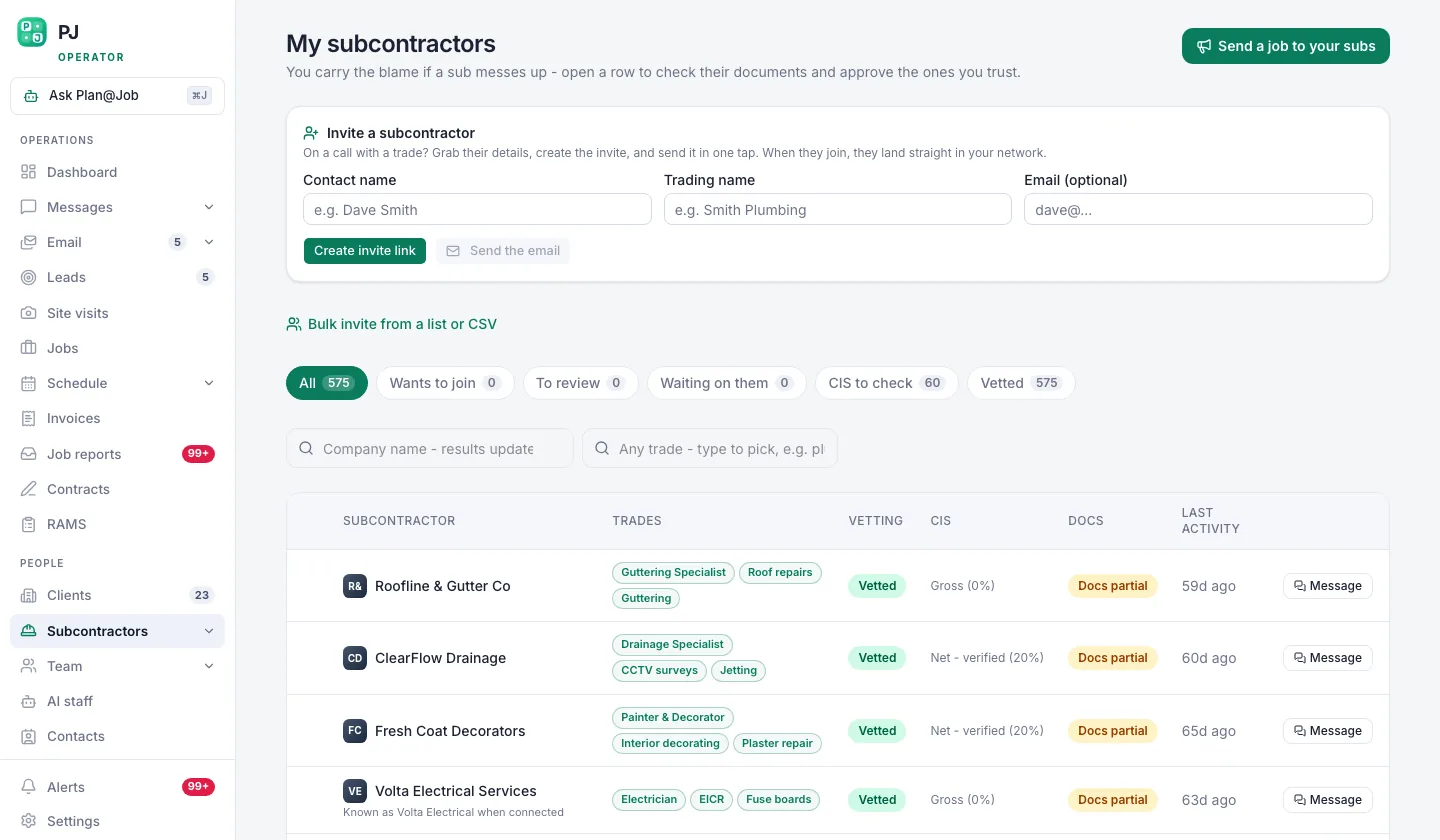 Your own subcontractor network, showing who is vetted and who is still a stranger.
Start here every time. A vetted subbie who knows how you work is worth more than a cheaper stranger. You already know they turn up.
Check the trade, the area they cover and whether they're vetted. Then decide who on that list really fits this job. Being on the list doesn't make someone right for every job.
Step 3: Search the Directory by trade and distance from the job
If nobody in your network covers it, open the Directory. Search for the trade you need. Results are ranked by trade first, then by how close each subcontractor is to the job.
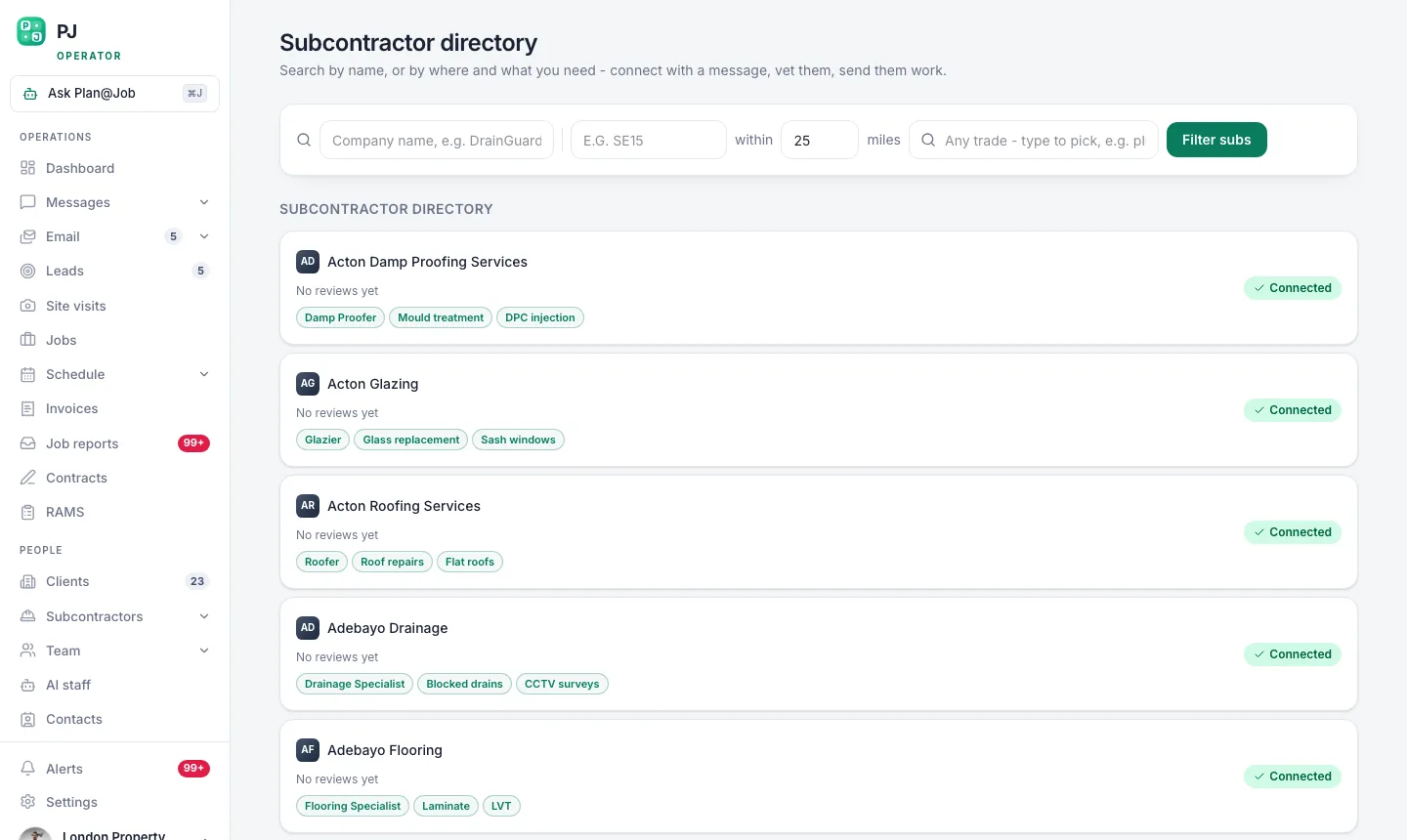 The subcontractor directory ranks by trade first, then by how close they are to the job.
Make a shortlist. Pick more than one and fewer than twenty. You want enough that you still have options if two don't reply and one comes in at a silly price.
Read their profiles. Anyone you find here is a stranger until you've checked them, so treat them like one.
Step 4: Send one brief through the Subcontracting desk
Now open the Subcontracting desk. That's where the brief goes out to the subbies you picked and where every price comes back.
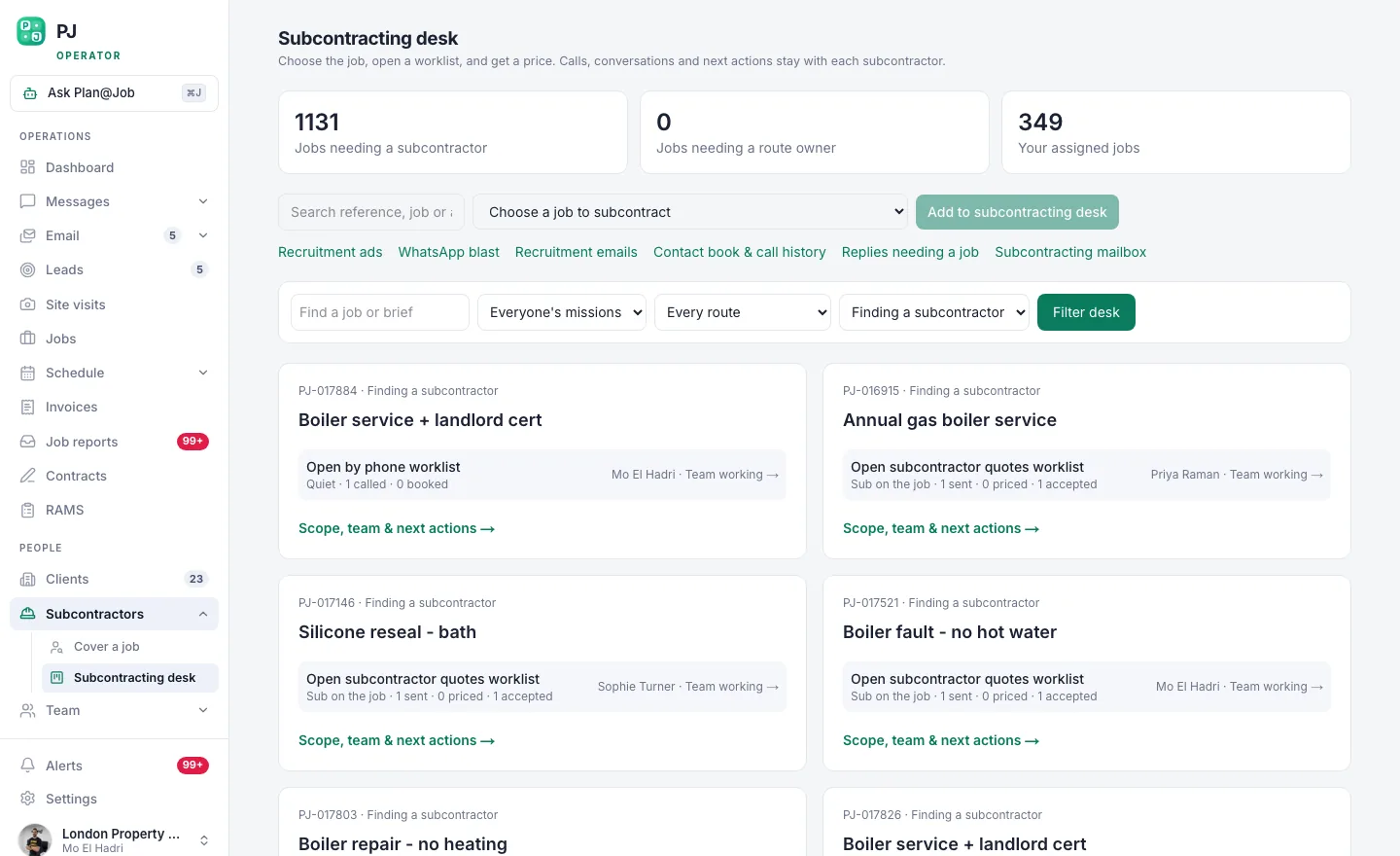 The subcontracting desk: one brief out to many, and every price back in one place.
One brief, many subbies. Everyone prices the same scope, and that's the whole point. When you ring round, every subbie hears a slightly different version of the job. Then you're comparing three quotes for three different jobs.
The platform does this part. It holds the brief, sends it to the people you picked and keeps the replies together, so you can see the prices and proposed dates side by side. Keep the back and forth in Messages so it stays with the job and doesn't get lost in your WhatsApp.
If you use AI staff, Daniel Reed, the AI Operations Manager, can share eligible jobs with your existing vetted network and chase quotes and proposed dates that haven't come back. He chases. He doesn't award. Nobody gets the job until you say so.
Step 5: Compare, check, then award
This step is all yours. The platform doesn't award jobs and doesn't set prices. You do.
Compare the right things
The cheapest price isn't automatically the answer. Check the price against your margin. Check the proposed start against what you promised the client. And check they priced the full scope. When a quote looks suspiciously cheap, something has usually been left out.
Check them before they go on site
In some workflows, a subcontractor can price before they're fully vetted. That's fine. A price costs you nothing. Putting an unchecked stranger in your client's property can cost you a lot.
Before you award, check what this job needs. That means insurance, the right registration for the trade (Gas Safe for gas work, for example, or a competent person scheme for notifiable electrical work), and proof they've done this kind of job before. Then ring them. Five minutes on the phone tells you more than a profile does.
Award and lock it in
Once you've decided, award the work and get the paperwork straight. Use Contracts and RAMS so the documents sit with the job, and put the dates in Schedule so everyone works to the same plan.
What your client sees
If you split the job into stages in the project plan, the client sees the agreed scope, the agreed price and whatever evidence you share with them. Your stage costs and the name of your subbie stay internal. Your margin is your business.
What usually goes wrong
I've watched every one of these happen.
- Searching from the office, not the site. You end up with a subbie who's always late or drops out halfway.
- Asking one subbie at a time. One reply, it's a no, you start again, and meanwhile the client's ringing you.
- A vague brief. The prices come back all over the place and the row about extras starts on site.
- Awarding on price alone. The cheap quote turns into the expensive job.
- Skipping checks because you're in a rush. The rush is exactly when it goes wrong.
- Not adding the good ones to your network. Do that, and next time you start at Step 2 instead of Step 3.
That last one is the real game. Every job you cover properly builds the network that covers the next one.
The next move
Finding subbies isn't the hard part. Finding the right one close to the job, and checking them before they set foot on site, is. Get that right and the job runs itself. Get it wrong and you'll be taking the 9pm phone call.
If you're a UK operator running jobs through subbies, see how Plan@Job works for contractors, then set up your account and send your next brief through the Subcontracting desk. If you want to swap notes with other people building contracting businesses, that's what Contractor Club is for.
FAQ
How do I find subcontractors near a job rather than near my office?
Search from the job's address, not yours. In Plan@Job, put the site postcode on the job, then search the Directory by trade. Results are ranked by trade first and then by distance from the job, so the shortlist fits the site and not your office.
Do subcontractors have to be vetted before they can quote?
Not always. In some workflows a subcontractor can price before they're fully vetted. Your decision is who goes on site, so finish your checks for the trade and the job before you award the work.
Will Plan@Job's AI staff choose the subcontractor for me?
No. Daniel Reed can share eligible jobs with your existing vetted network and chase quotes and proposed dates, but he doesn't award work or set prices. Choosing the subbie and agreeing the price is always a person's decision.