
To run an email subcontractors campaign for a whole trade, choose one trade and one area. Build a clean list of firms that do that work. Send from your own mailbox, with a short first email and one or two follow-ups, and review the campaign before anything goes out. In Plan@Job you do this as an Operator, meaning the contractor business that manages clients, project delivery, subcontractors and in-house operatives. You work from the Email area, using lists built from the Directory and your own Subcontractors records. The platform handles the sending, the sequence timing and the search by trade and distance. You decide who goes on the list, what the email says and who you end up working with.
When a trade-wide campaign makes sense
A campaign is not the right tool for one urgent job. For that, use Cover a job or the Subcontracting desk and go to people you already know. A campaign suits slower, wider needs:
- You keep running short of one trade, such as plasterers, roofers or electricians.
- You have won work in a new area and have nobody local.
- Your regular sub for a trade is retiring, or has gone quiet.
- You want a bench of two or three firms per trade instead of relying on one.
If none of these apply, do not send a campaign just to be busy. Unwanted emails cost you goodwill with the very people you will need later.
Before you start
Have these ready before you open the campaign screen:
- One trade. Do not mix dryliners and decorators in one send. The wording, the questions and the follow-up all differ.
- One area. A postcode or a job location you can search from.
- The kind of work. Domestic repairs, refurbishment stages, new build packages, or reactive maintenance. Subs want to know before they reply.
- What you need back. Availability, day rate or price basis, insurance details, or simply a call back. Pick one or two, not six.
- Your rules on email marketing. Many trade subcontractors are sole traders or partnerships, and UK PECR rules treat them differently from limited companies. Check the current ICO guidance on electronic marketing and make sure every email says who you are and how to opt out.
Step 1: Connect your own mailbox
Campaigns go out from your own inbox, so replies land with you and not with an anonymous system address.
- Open Email from the main navigation and go to the mailbox settings.
- Connect the mailbox you want subcontractors to reply to. A shared address such as a subcontracting or ops inbox often works better than a personal one, so nothing gets lost when someone is on holiday.
- Check the sender name and signature. Use your trading name, a direct phone number and your address.
- Send yourself a test to confirm it arrives and looks right.
You only do this once. Every later campaign uses the same connection.
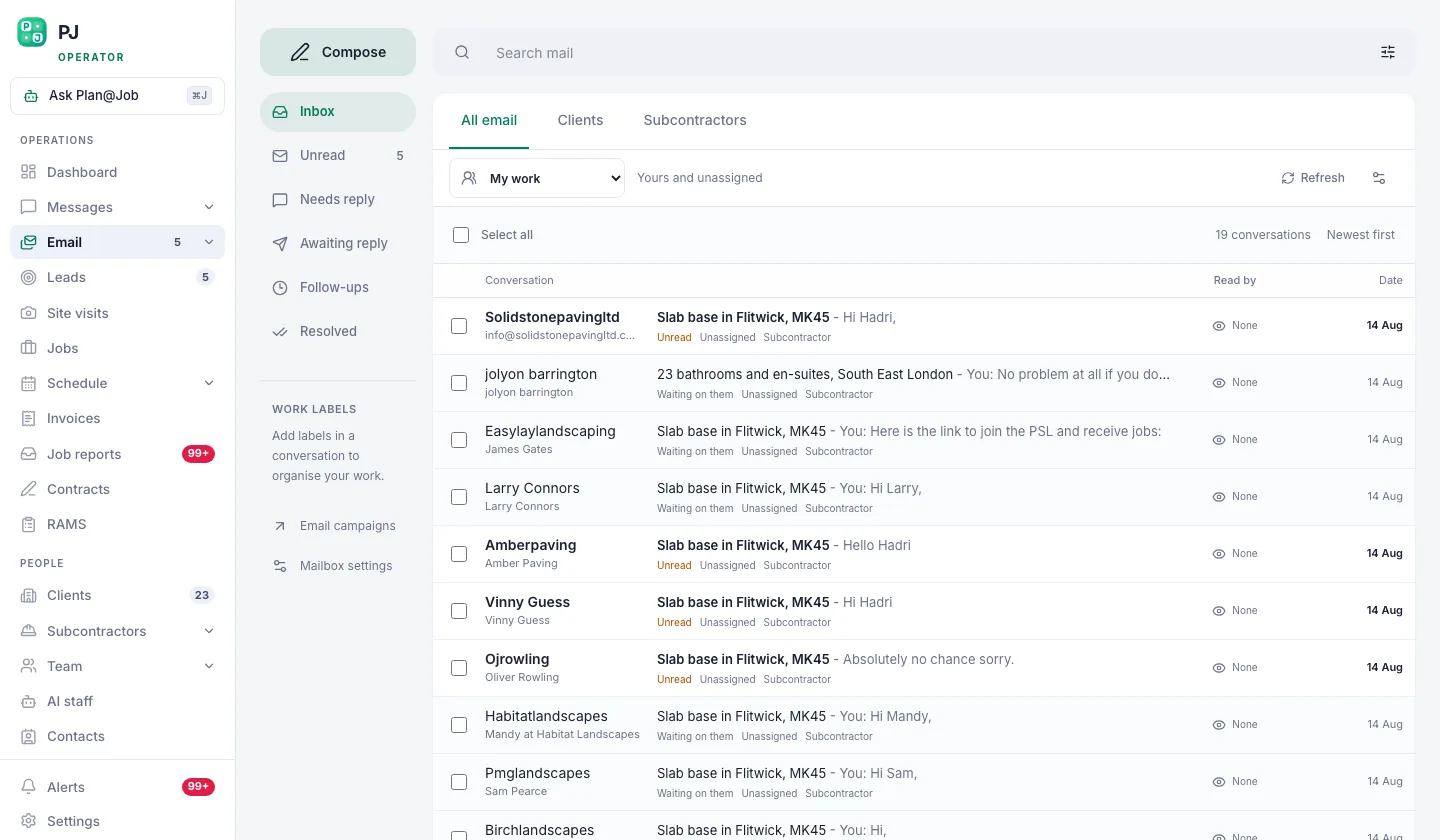 Connect your own mailbox once. Every campaign then sends as you, and replies come back to you.
Step 2: Find subcontractors in the Directory
Start with people you already have, then widen out.
- Open Subcontractors and filter by the trade. These are firms you have worked with or recorded before. They belong at the top of any list.
- Open Directory and search by the same trade and your job location or postcode.
- Read the results in order. The Directory ranks by trade first, then by distance from the job, so the closest matching firms appear first.
- Open each likely profile and check the trades listed and the area covered. Skip anyone whose main trade is only loosely related.
- Add the firms you want to the campaign list.
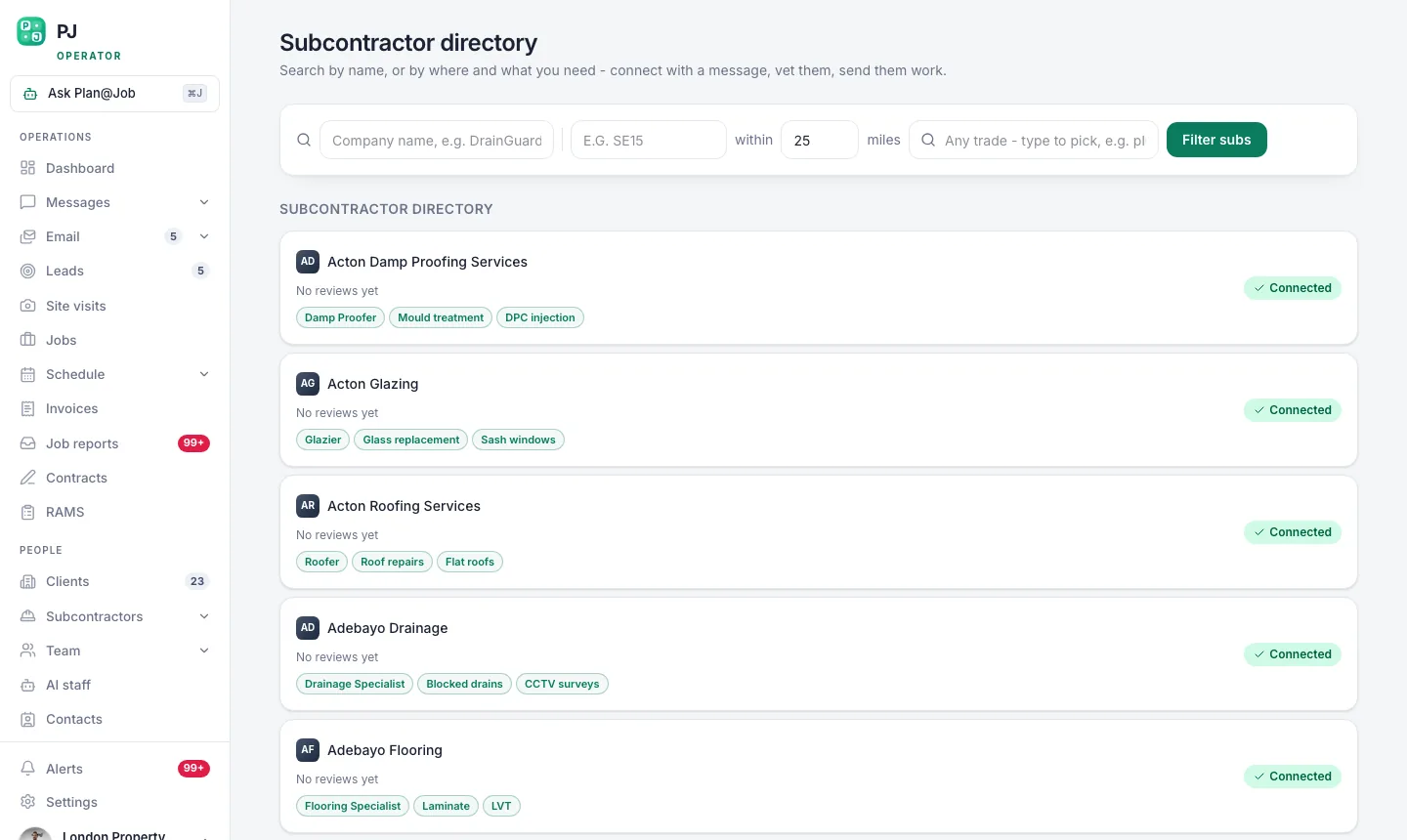 The subcontractor directory ranks by trade first, then by how close they are to the job.
If you have names from your own phone or old spreadsheets, add them through Contacts so they sit in the same place and you can see who has already heard from you.
Step 3: Clean the list before you write a word
This is the step people rush, and it is the one that decides whether the campaign works.
- Remove duplicates. The same firm often appears under a company name and a person's name.
- Remove anyone who has asked not to be contacted.
- Remove firms you have already agreed not to use again. Do not let a campaign quietly re-open that door.
- Split existing subs from new ones. People you already work with deserve a different, shorter message.
- Keep the list to a size you can actually answer. If twenty firms reply on the same morning, can you call them back that week?
The lists you build here are separate from your client outreach lists, so subcontractor emails never end up in front of clients by mistake.
Step 4: Write the first email and the follow-ups
Subcontractor emails run on the same engine as client outreach. You write a sequence: a first email, then one or two follow-ups that go out on the schedule you set.
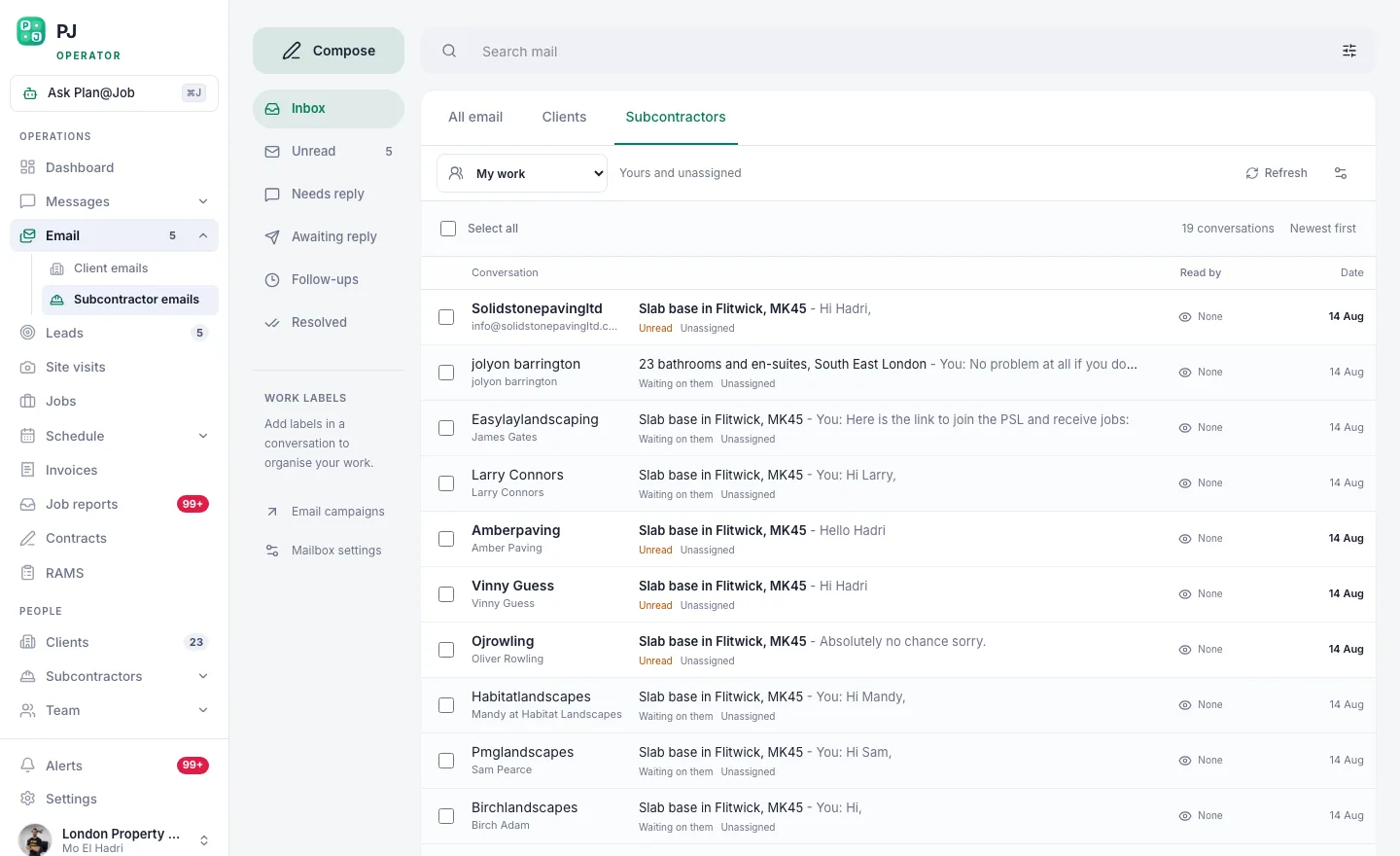 Subcontractor emails run on the same engine as client outreach, with their own lists.
Keep the first email short. A sub reads it on a phone in a van. Say:
- who you are and where you work
- what trade and what kind of work
- roughly when and where
- the one thing you want them to do next
Illustrative example (fictional): an operator in Leeds needs plasterers for a run of kitchen and bathroom refurbishments.
> Subject: Plastering work in north Leeds, January to March > > Hi, we are a refurbishment contractor working across north Leeds. We have a run of kitchen and bathroom jobs from January and need reliable plasterers for skims and patch repairs. If you have capacity, reply with your rough availability and we will call you. If this is not for you, reply stop and we will not email again.
Follow-ups should be shorter still. One line referring back to the first email is enough. Space them several days apart, not every morning. Before you finalise, check how the sequence treats people who have replied, so nobody who has already answered gets chased.
Step 5: Review and send
This is a person's decision, not the platform's.
- Read every email in the sequence as if you were the sub receiving it.
- Check the merge fields. A wrong first name or trade does more harm than no name at all.
- Send a test to yourself and a colleague.
- Confirm the list one last time.
- Start the campaign.
Once it is running, the platform sends from your mailbox and works through the follow-ups on schedule. It does not choose who to contact or change your wording.
Step 6: Handle replies and move firms into your Subcontractors
Replies come into your own inbox. Treat them like any other trade enquiry.
- Reply or call within a day or two. A quick response is what most subs remember.
- For firms you want to work with, create or update their record in Subcontractors with trade, area and contact details.
- Start your checks at the right stage. In supported workflows a sub can price a job before vetting is complete. Insurance, accreditations and approval still need to be checked by you before you award the work.
- When a real job comes up, send it through Cover a job or the Subcontracting desk.
This is where AI staff can help. Daniel Reed, the AI Operations Manager, supports eligible sharing of jobs with your existing vetted network and follows up outstanding quotes and proposed dates. He does not award work or set prices. Those stay with you.
Who decides what
The platform does:
- searches the Directory by trade and distance
- sends your sequence from your mailbox on the schedule you set
- keeps subcontractor lists separate from client lists
You decide:
- which trade, which area and who goes on the list
- what every email says
- when the campaign starts and stops
- which firms you check, approve and give work to, and at what price
What usually goes wrong
- Too broad a list. Mixing trades or areas makes the email vague, and vague emails get ignored. One trade, one area.
- No plan for replies. A good campaign that nobody answers is worse than no campaign. Block out time before you press send.
- Too many follow-ups. Two is usually plenty. After that you are training people to ignore your name.
- Skipping the clean-up. Emailing someone you dropped last year, or someone who asked to be left alone, causes awkward phone calls.
- Treating a reply as approval. Interest is not vetting. Check insurance and paperwork before any work is awarded.
- Promising volume you do not have. Do not say you have steady work for months unless you do. Subs talk to each other.
Next step
If you want to run trade campaigns, keep your subcontractor records in one place and send jobs out once you have a bench, see how Plan@Job works for UK operators on the contractors page. If you prefer to compare notes with other UK contractors on finding reliable subs, the Contractor Club community is a related site worth a look.
FAQ
How many subcontractors should I include in one campaign?
As many as you can properly answer in the following week. There is no right number. A small, well-matched list you call back quickly usually beats a large one you cannot keep up with.
Do I need every subcontractor fully vetted before they can quote?
Not always. In supported workflows a sub can price before vetting is finished. You still need to complete your checks and approve them before you award the work.
Can the AI staff run the campaign for me?
No. You build the list, write the emails and start the campaign. Daniel Reed can help afterwards with following up quotes and proposed dates, and with sharing eligible jobs to your existing vetted network. Awards and prices stay your decision.