
If you want more planned work from property managers, letting agents and facilities teams, a cold email campaign is one of the cheapest ways to ask for it. It works best when it comes from your own inbox, not from a generic marketing tool. Here is the short version: connect your mailbox to Plan@Job once, build a tight list of business contacts in Contacts, write a short sequence of plain emails in Client outreach, approve it, send in small batches and answer every reply yourself. This guide takes each step in the order you would actually do it. It is written for operators, which means the contractor business that manages clients, project delivery, subcontractors and in-house operatives.
Why send cold email from your own inbox
A property manager deciding whether to add a new contractor to their list wants to see a real person at a real business. An email from your name and your company domain, which they can reply to directly, reads that way. A newsletter-style blast from a no-reply address does not.
Sending from your own inbox also keeps the conversation where you already work. When someone replies, the reply lands with you, not in a separate tool you forget to check. In Plan@Job the campaign, the contact record and the follow-up sit together, so you can see who you have emailed, who owns the relationship and when they were last contacted.
Before you start: check the UK rules
Cold email to businesses is legal in the UK, but it is not a free-for-all. Marketing emails are covered by the Privacy and Electronic Communications Regulations (PECR), and any personal data you hold about named people is covered by UK GDPR. In general terms:
- Limited companies and LLPs can usually be sent marketing emails without prior consent, as long as you say who you are and give a simple way to opt out.
- Sole traders and some partnerships are treated like individuals, so you generally need their consent first. Many small letting agents and landlords are in this group, so check before you add them.
- Named people at companies still have data protection rights. You need a legitimate reason to contact them, the list should stay relevant, and objections should be dealt with promptly.
Rules and guidance change, so read the current ICO guidance on electronic marketing before your first campaign. This article is practical guidance, not legal advice.
Step 1: Connect your mailbox in Email settings
- Open Email from the main navigation and go to the mailbox settings.
- Connect the mailbox you want campaigns to send from. Use a named address such as yourname@yourcompany.co.uk, not info@ or a personal webmail account.
- Check that the sender name shows you and your business, not just the domain.
- Send a test to yourself and to a colleague on a different email provider to confirm it arrives and looks right.
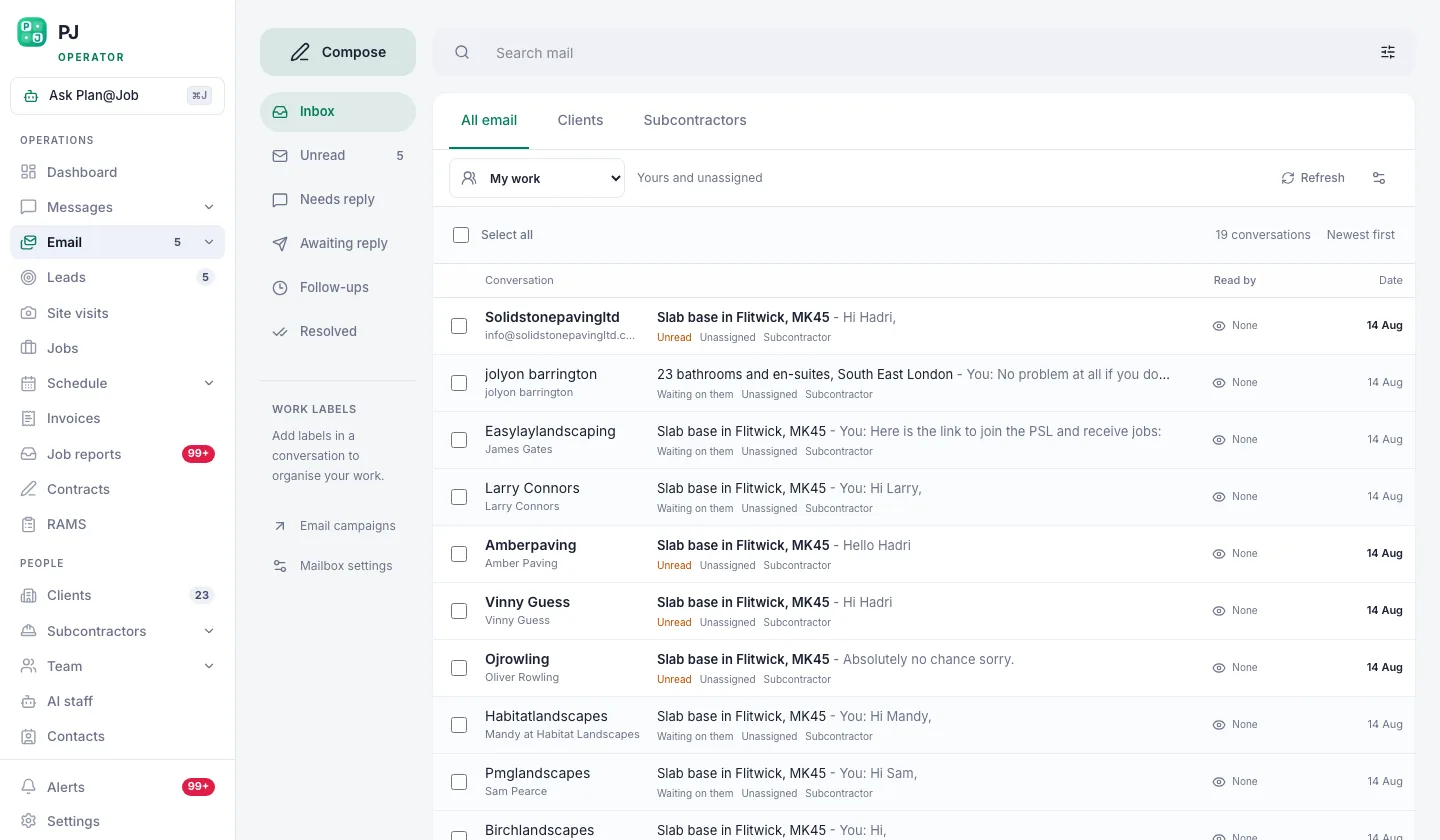 Connect your own mailbox once. Every campaign then sends as you, and replies come back to you.
You only do this once. Every campaign after that sends as you, and replies come back to your inbox.
Your decision: which mailbox and sender name represent the business. What the platform does: sends campaign emails through that connected mailbox.
One practical point: if your domain has never sent much email, ask whoever manages it to confirm that the standard authentication records (SPF, DKIM and DMARC) are set up. Without them, even a well-written email can end up in spam.
Step 2: Build your list in Contacts
The list decides how the campaign goes. A short list of the right people beats a long list of anyone.
- Open Contacts.
- Add or import the people you want to reach: block managers, letting agents who run maintenance for landlords, facilities managers, and main contractors who subcontract your trade.
- For each contact, record the business name, the person's role, the area they cover and an owner in your team.
- Set a status so you can tell who is new, who has been contacted, who has replied and who has asked not to be contacted.
- Remove anyone who has opted out before, and any sole trader you do not have consent to email.
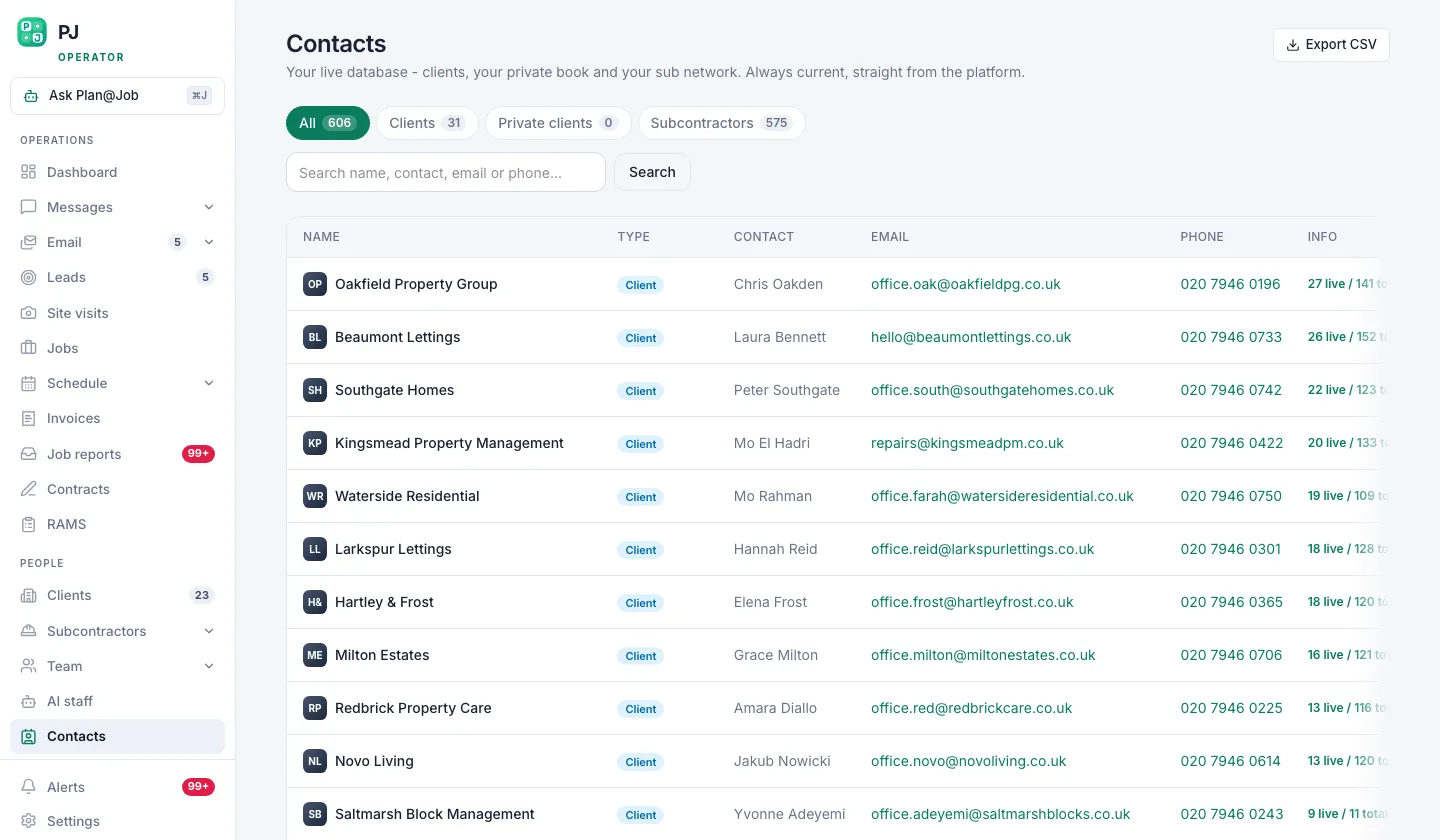 Contacts is the list you build before any campaign goes out.
Where good contacts come from
The best lists are built by hand. Look at managing agents whose boards you see on buildings near your jobs, agents listed on local property portals, firms you met at trade events, and past clients you have not spoken to for a while. Name the person where you can. "Hi Sarah" to the person who actually approves contractors beats "Dear Sir/Madam" to a general inbox.
Your decision: who goes on the list and whether you are allowed to email them. What the platform does: stores the list, the owner, the status and the last contact date.
Step 3: Write the sequence in Client outreach
- Open Client outreach.
- Pick the contact list you built in Step 2.
- Write the first email, then add your follow-ups and the gap you want between each one.
- Read each email through as it will appear to a real contact on your list.
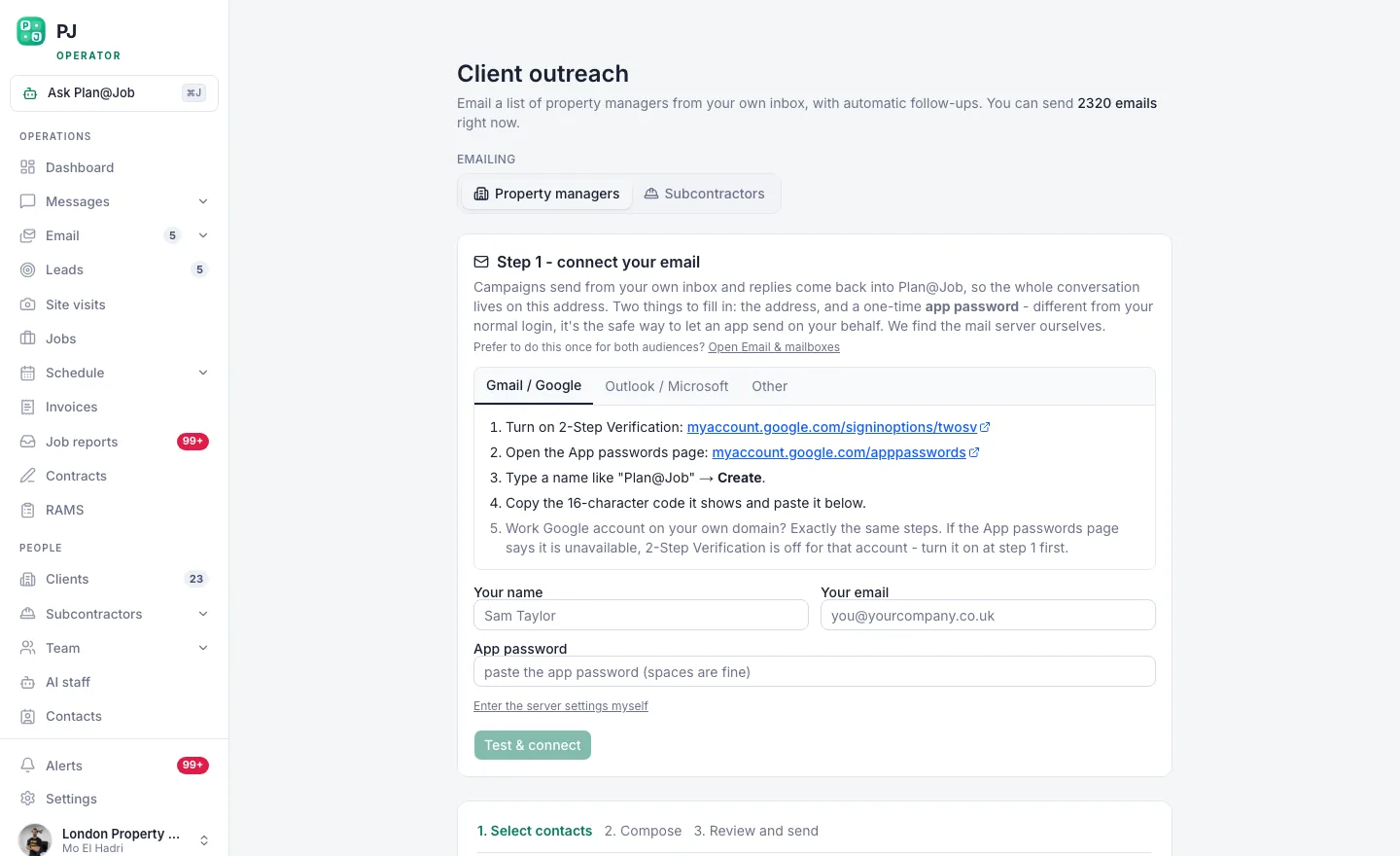 Client outreach: pick the list, write the sequence, and let the follow-ups run themselves.
What to write
Keep each email short enough to read on a phone between viewings. Say who you are, what you do and where you work, then ask one easy question. Leave attachments out of the first email. A link to your website or one line about your accreditations is enough.
Illustrative example (fictional business): a small electrical contractor in Leeds might send:
Subject: Electrical contractor covering LS postcodes
Hi Sarah,
I run Example Electrical, a small team of electricians working across Leeds. We handle landlord electrical safety reports, remedial work and reactive call-outs for managed properties, with photos and a job report after every visit.
Are you adding contractors to your approved list this year? If so, I can send over our insurance and accreditation documents.
Thanks, Name, Example Electrical Ltd If you would rather not hear from us, reply "stop" and we will remove you.
A first follow-up a few days later can simply ask whether the email reached the right person. A last one can offer to take them off your list if the timing is wrong. Two or three emails in total is plenty. Any more and it starts to feel like pressure.
Every email needs your business details and a clear way to opt out.
Your decision: every word of the sequence, and how many follow-ups to send. What the platform does: sends the follow-ups on the schedule you set, so you don't have to remember them.
Step 4: Review, approve and send in small batches
Before you launch, read the whole sequence once more as if you were the person receiving it. Then:
- Start with a small batch from the list, not the whole thing.
- Watch your inbox for bounces and complaints over the first few days.
- Fix anything that is not working, such as wrong names, a weak subject line or a broken link, before you send to the rest.
A person decides when to launch. Plan@Job does not choose who to contact for you, and it does not send outreach you have not approved.
Step 5: Handle replies and turn interest into work
Replies come back to your inbox, and each one needs an answer from a person. Nobody wants a template in reply to a real question.
- Interested: reply personally, update the contact's status in Contacts, and add the opportunity to Leads.
- Wants you to look at a property: book it in Site visits.
- Sends a job: once it is agreed, it becomes a job in Jobs. From there you can plan it, assign it to your own operatives or a subcontractor, and send Job reports and Invoices from the same place.
- Not interested, or asks you to stop: mark it straight away and make sure they get nothing further.
Once work is coming in, Plan@Job's AI staff can help in the background with the operational side, such as checking job briefs for missing information and following up quotes. People approve the decisions that matter. The AI staff do not run your cold email campaign for you. You can see what each one does on the AI staff page.
What usually goes wrong
- Sending to everyone at once. If the list or the wording has a problem, every contact gets it. Start small.
- Four paragraphs about yourself. The reader wants to know whether you cover their area and their type of work. Tell them in two sentences.
- Ignoring the rules on sole traders. Plenty of smaller landlords and agents are not limited companies. Check before they go on the list.
- Statuses that are out of date. Know how your sequence treats someone who has already replied, and update their status in Contacts. That way nobody gets a "did you see my email?" after they have already answered.
- Slow follow-through. A reply that sits for two days goes cold. While the campaign is running, block out time each day to answer.
If you want to compare outreach approaches with other UK trade businesses, Contractor Club is our sister community for UK contractors, and a good place to ask what has worked in your trade.
Run your first campaign
The tools only help if the list and the message are good. Still, having the mailbox, the contacts, the sequence and the jobs that follow in one place makes it much easier to keep going week after week. See how Plan@Job fits a contracting business on the contractors page, or create your contractor account, connect your mailbox and start building your first list in Contacts.
FAQ
Is it legal to send cold emails to property managers in the UK?
Generally yes, if the recipient is a limited company or LLP, you say who you are and you give a clear way to opt out. Sole traders and some partnerships need to give consent first. Check the current ICO guidance before you start.
How many follow-up emails should I send?
For most contractor outreach, two or three emails in total is a sensible limit. Make each follow-up shorter than the one before, and give the reader an easy way out.
Will Plan@Job write and send campaigns for me automatically?
No. You choose the contacts, write and approve the sequence, and decide when it launches. Plan@Job sends through your connected mailbox and runs the follow-ups on the schedule you set.