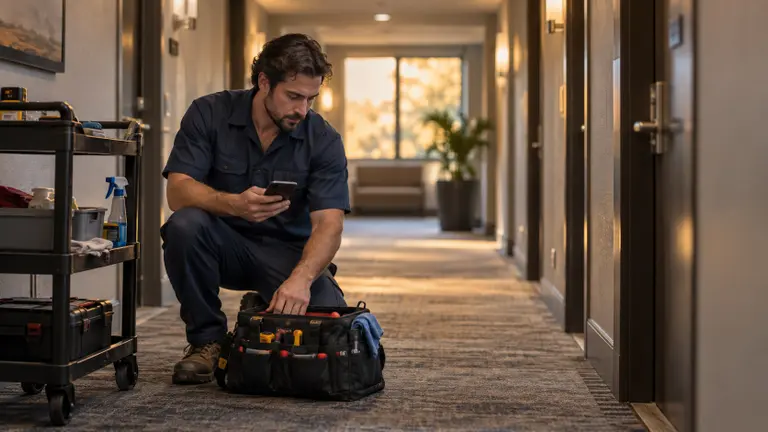
Most maintenance request workflows fail for the same reason: the documented process is slower than the workaround. A resident texts the on-site manager because the portal takes six taps and a password reset. A tech calls the office because the work order says "leak in bathroom" and nothing else. Two months later your system of record is a group chat, and you cannot say how long a water heater swap actually takes across your portfolio. A maintenance request workflow that sticks is not the one with the most required fields or the strictest rules. It is the one where following the process is genuinely faster than going around it, for a resident holding a phone over a puddle and for a tech standing in a hallway with one bar of signal.
Why maintenance request workflows break down in the field
Residents route around anything that feels like paperwork
People report problems the way they report them to a friend: fast, vague, and through whatever channel already has your name in it. If your intake asks for a category, a subcategory, an asset ID and a preferred vendor before it will accept a photo, they will text you instead. Every text that bypasses intake is a request with no timestamp, no audit trail, and no clock running on it.
Techs ignore work orders they cannot act on
Ask any maintenance tech what kills a morning and you get the same list: no unit number, no gate code, no idea whether the dog is friendly, no parts information, and no dollar authority. A work order missing any one of those turns into a phone call, and a phone call to a PM who is in a showing turns into a rescheduled visit. Contractor communities like Contractor Club are full of the same complaint from the trade side of the table, and it is worth reading even though it is UK-based: the job itself is rarely the problem, the missing information is. That is a workflow defect, not an attitude problem.
Nobody owns the middle
Most portfolios have a clear start (a request arrives) and a clear end (someone fixes it). The failure zone is triage and dispatch, where a request sits in a queue waiting for a human to decide whether it matters. That gap is where your response-time numbers, and your renewals, quietly die.
Design intake so it does the triage for you
Your intake form is the only chance to collect information while the resident is still standing in front of the problem. Keep it short, but make every field earn a decision you would otherwise have to make by phone.
Require these, and nothing else:
- Photo or 15-second video. One image removes more back and forth than any dropdown. Ask for a wide shot and a close-up.
- Location in plain terms. Unit, room, and which fixture. Kitchen sink, left basin beats plumbing.
- How long it has been happening. Separates a slow drip from a burst supply line.
- Permission to enter when the resident is out, with a yes/no plus a place to list pets, alarm codes, and parking instructions.
- Two availability windows. Not a calendar. Two windows.
- Best phone number for the tech, which is often not the number on the lease.
Everything else - asset tags, warranty status, vendor history, cost codes - is yours to attach during triage. Do not push your accounting structure onto a resident at 11 p.m.
Define urgency in resident language
Priority levels named P1 through P4 mean nothing to a resident, so they pick the highest one. Give them examples instead. Emergencies are things like no heat in cold weather, no running water, a sewage backup, an active leak you cannot stop, a gas odor, a burning smell from an outlet, a failed exterior lock, or no working smoke alarm. Same-day issues are no air conditioning in extreme heat, a refrigerator that has stopped cooling, or the only bathroom in a unit going out. Everything else is scheduled. Publish that list in the lease packet, in the portal, and on the emergency line greeting, and use identical wording in all three.
Habitability standards and the notice you owe before entering a unit are set by state and local law and they vary considerably, so build your priority definitions and your entry-notice step around the rules in the jurisdictions you actually operate in rather than a national rule of thumb. Whatever you land on, apply it the same way for every resident. Inconsistent response to maintenance requests is a fair housing problem before it is a service problem.
Build your maintenance request workflow around five states
A workflow people follow has states you can say out loud. Five is enough:
- Received. Automatic acknowledgment within minutes, with the request number and the priority the system assigned.
- Triaged. A human confirms or overrides priority, adds asset and warranty context, and decides in-house versus vendor. Put a clock on this one. Triage is where queues rot.
- Dispatched. Assigned to a named tech or vendor with a scheduled window and a not-to-exceed amount.
- On site and in progress. Arrival logged, scope confirmed or changed. Any change above the NTE stops work and comes back to you.
- Verified and closed. Photos of completed work, parts used, and a resident confirmation before the request closes.
The rule that makes this hold: a request only moves forward, and only a person can close it. Auto-closing stale tickets is how you rediscover a roof leak in March. If you manage a mixed portfolio, the same five states should cover a single-family rental and a 200-unit property, with only the dispatch step changing. There is more on how PMs structure this over at PlanaJob for property managers.
Write work orders a tech can execute without calling you
Copy this as a template and refuse to dispatch anything missing a line:
- Property address, unit, and access notes (gate code, lockbox, which door, where to park).
- Scope in one sentence, written as an outcome: replace leaking angle stop under kitchen sink, left basin.
- Priority and the promised window, so the tech knows exactly what the resident was told.
- Not-to-exceed dollar amount, and who to call for approval above it.
- Resident name, phone, pets, and whether entry is authorized when nobody is home.
- Photos from intake, plus any prior work orders on the same asset.
- Parts expectation: on the truck, will-call, or ordered.
- Close-out requirements: before and after photos, parts list, and a flag if a follow-up visit is needed.
The NTE line does more work than anything else on that list. It is the difference between a tech making a fifty dollar decision on the spot and a two-day delay while everyone waits for permission. Set it by category, review it quarterly, and raise it whenever the approval traffic is costing you more than the risk. The case made on Construction Arbitrage applies directly here: the margin in trade work sits in scheduling and rework, not in rates.
Close the loop, because the resident is grading you
Residents do not judge maintenance on repair time. They judge it on whether anyone told them what was happening. Automate three messages: acknowledgment on receipt, the scheduled window when the job is dispatched, and a confirmation with a plain did-this-fix-it question after close-out. Route any negative answer straight back into the queue as a recall linked to the original request, so your recall rate stays visible instead of hiding inside brand new tickets.
Measure four numbers
Track these monthly and ignore almost everything else:
- Time to triage, from received to triaged. Should be hours, not days.
- Time to dispatch by priority, measured against what you publicly promised.
- First-time fix rate. Low numbers usually mean weak intake or missing parts information, not weak techs.
- 30-day recall rate by category and by vendor. This is your quality signal and your vendor scorecard in one.
Cost per work order matters too, but only once the first four are stable. Before that you are mostly measuring how often you send someone back.
Where the dispatch layer fits
The hardest state to staff is dispatch, especially for trades you do not employ in-house. That is where PlanaJob plugs into your existing maintenance request workflow: the request comes in through your intake, and when it needs an outside trade you post the scope and compare quotes from vetted contractors instead of calling down a list and hoping. Your states, your SLAs, your work order template, with the sourcing handled underneath. You can set up an account and route one category through it before moving the whole portfolio. More operational playbooks are on the PlanaJob blog.
FAQ
How fast should a maintenance request workflow move from request to dispatch?
Set targets by priority rather than one blanket number: emergencies dispatched immediately through an on-call rotation, same-day categories within business hours, routine requests within a couple of business days. What matters more than the exact target is publishing it and then measuring yourself against it every month.
What do I do about residents who keep texting instead of using the portal?
Accept the text, log it yourself, and reply with the ticket number. Punishing the channel does not work. Do that for a month, note which request types keep arriving by text, then fix the intake friction causing it. It is usually a login wall or a form that rejects photos over a size limit.
Should residents be allowed to set their own priority?
Yes, with a short list of examples and a triage step that can change it. Removing the option just makes people escalate by phone. If a resident marks something an emergency and it is not, your triage call is the correction, and if the same category gets over-flagged repeatedly, your published examples need rewriting rather than your residents.